Deriv Account
Writen By

Online Trading Platform Researcher and Guide Writer
Researches broker platforms and trading account Systems.
Want to start trading quickly but worried about verification, password recovery, or device access? Many new users stall at the first steps — entering details, confirming email or phone, and choosing between demo and real accounts. Addressing these common stumbling blocks early reduces delays and keeps your account ready for deposits and trading once verification and funding are complete.
This article walks you through the practical sign up flow, how to confirm contact details, and everyday login tasks including password reset and multi-device access. You’ll get clear steps for completing identity checks, enabling two-factor protection, and troubleshooting common login errors so you can move from registration to market access with fewer interruptions and better account security.
This article walks you through the practical sign up flow, how to confirm contact details, and everyday login tasks including password reset and multi-device access. You’ll get clear steps for completing identity checks, enabling two-factor protection, and troubleshooting common login errors so you can move from registration to market access with fewer interruptions and better account security.
How to Sign up in Deriv
How to Sign up a Trading Account
The process of opening an account at Deriv is simple.
- Visit the website Deriv or click here to create.
- Click the "Create free deno account" button or register via a social network in the registration page.
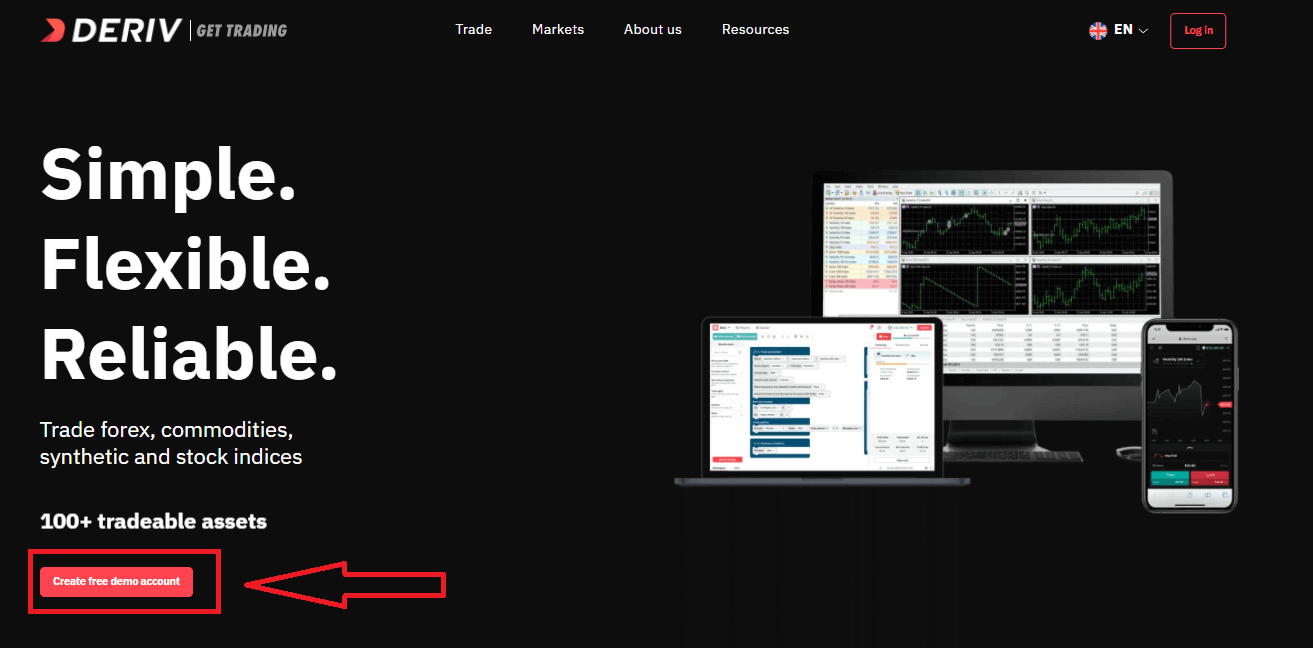
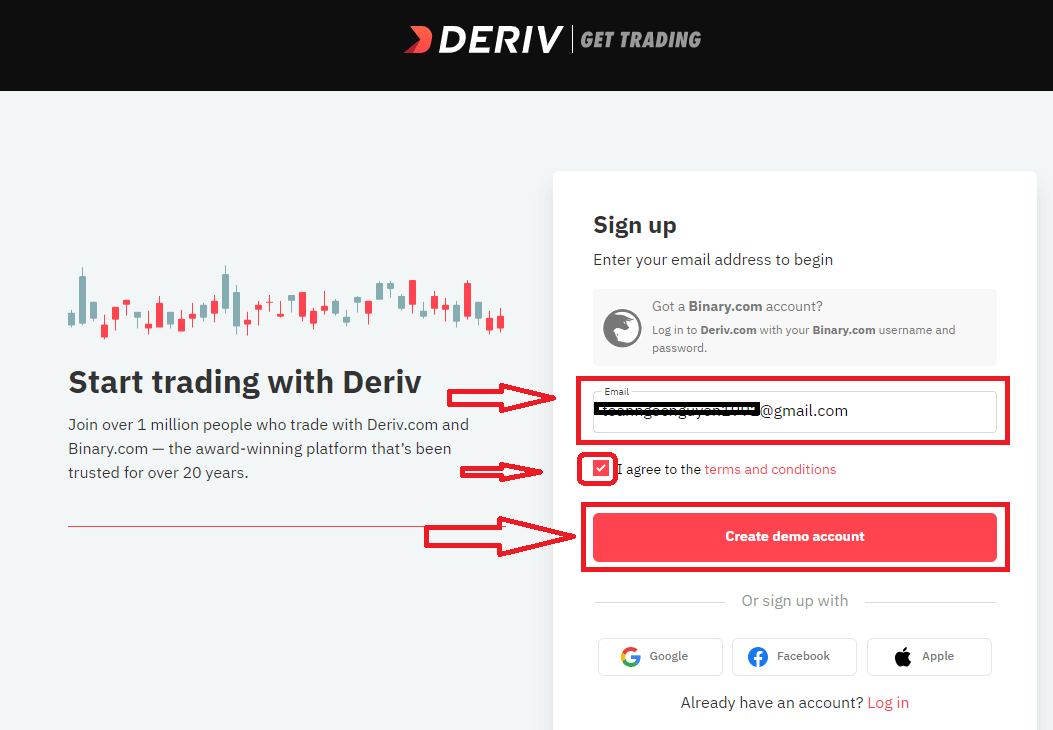
Enter your Email, check the checkbox and click the "Create demo account" button
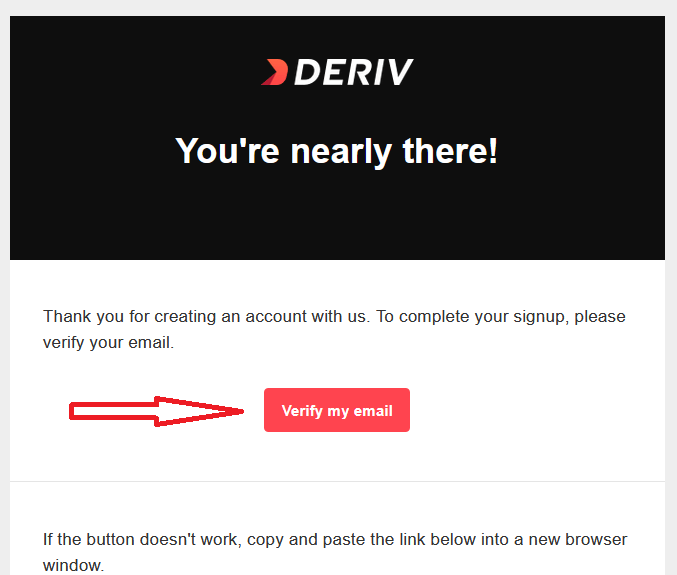
An email confirmation link will be sent to your email address. Click the "Verify my email" button to confirm
You will be shown a new screen to create new demo account, enter your country, password for your account and click "Start trading"
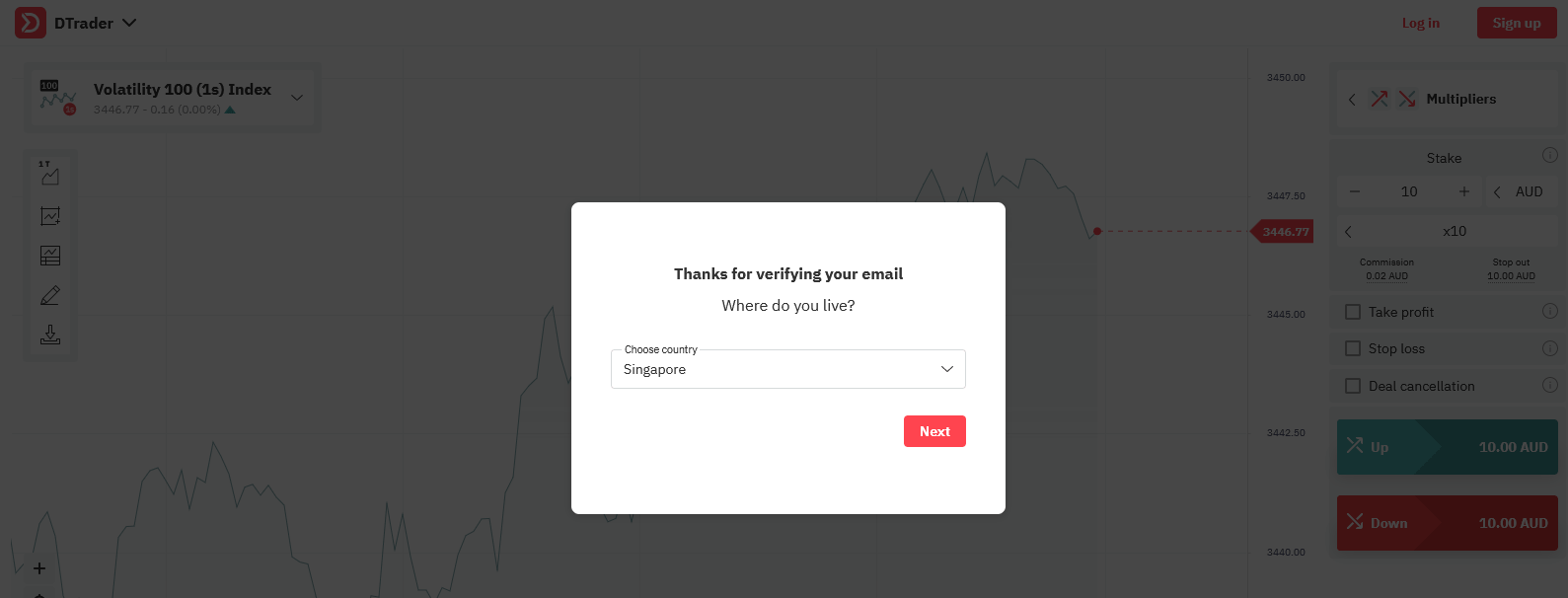
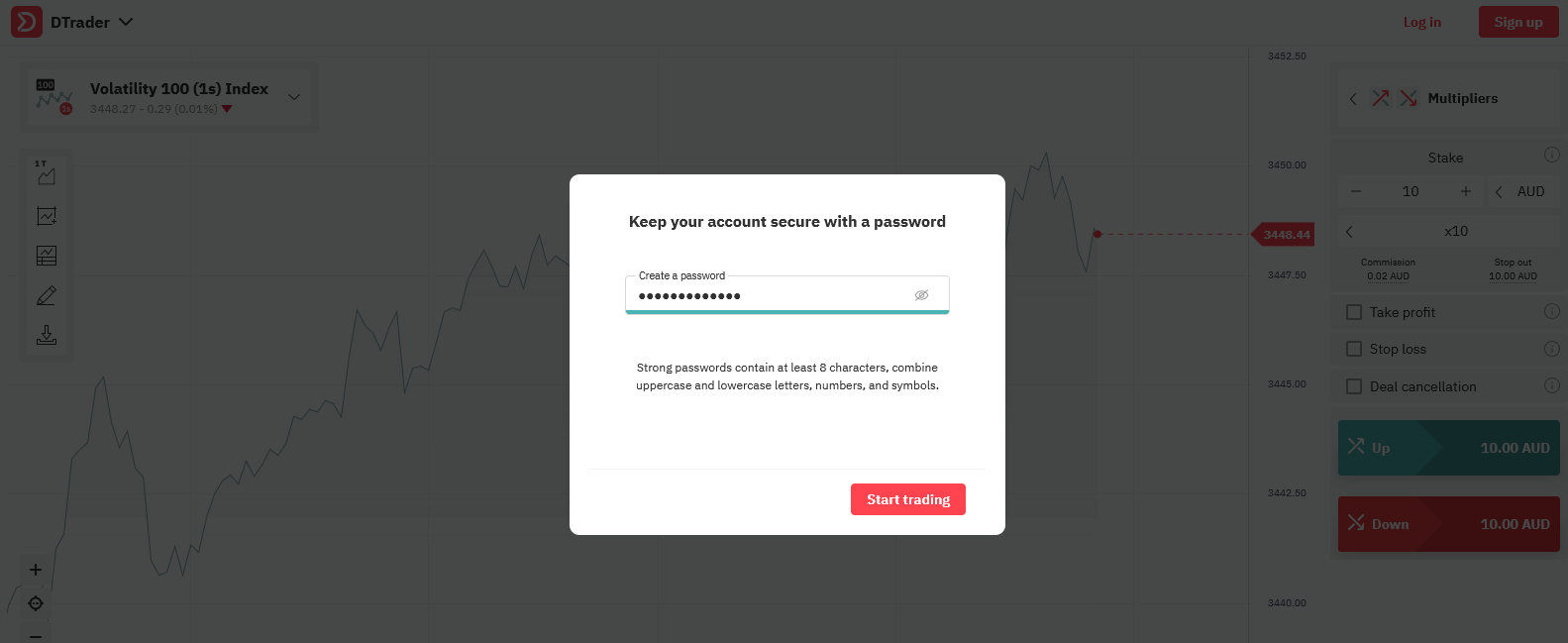
Congratulations! Your registration for Demo Account is finished!
Now you have 10,000 USD for Trading with Demo Account.
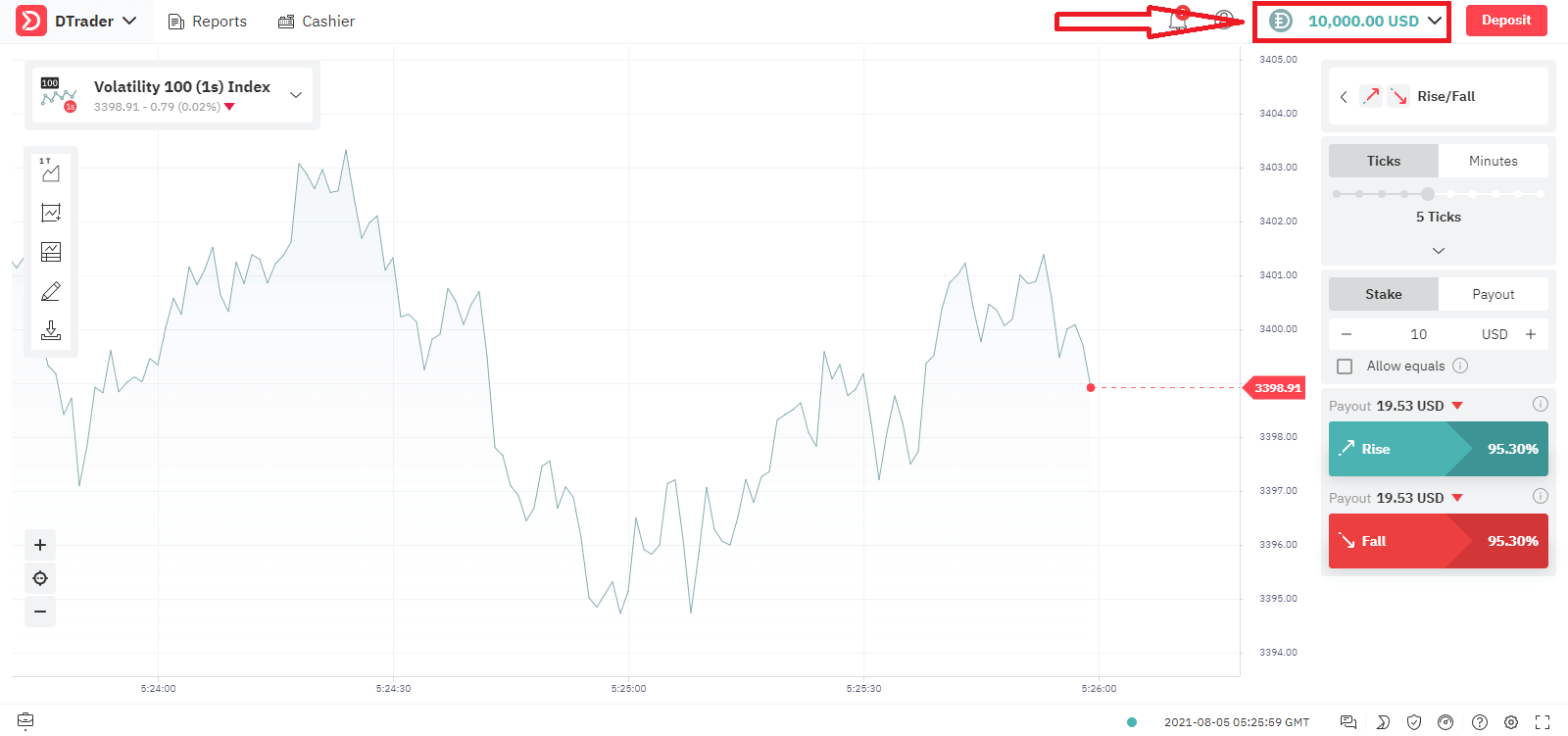
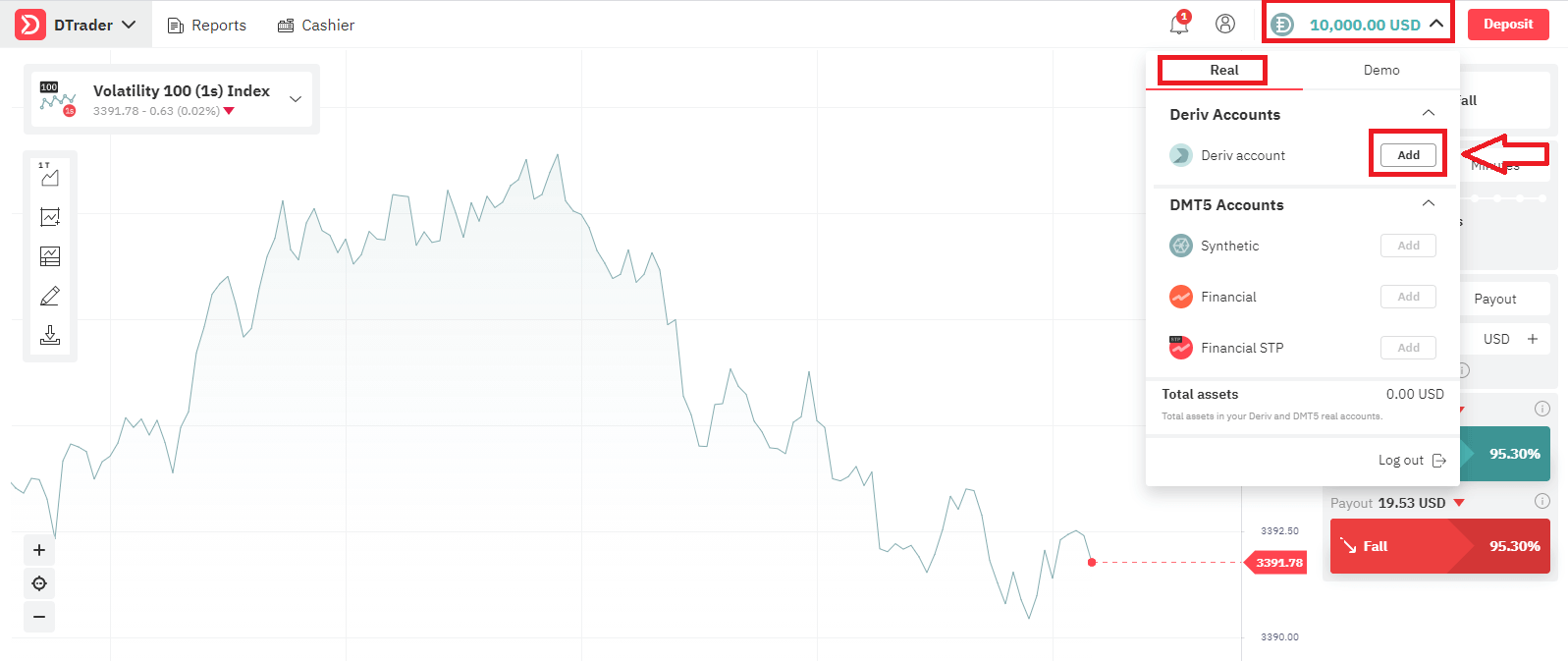
Let’s go through the second option, If you want to trade with Real Account, click "Add" as below
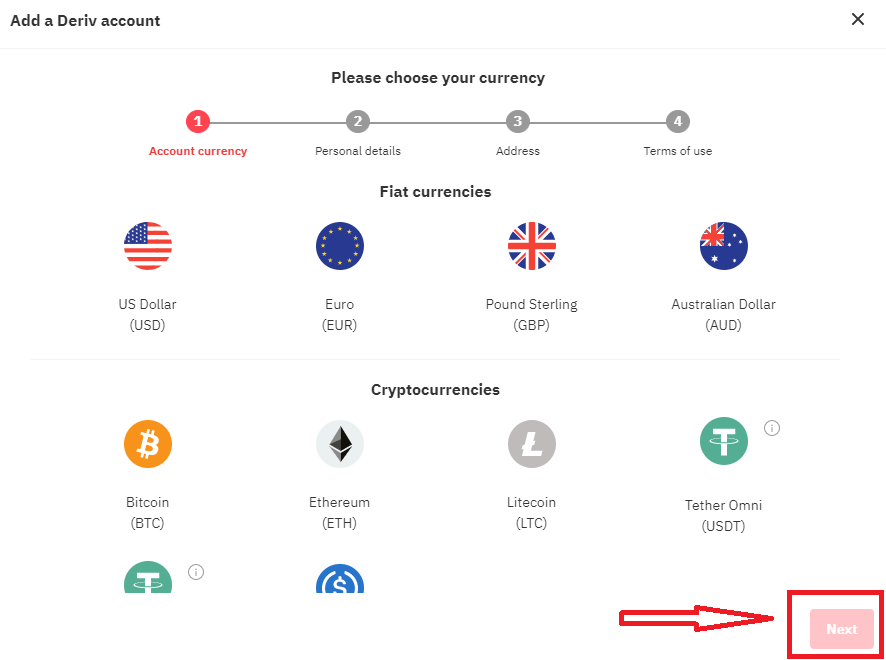
Firstly Choose your Currency, click "Next"
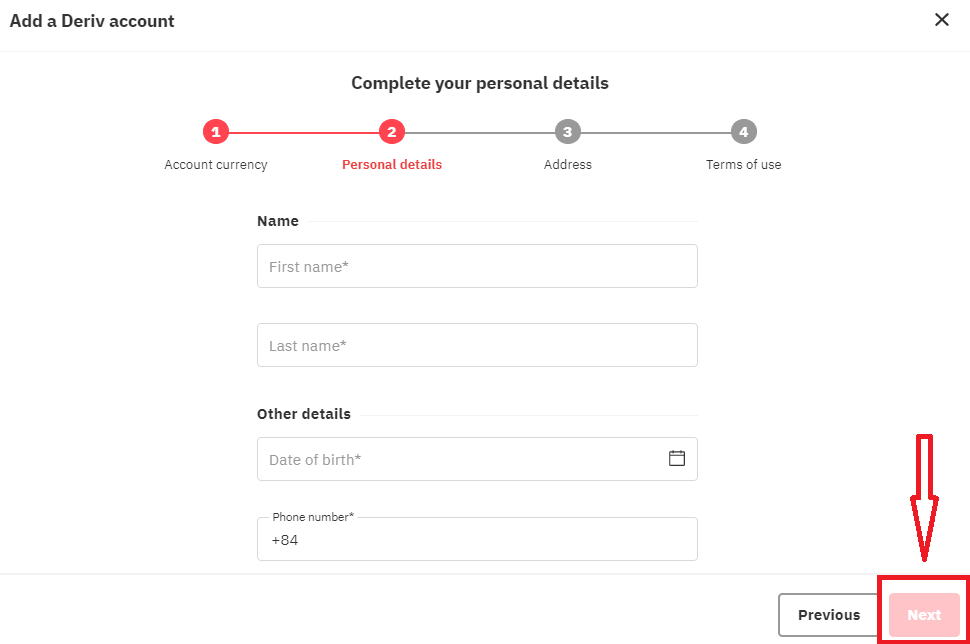
Enter you Personal Details, click "Next"
Enter your Address Details and click "Next"
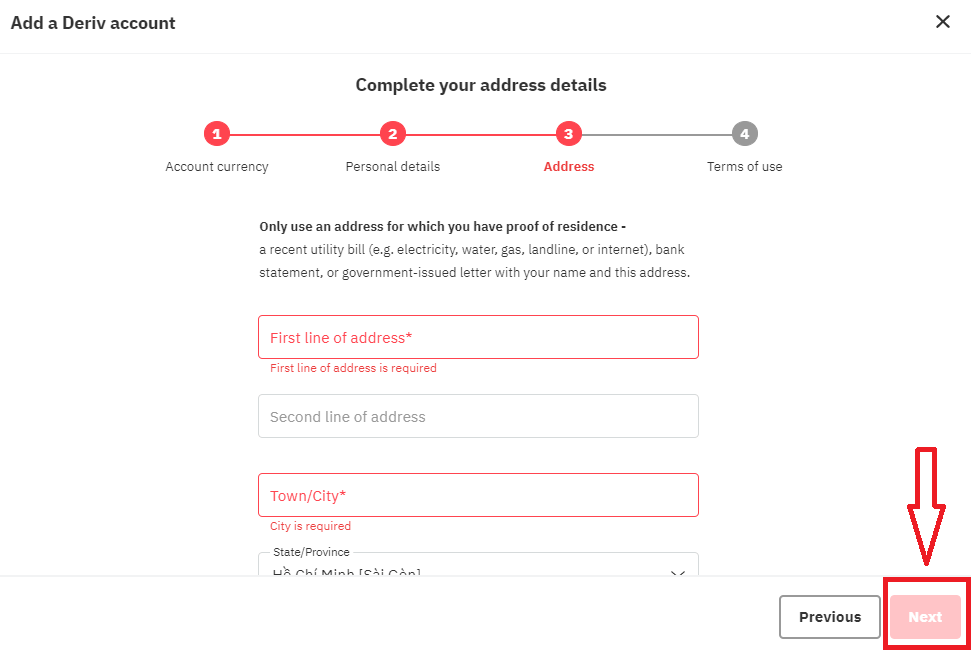
Read the Term of Use of Derv, check the checkbox and click "Add account" button
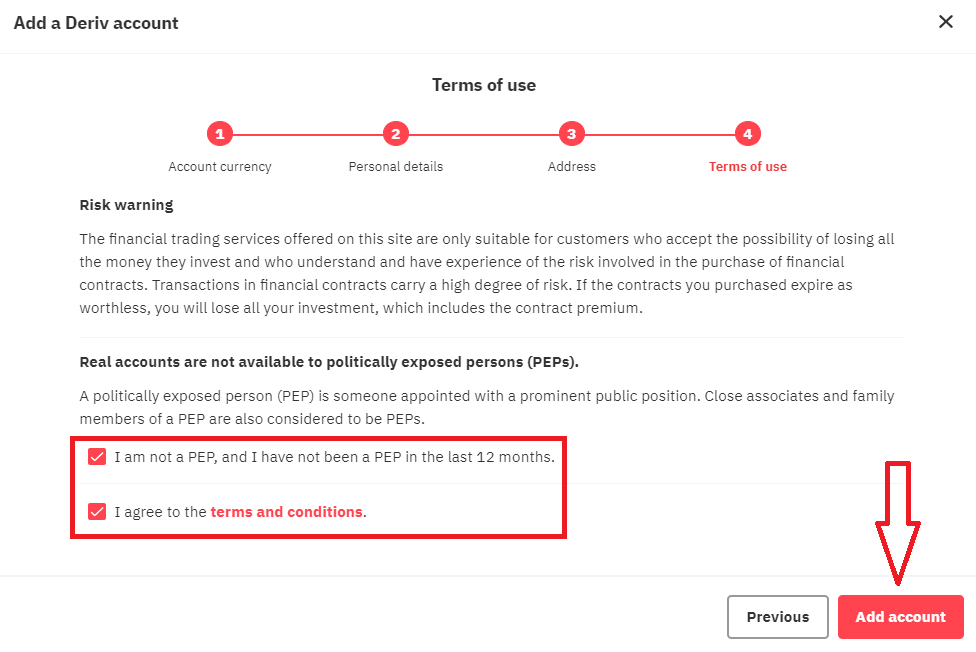
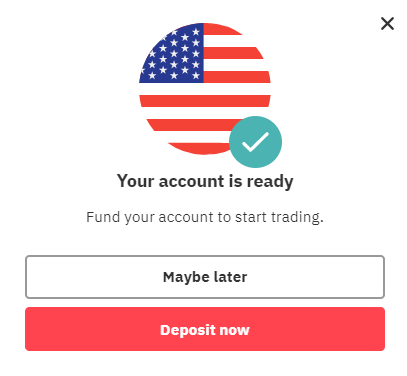
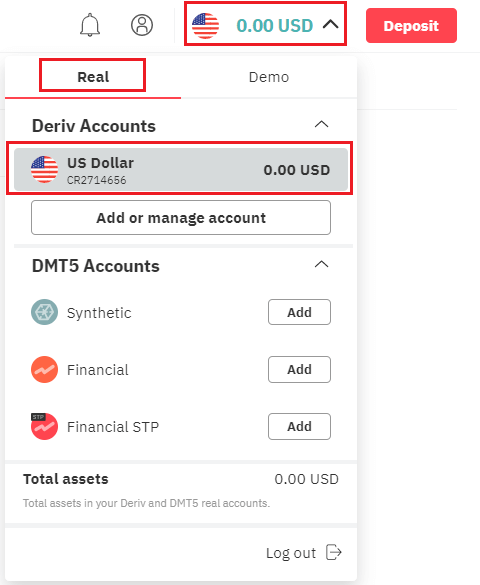
Your Registration for Real Acocunt is finished
How to Deposit Money in Deriv
How to Sign up with Facebook account
Also, you have an option to open your account through web by Facebook and you can do that in just few simple steps:1. Click on Facebook button at the registration page
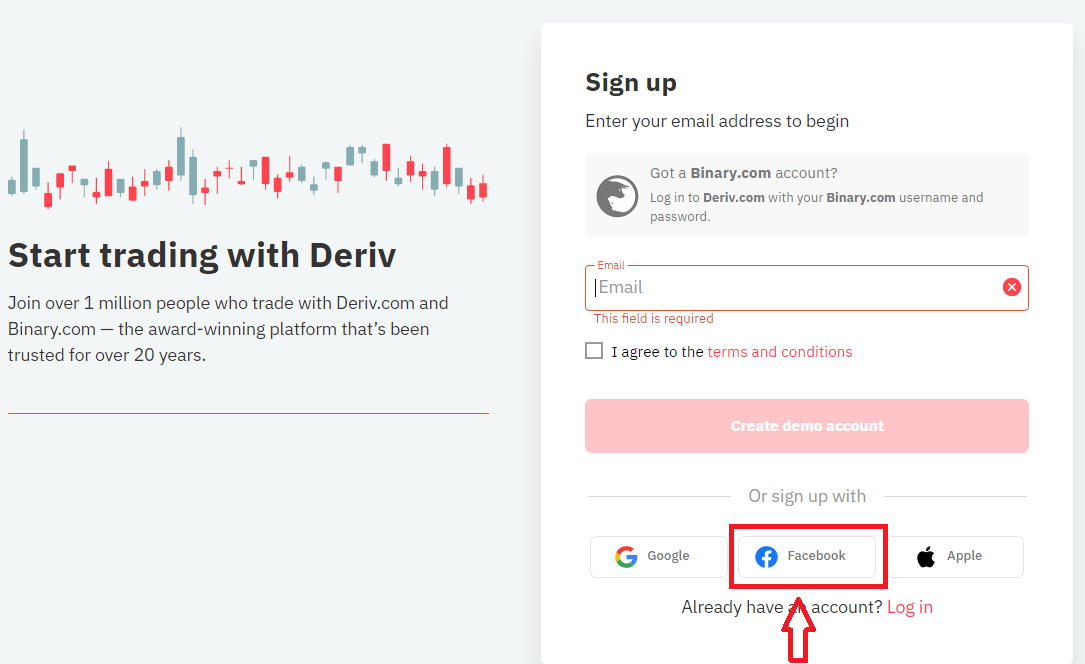
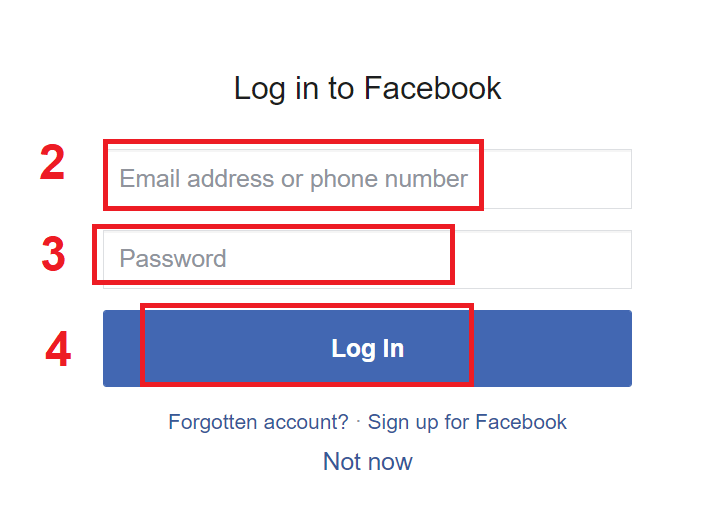
2. Facebook login window will be opened, where you will need to enter your email address or phone number that you used to register in Facebook
3. Enter the password from your Facebook account
4. Click on “Log In”
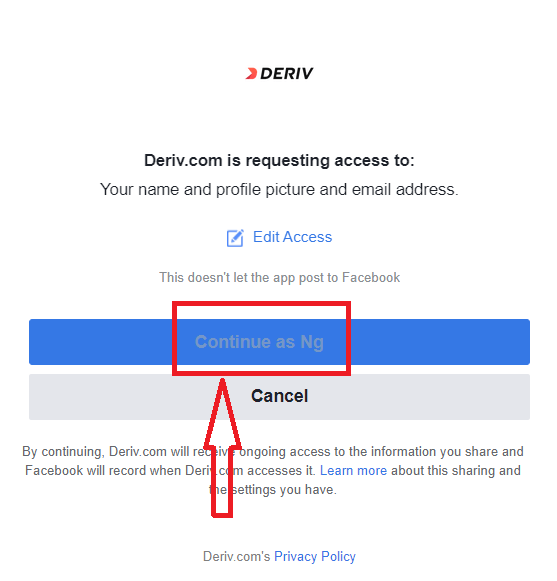
Once you’ve clicked on the “Log in” button, Deriv is requesting access to: Your name and profile picture and email address. Click Continue...
After That You will be automatically redirected to the Deriv platform.
How to Sign up with Google account
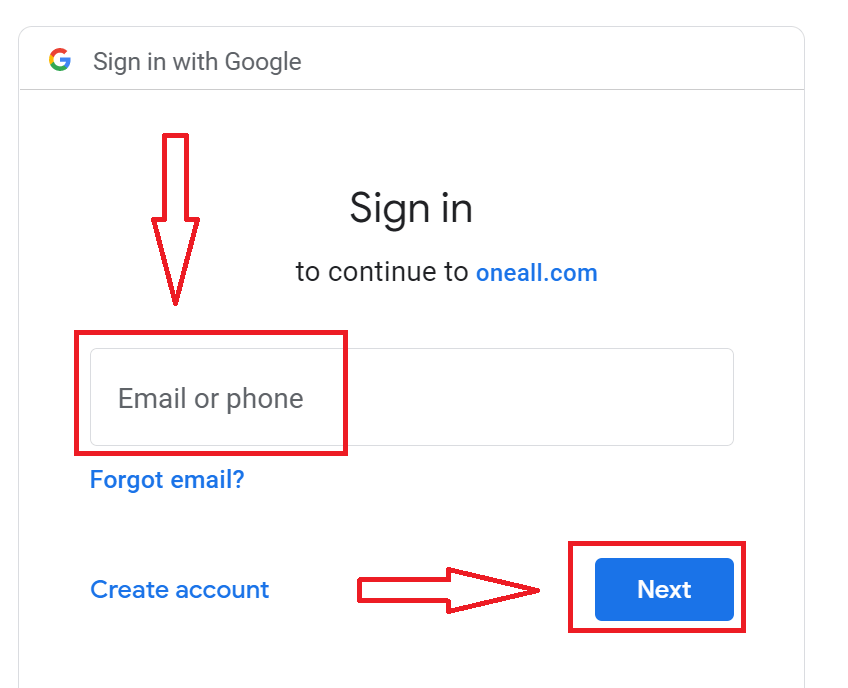
1. To sign up with a Google account, click on the corresponding button in the page.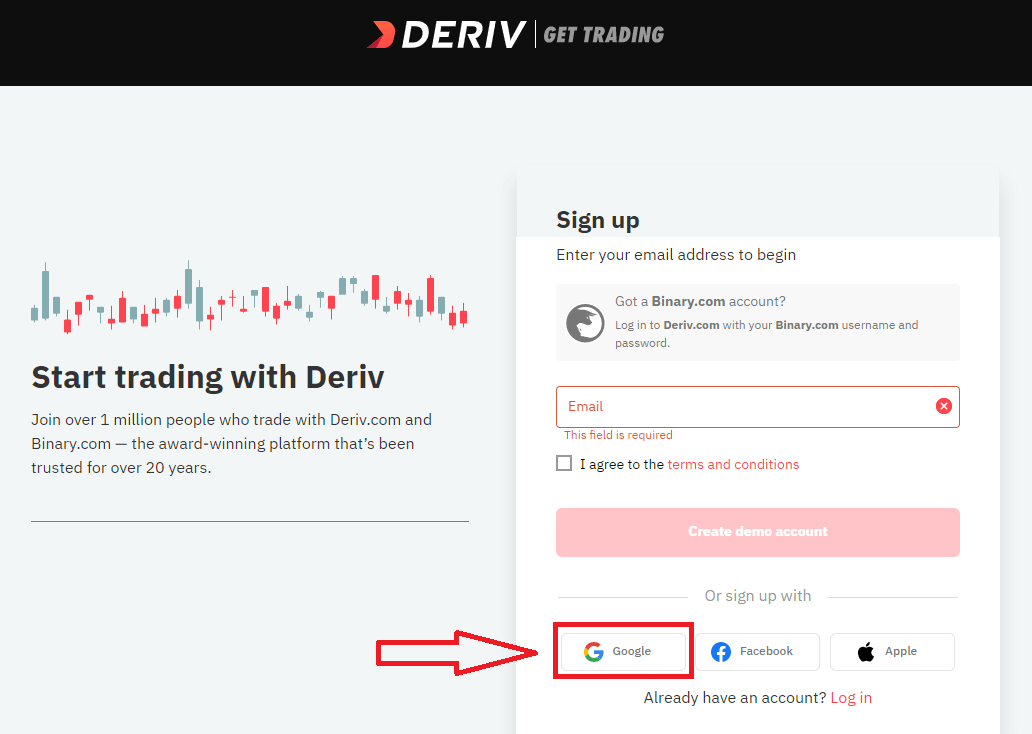
2. In the new window that opens, enter your phone number or email and click “Next”.
3. Then enter the password for your Google account and click “Next”.
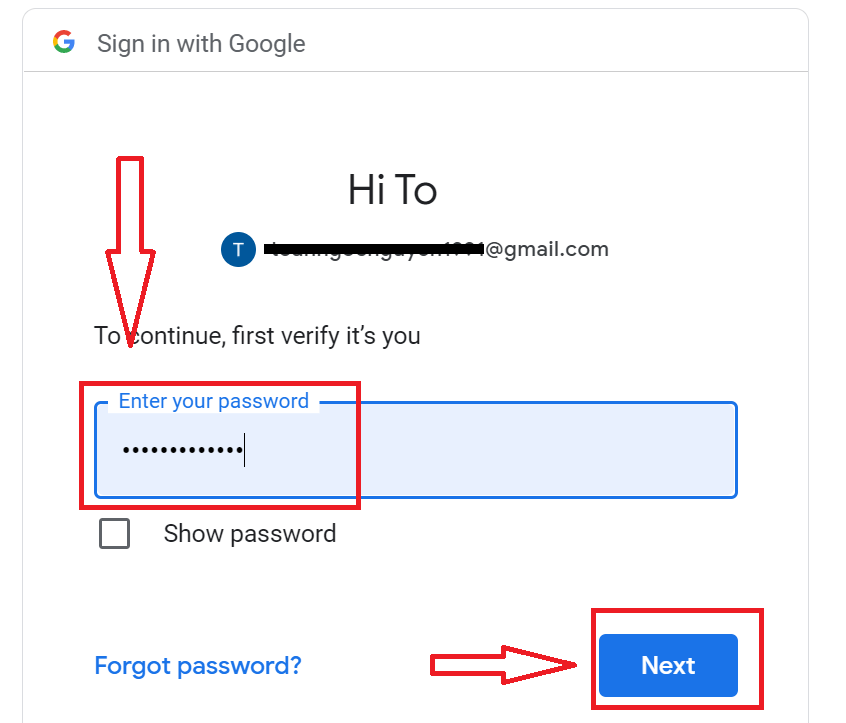
After that, follow the instructions sent from the service to your email address.
How to Sign up with Apple ID
1. To sign up with a Apple ID, click on the corresponding button in the page.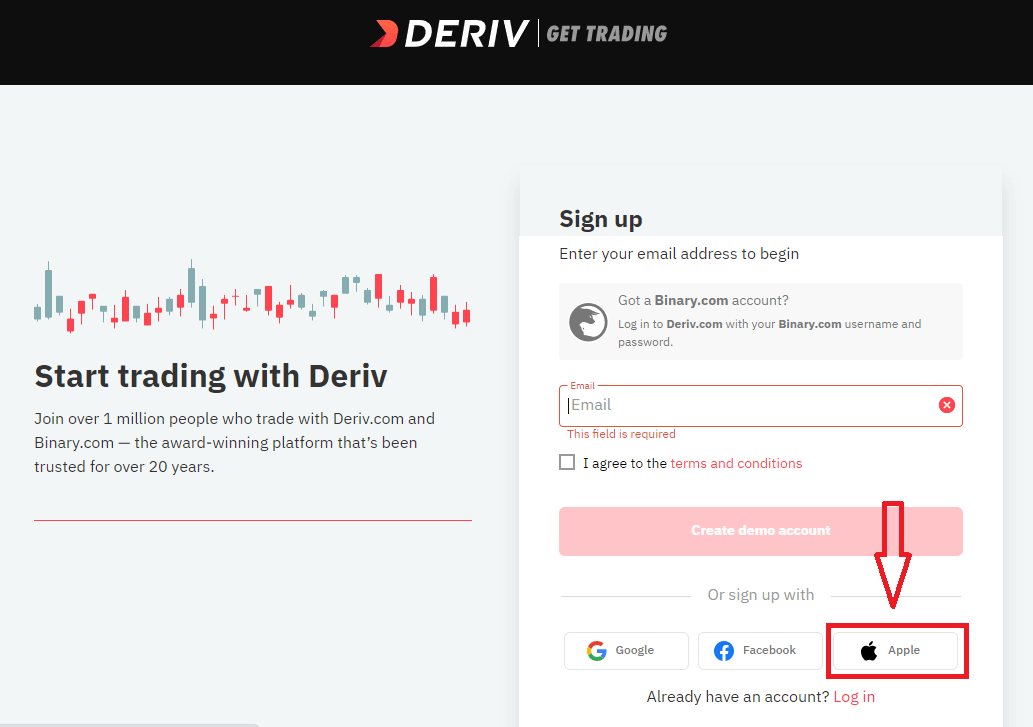
2. In the new window that opens, enter your Apple ID and click “Next”.
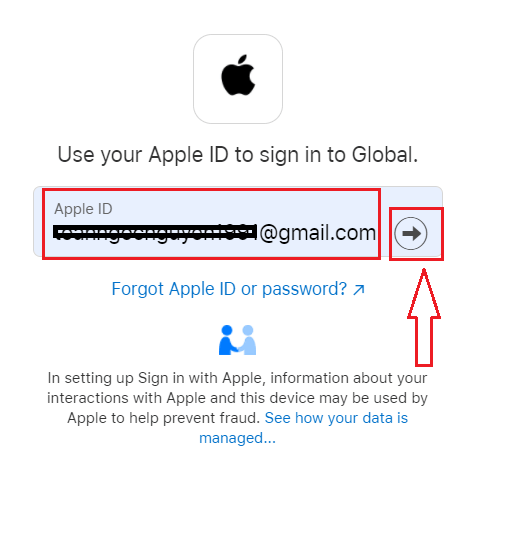
3. Then enter the password for your Apple ID and click “Next”.
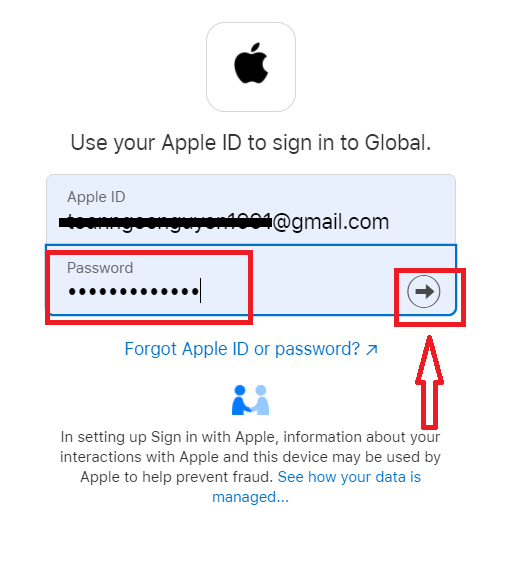
After that, follow the instructions sent from the service to your Apple ID.
FAQ of Account
Why cant I create an account?
In line with our Group practice, we set the following criteria for client sign ups:Clients have to be at least 18 years of age.
Clients cannot be a resident in Canada, Hong Kong, Israel, Jersey, Malaysia, Malta, Paraguay, UAE, USA, or a restricted country which has been identified by the Financial Action Task Force (FATF) as having strategic deficiencies.
How can I change my personal details?
If your account is not authenticated, you can change your name, date of birth, or citizenship by going to Settings Personal details.If the account has been fully authenticated, you can submit a ticket requesting the desired changes. Please attach your proof of identity and address.
How can I change my accounts currency?
Once you have made a deposit or created a DMT5 account, you can only change your currency by contacting Customer Support.How to Login to Deriv
How to Login Deriv account?
- Go to Deriv website
- Click on “Login”.
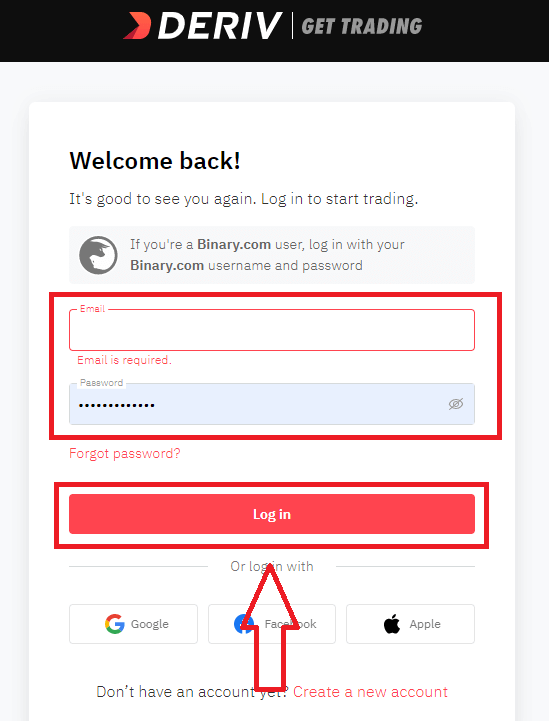
- Enter your email address and password.
- Click on “Log In” button.
- Click on “Facebook” or “Gmail” or "Apple" for login
- If you forgot password click on “Forgot Password”.
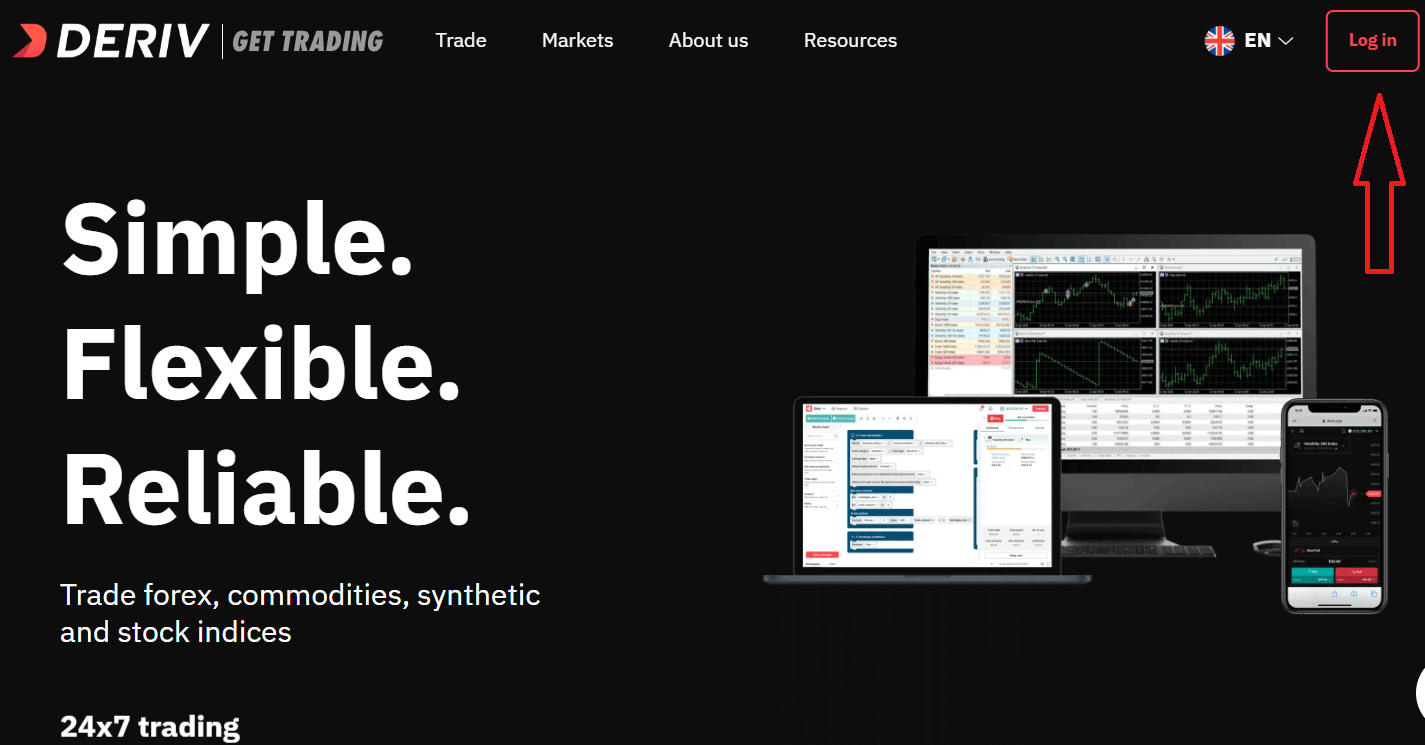
To log in to Deriv you need go to website. To enter email address and password, you must click on the «Log in». On the main page of the site and enter the login (e-mail) and password that you specified during registration.
After Login Successfully. You can switch between Real account and Demo account.
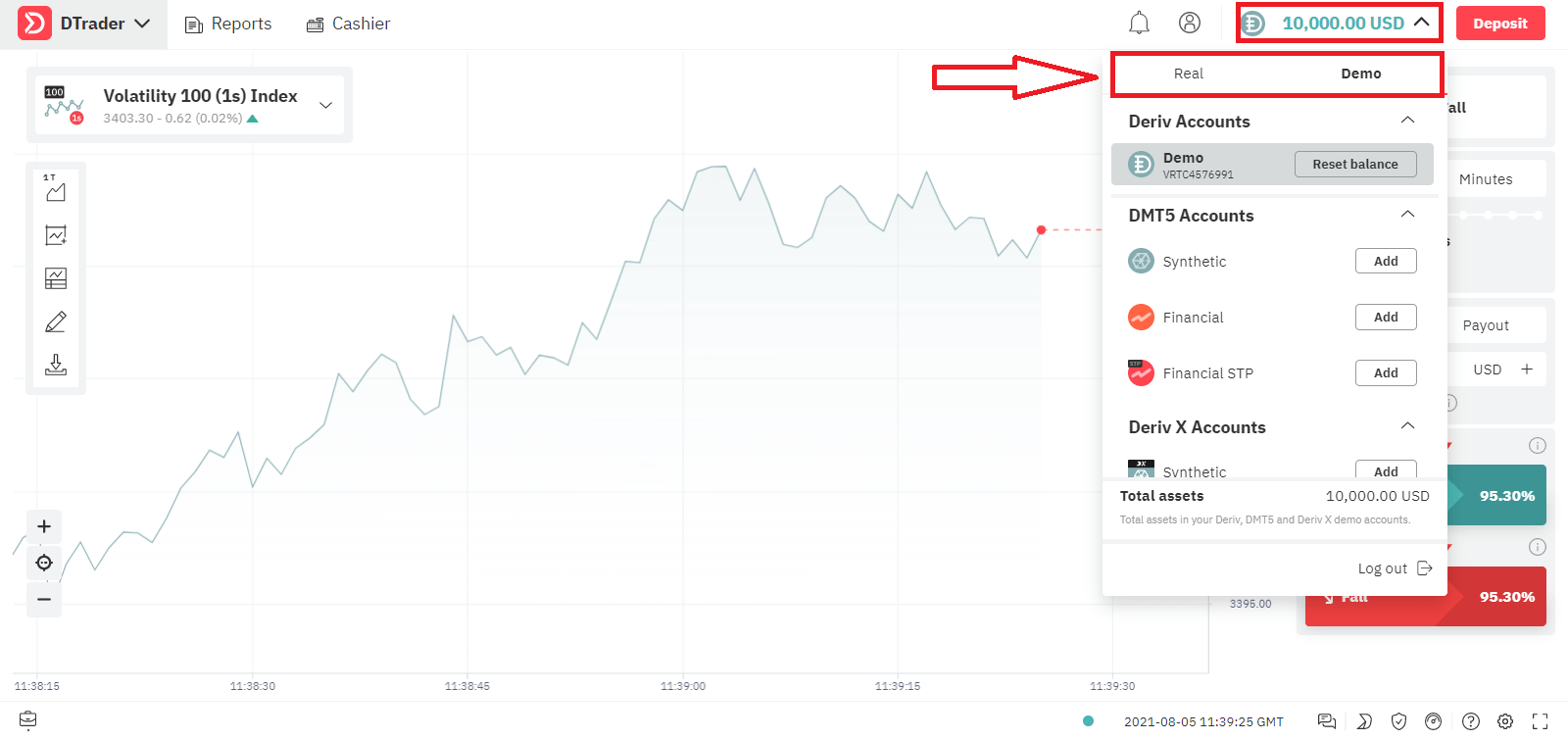
Choose the Trading Platform you want to trade
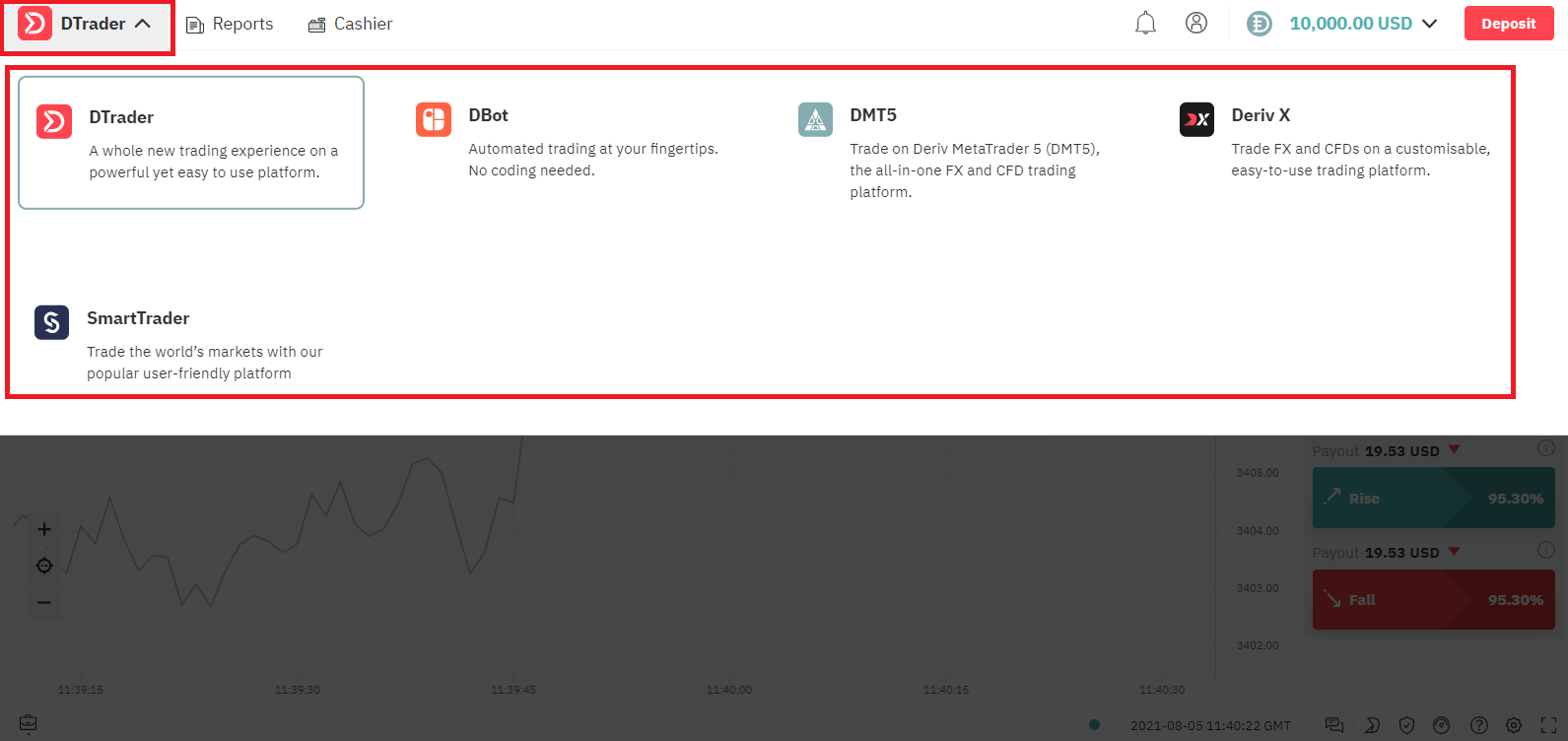
Now You can trade for Demo Account with $10,000.
How to Login Deriv using Facebook?
You can also log in to the web site using your personal Facebook account by clicking on the Facebook logo. Facebook social account can be use on web and mobile apps.1. Click on Facebook button
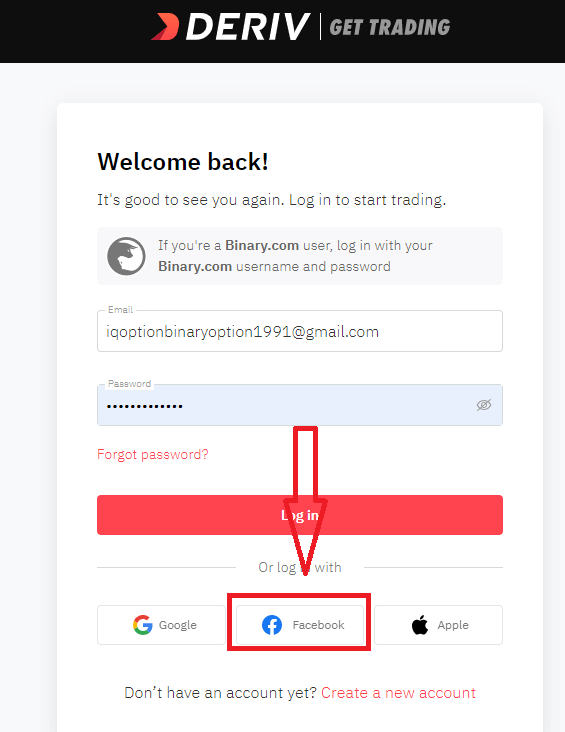
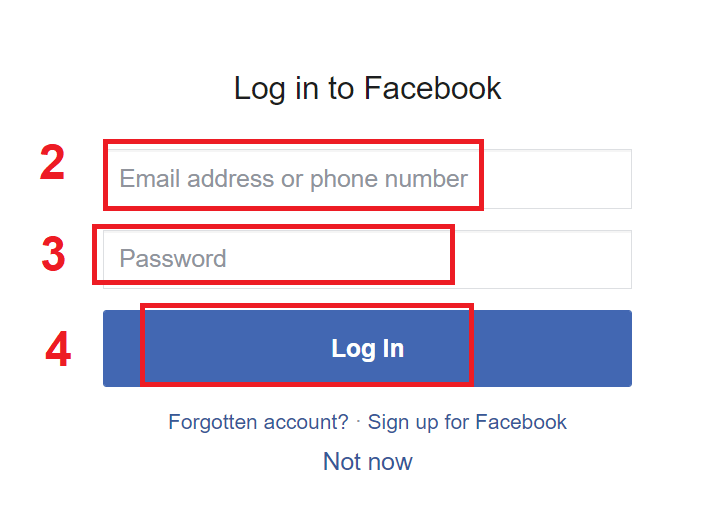
2. Facebook login window will be opened, where you will need to enter your email address or phone number that you used to register in Facebook
3. Enter the password from your Facebook account
4. Click on “Log In”
Once you’ve clicked on the “Log in” button, Deriv is requesting access to: Your name and profile picture and email address. Click Continue...
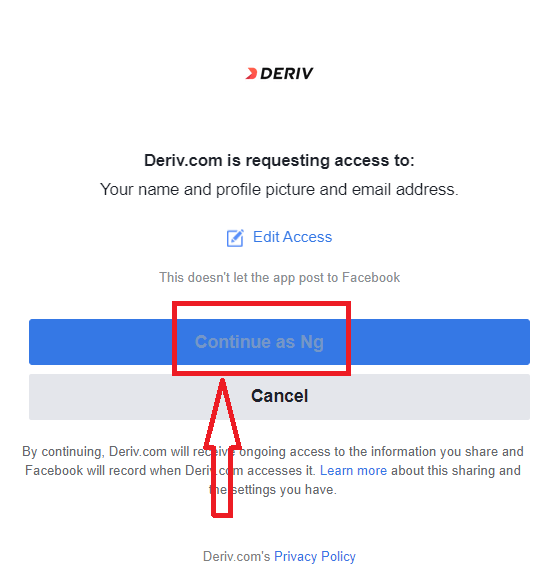
After That You will be automatically redirected to the Deriv platform.
How to Login Deriv using Gmail?
1. For authorization through your Gmail account, you need to click on Google logo.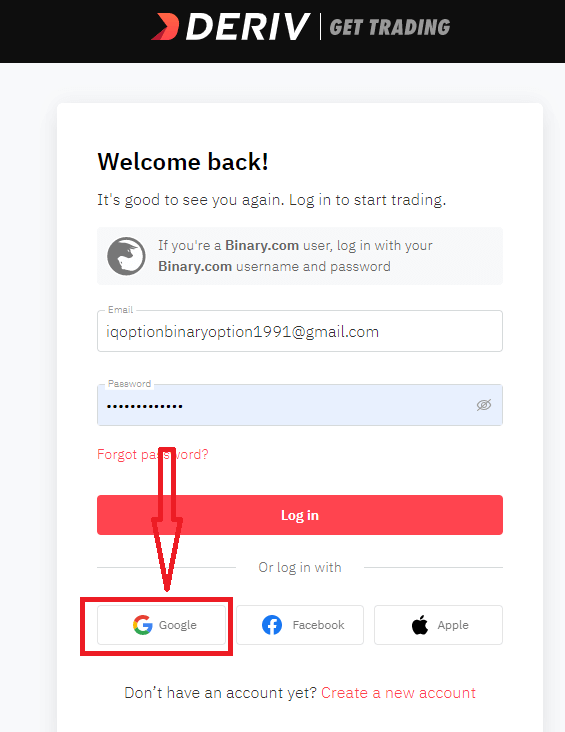
2. In the new window that opens, enter your phone number or email and click “Next”.
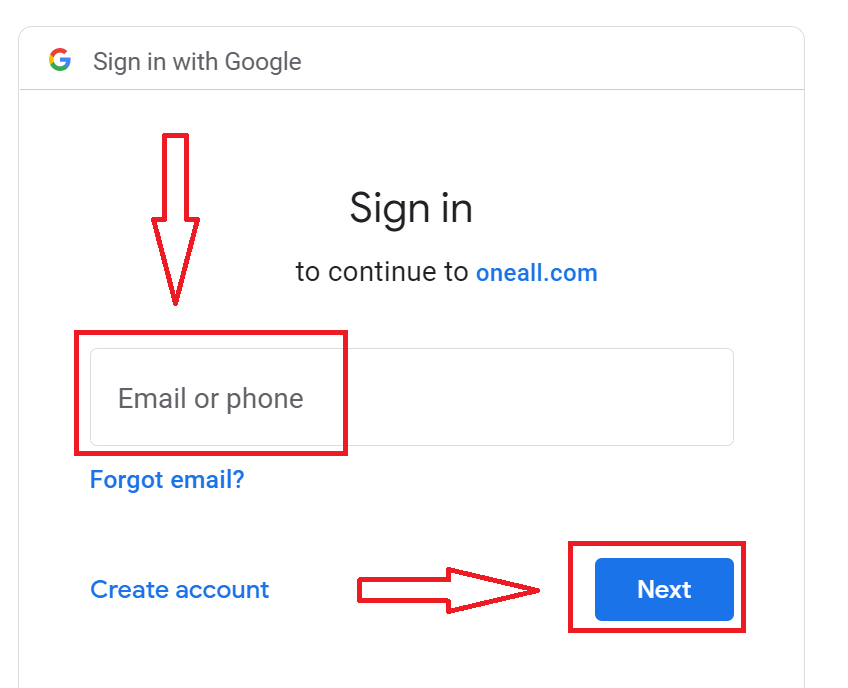
3. Then enter the password for your Google account and click “Next”.
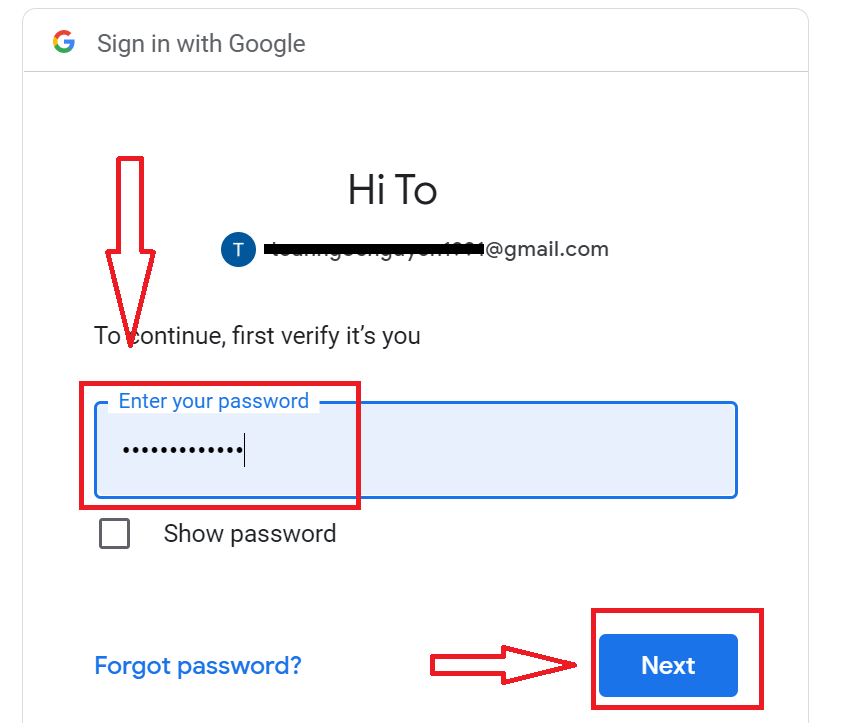
After that, follow the instructions sent from the service to your email address. You will be taken to your personal Deriv account.
How to Login Deriv using Apple ID?
1. For authorization through your Apple ID account, you need to click on Apple logo.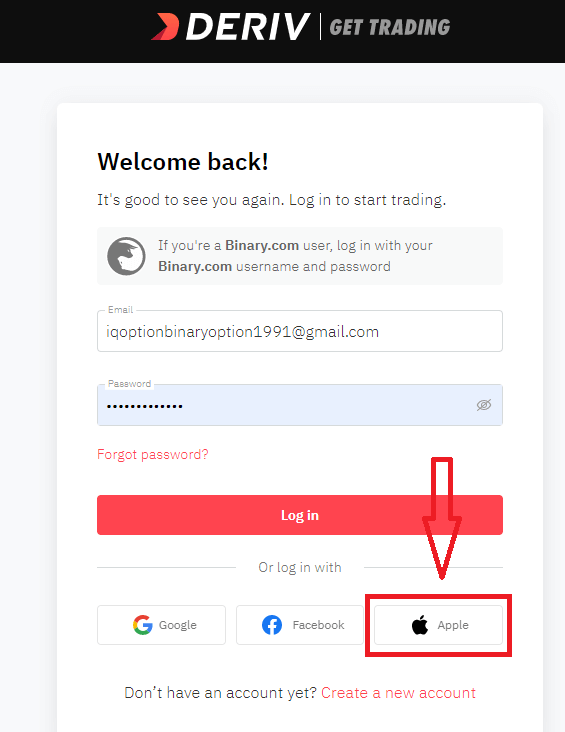
2. In the new window that opens, enter your Apple ID and click “Next”.
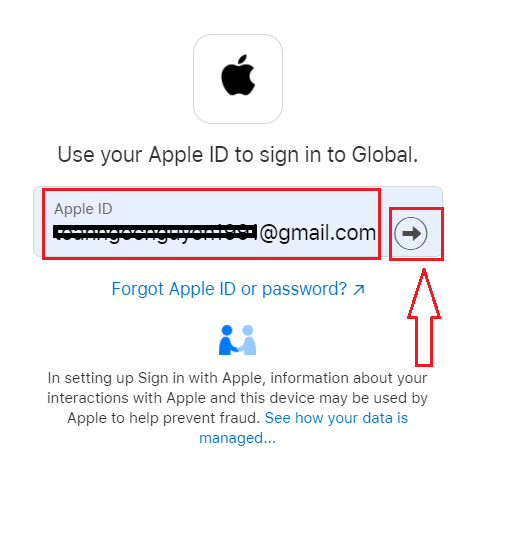
3. Then enter the password for your Apple ID and click “Next”.
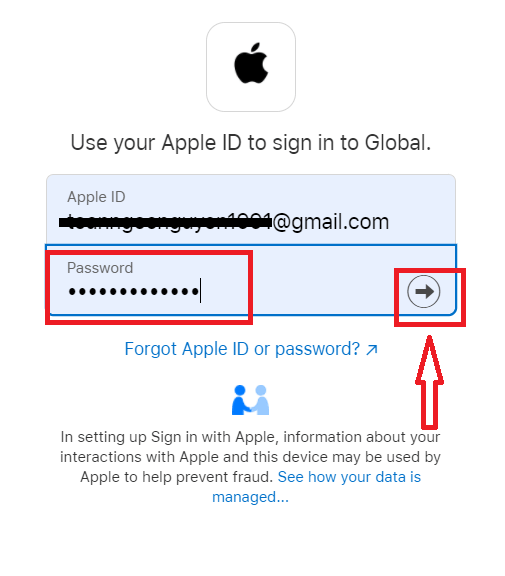
After that, follow the instructions sent from the service to your Apple ID. You will be taken to your personal Deriv account.
I forgot my password from Deriv
To restore your Deriv password, click "Forgot Password"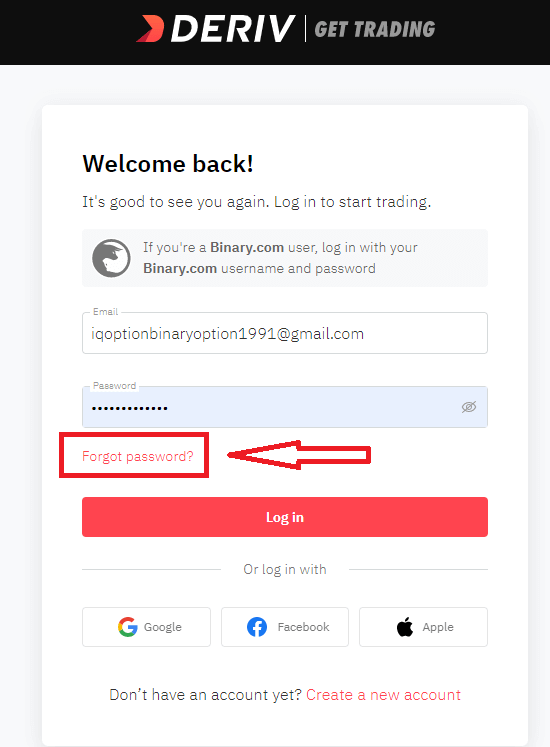
There, please, enter the e-mail address is registered with and click the "Reset my Password" button:
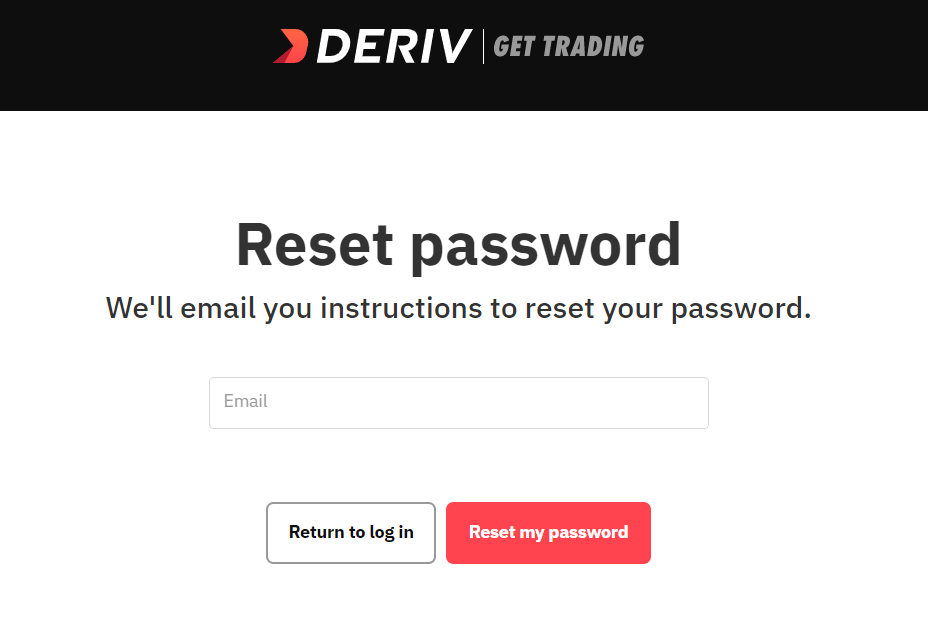
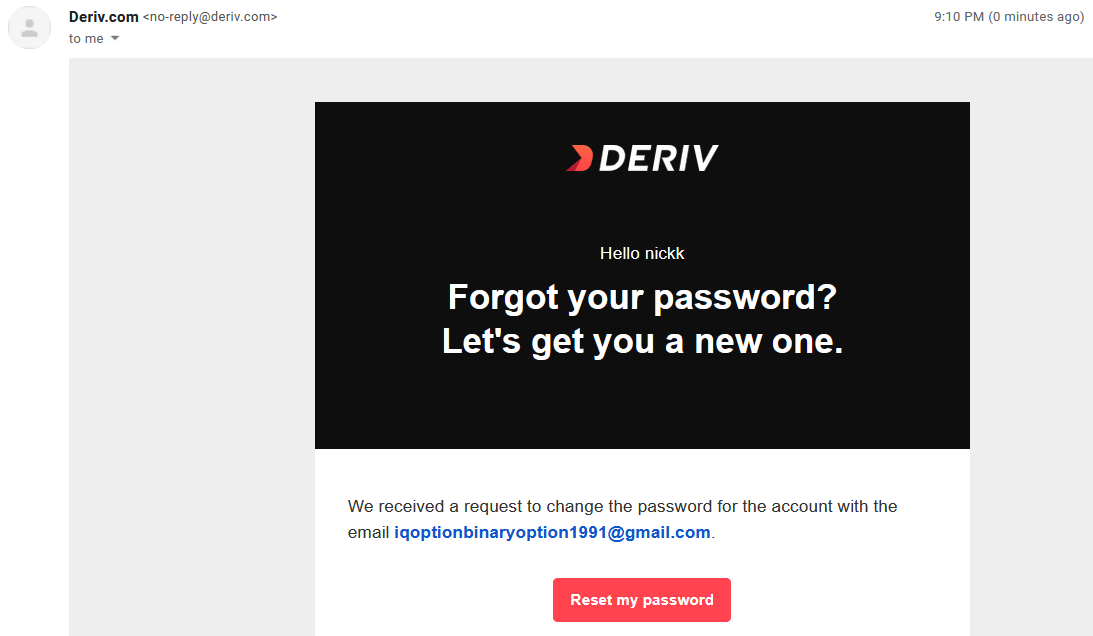
After that, you will receive the e-mail with a password recovery, click on "Reset my password" button.
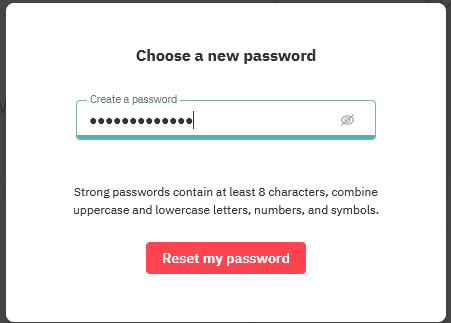
You will be forwarded to the page where you can enter your new password and then click "Reset my Password"
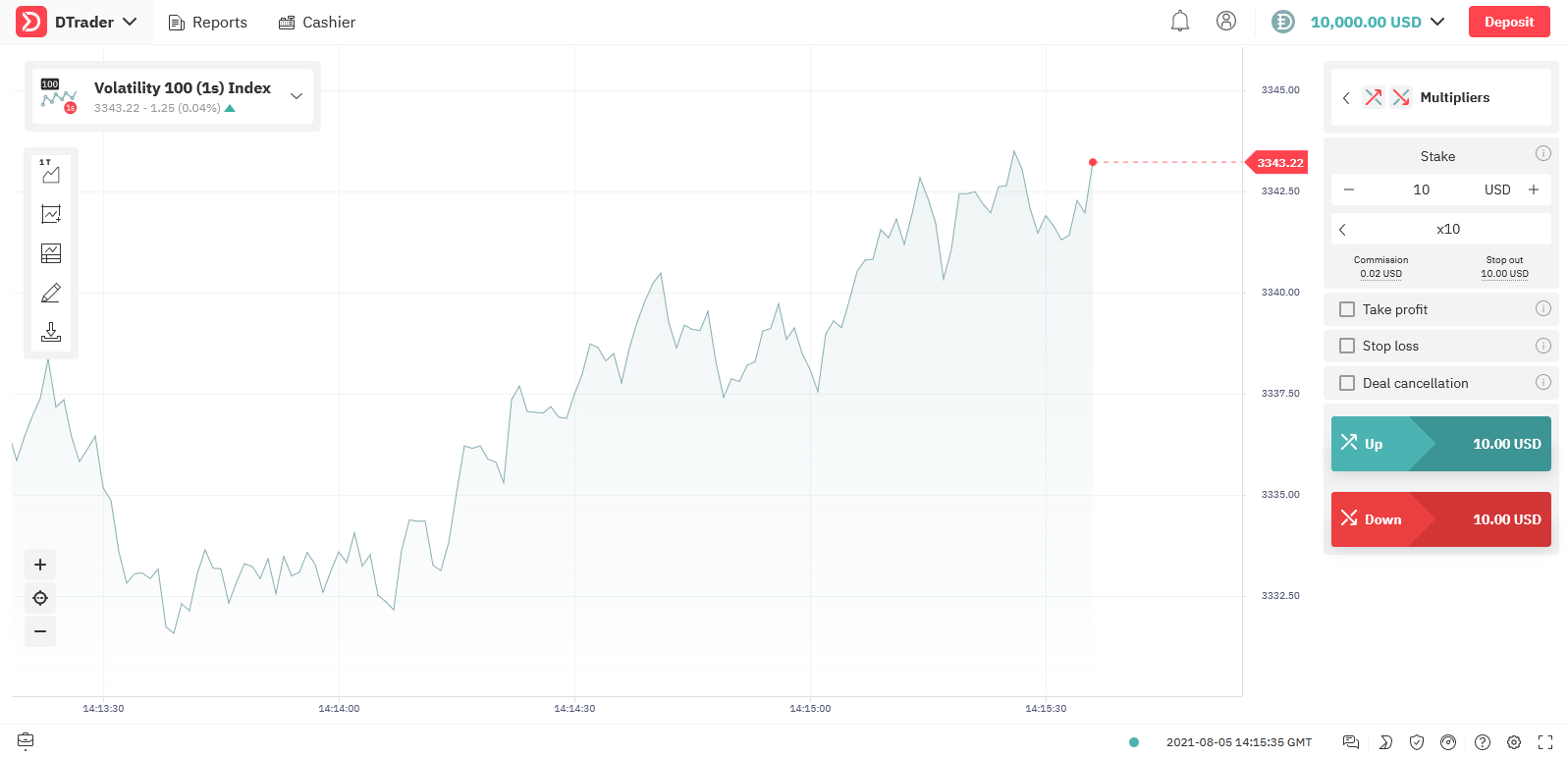
Your Deriv password has been changed! Now you can log in to Deriv.
FAQ of Deriv Login
I forgot my Google/Facebook account password. How can I log in to my Deriv account?
If you’ve forgotten your Google/Facebook account password, you can reset your Deriv account password to log in to Deriv.
How can I close my account?
Before closing your account, please close all your open positions and withdraw all the funds in your account. After that, you may contact us with your request.
Why are my DMT5 login details different from my Deriv login details?
MT5 on Deriv is a standalone trading platform that isn’t hosted on our website. Your DMT5 login details give you access to the MT5 platform while your Deriv login details give you access to the platforms hosted on our website, such as DTrader and DBot.
How can I reset my DMT5 account password?
Please go to the DMT5 dashboard and click on the Password button of that DMT5 account.
How do I reset my Deriv X Password?
Go to your Account settings. Under “Security and safety”, select “Passwords”. You can reset your Deriv X password under “Trading password”.Note: Remember that your trading password is also linked to your Deriv MT5 (DMT5) account.
FAQs
You need a valid email, mobile number, full legal name, country of residence and preferred currency, and you must create a password and accept terms. You can set up the account first but may be asked later to upload ID and proof of address for full functionality.
Use the “Forgot password” link on the login page, enter your registered email, then follow the reset link or code sent to you. If you don’t receive an email check spam, try again, or contact support; expect identity verification if support needs to confirm ownership.
Common causes are incorrect email vs username, caps lock, outdated saved passwords, or using a different account type. Clear browser cache, try a password reset, attempt login on another device, and confirm your account hasn’t been locked pending verification. Contact support with screenshots if the issue persists and never share your password.
You can sign up and access demo accounts immediately, but full live trading, deposits and withdrawals often require identity and address verification. Until documents are approved you may face funding or withdrawal limits; upload clear, valid ID and proof of residence to lift those restrictions.
Yes. Enable 2FA in your account security settings using an authenticator app or SMS where offered. Follow the onscreen pairing steps, save backup codes if provided, and ensure your recovery phone number is current to avoid being locked out.