Deriv Trading Guide 2026: How to Trade, Platforms, Strategies & Risk Management

Deriv’s trading ecosystem offers powerful platforms, flexible markets, and tools designed for both beginners and experienced traders. Whether you’re just getting started or looking to refine your approach, understanding how to trade effectively — including platform features, proven strategies, and smart risk management — is key to your success.
In this comprehensive guide, you’ll learn how to trade on Deriv, explore available platforms and market types, discover practical trading strategies, and master essential risk management techniques to trade with confidence and consistency.

Deriv Trading Process Overview
Deriv is a reliable online trading platform that provides access to global financial markets through modern and flexible trading solutions. Evolving from the Binary.com brand, Deriv is widely used by traders worldwide and is known for its transparency, advanced technology, and user-friendly design.
Traders can access markets such as forex, commodities, indices, cryptocurrencies, and synthetic indices, making the platform suitable for both beginners and experienced users.
Below is a brief overview of the Deriv trading process, designed to help you place trades smoothly and navigate the platform with confidence.
#1 Navigate to the Official Deriv Forex Platform Online
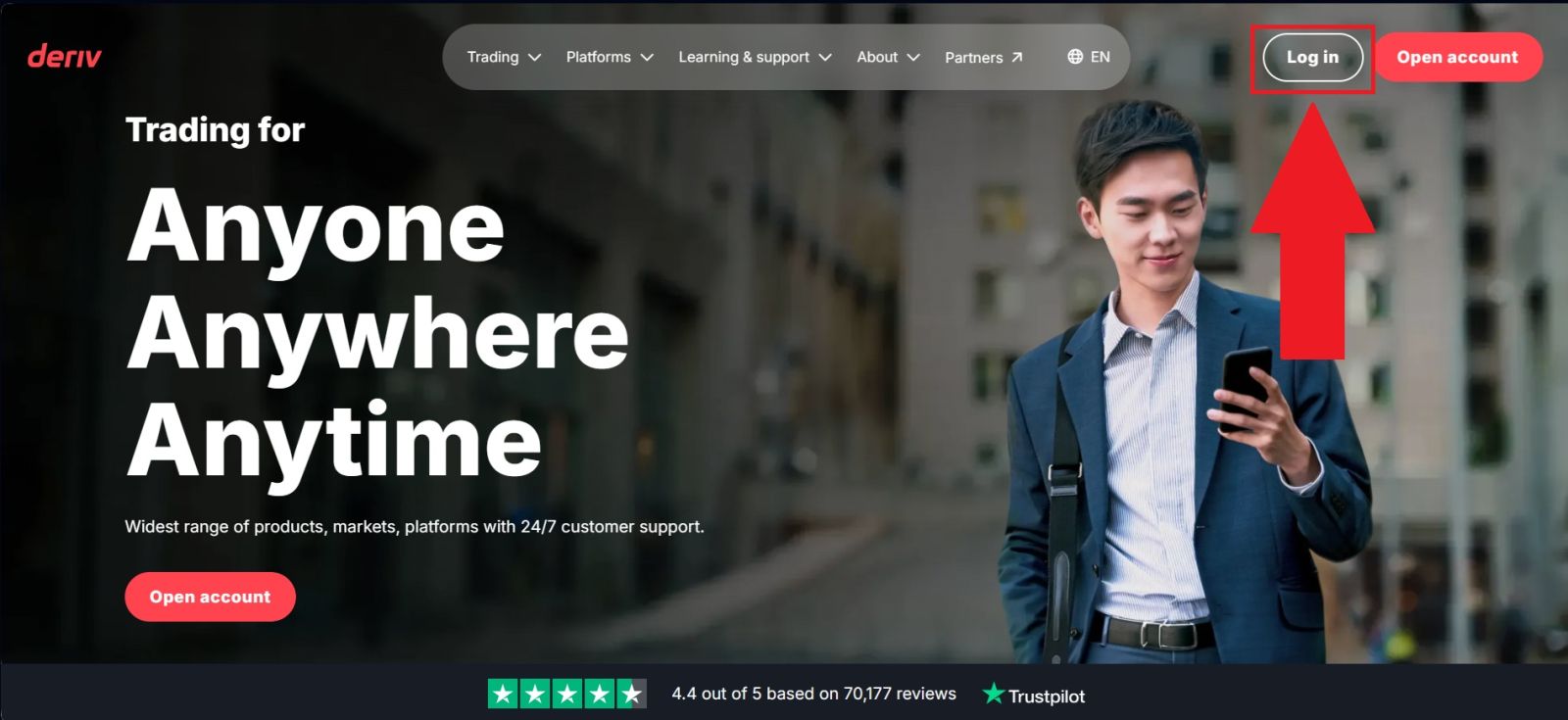
Begin by opening the official Deriv website and confirming that the domain is correct to prevent potential phishing risks. The Deriv website is designed with clarity and ease of use in mind, allowing users to navigate seamlessly.
On the homepage, click [Log in] to proceed to the login form and access your account.
#2 Navigate to the Trading Section
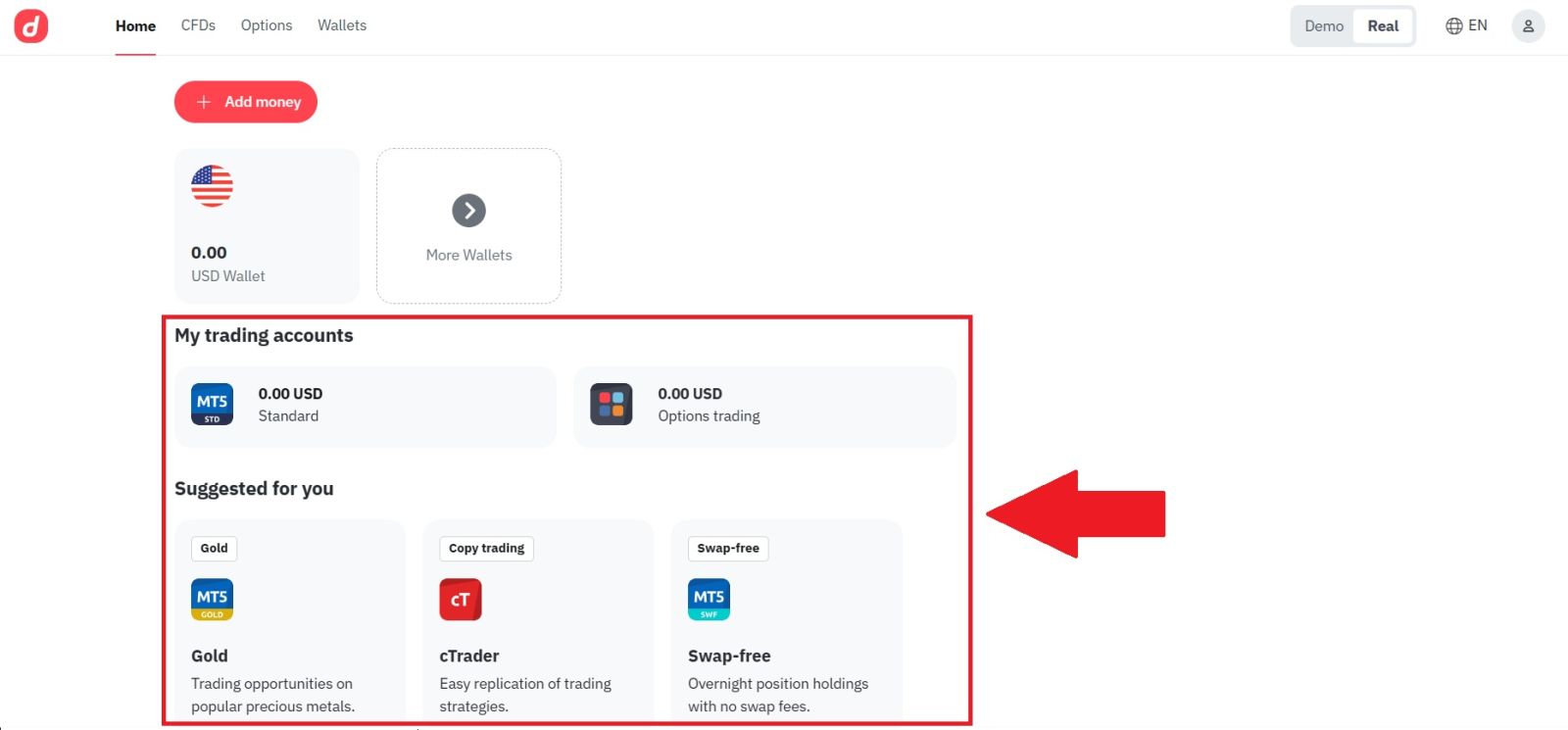
After successfully logging in to your Deriv account, proceed to the trading section from the main navigation menu. Here, you will be presented with a choice of trading platforms, including Deriv Terminal and MetaTrader 5 (MT5).
For the purpose of this guide, MetaTrader 5 (MT5) is selected to demonstrate the trading process using Deriv’s web-based platform.
#3 Connect with your Deriv
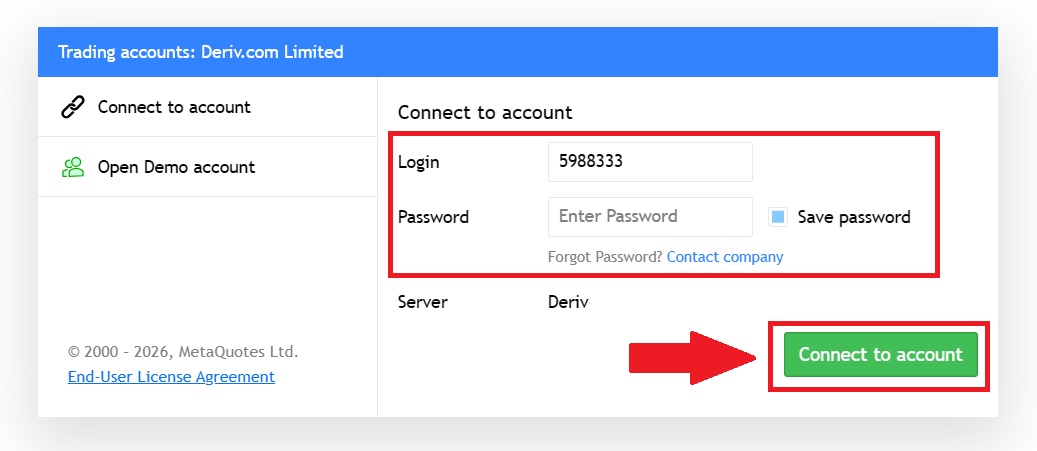
Once you open the application, you will see a login form on the screen. Enter your Deriv account login and password in the required fields, then select the appropriate server if prompted.
After ensuring all details are correct, click [Connect to account] to securely connect to your Deriv trading account and access the trading platform.
Congratulations! You are now all settled for trading, as you have:
- An account with a reliable broker (the one that you use your email address to log in to);
- A trading account with deposited money (an account number and a password that you will use to log in to trade);
- A trading platform to open and close positions configured for your trading account.
#4 Explore the Deriv Interface
Before placing your first trade, understanding the trading interface is essential for anyone learning how to trade on Deriv, especially beginners. The FBS platform is designed to be user-friendly and well-structured, helping new traders feel comfortable and confident from the start.
This part of the Deriv trading guide introduces key elements such as charts, trading instruments, order types, and trade controls in a clear and simple way. Becoming familiar with the interface helps reduce errors, improves trade execution, and supports better decision-making.
With a solid understanding of the platform, your trading experience on Deriv will be much smoother and more efficient.
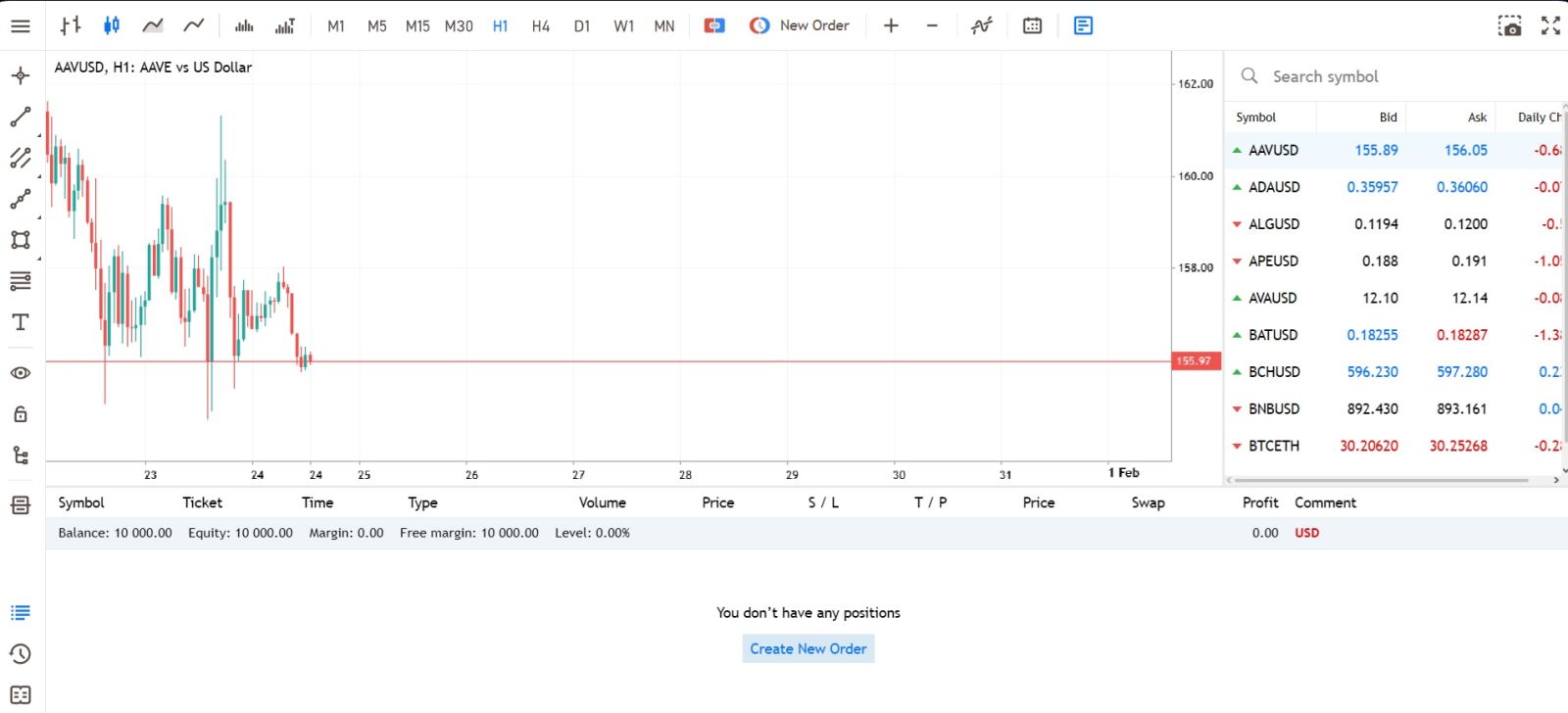 Here’s what matters most:
1. Menu Panel: Use the toolbar to create an order, change time frames, and access indicators.
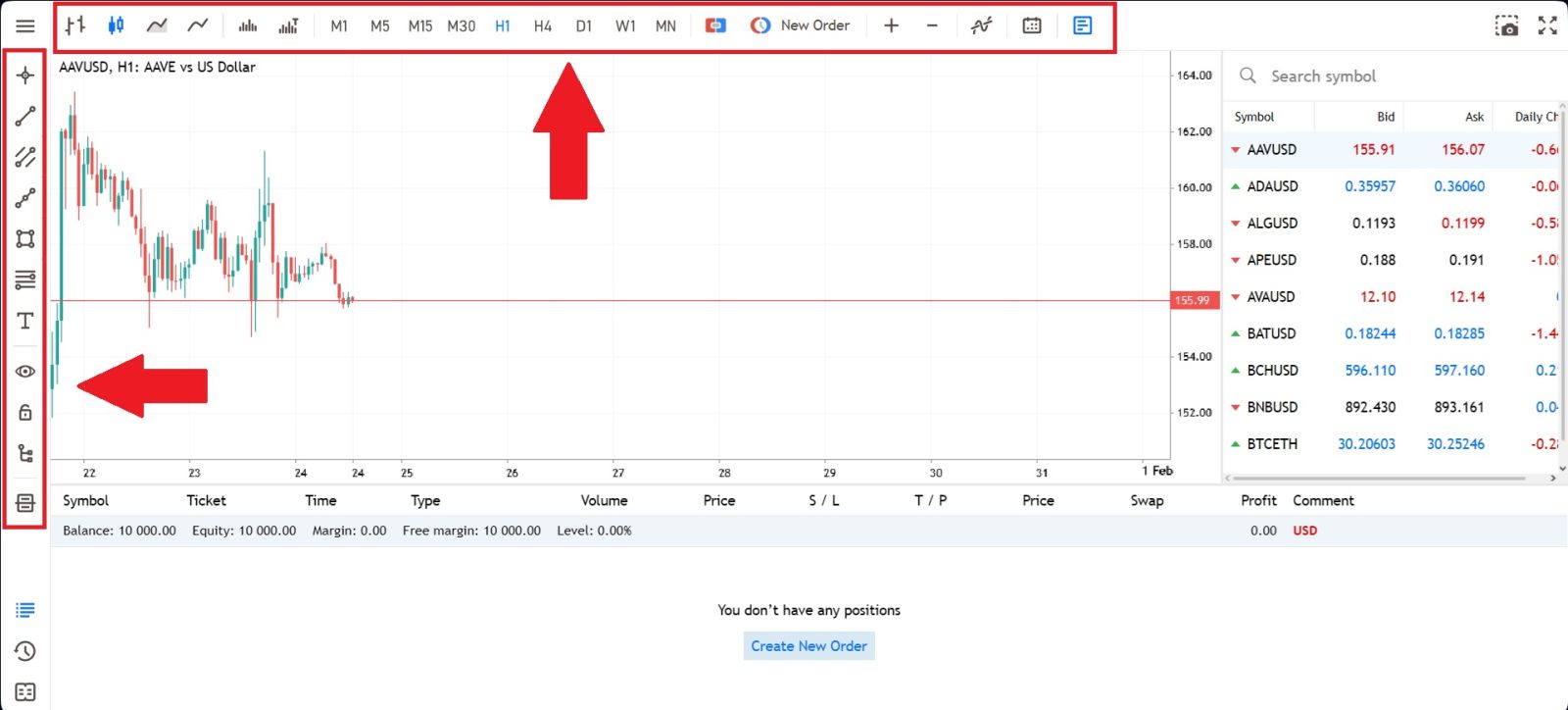 2. Market Watch: can be found on the right side, which lists different currency pairs with their bid and ask prices.
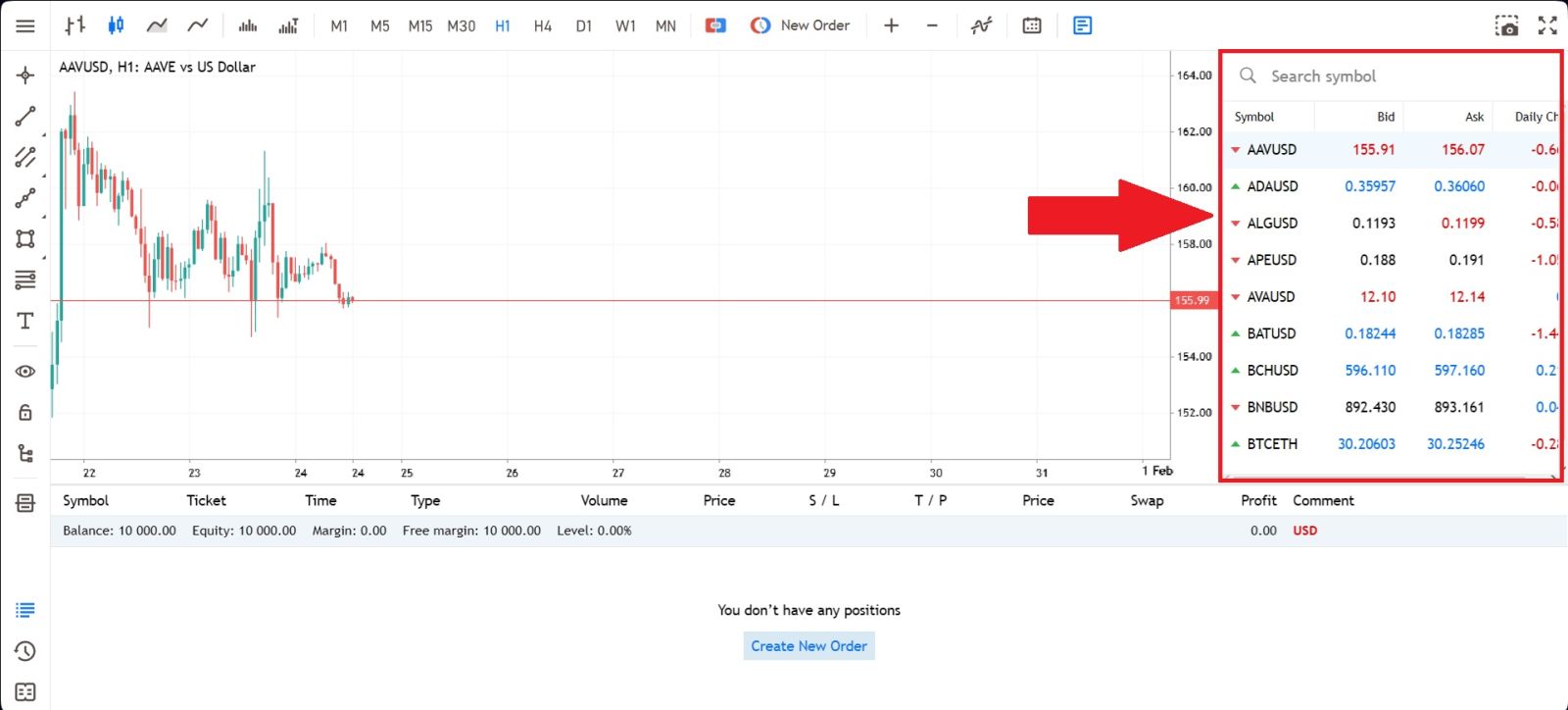 3. Navigator Window: Where you can manage your accounts and add indicators, expert advisors, and scripts.
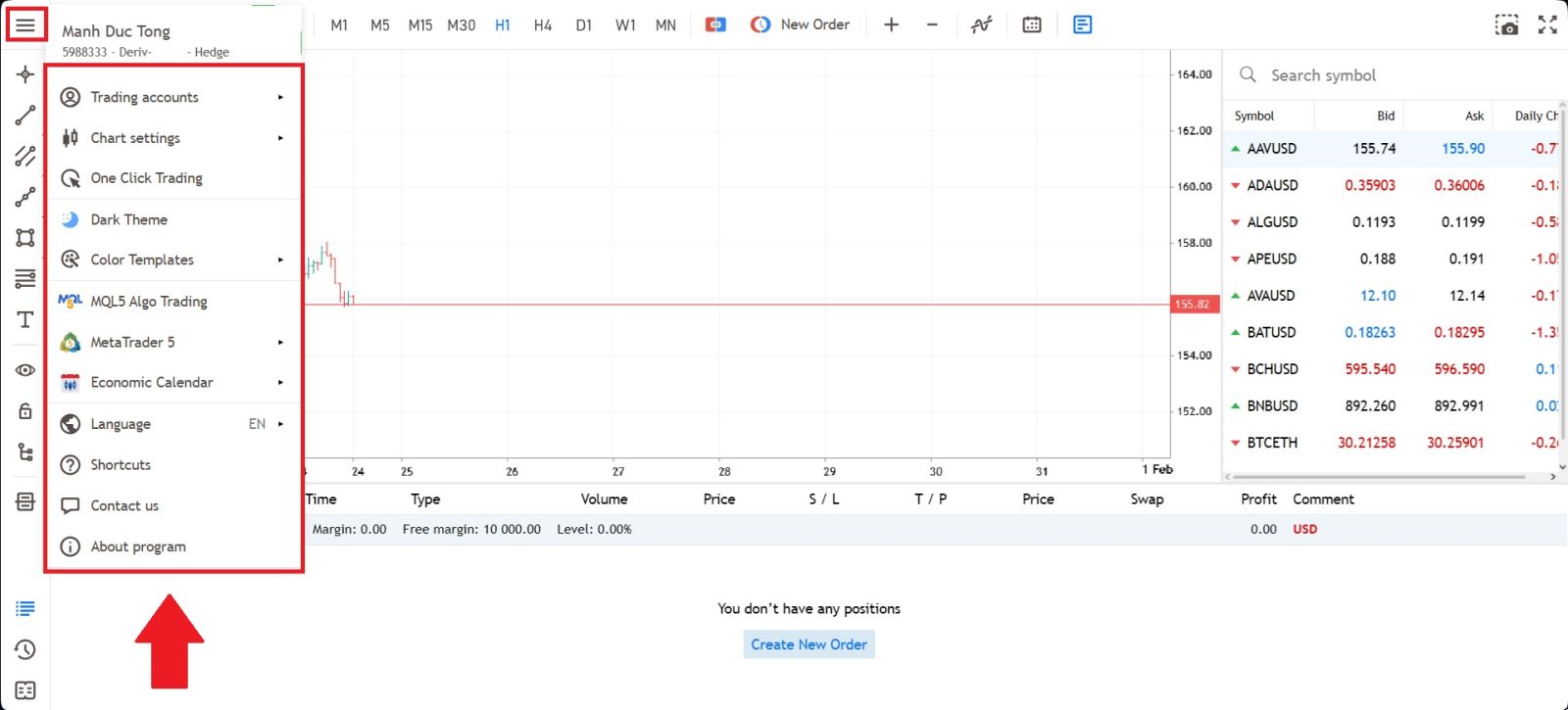
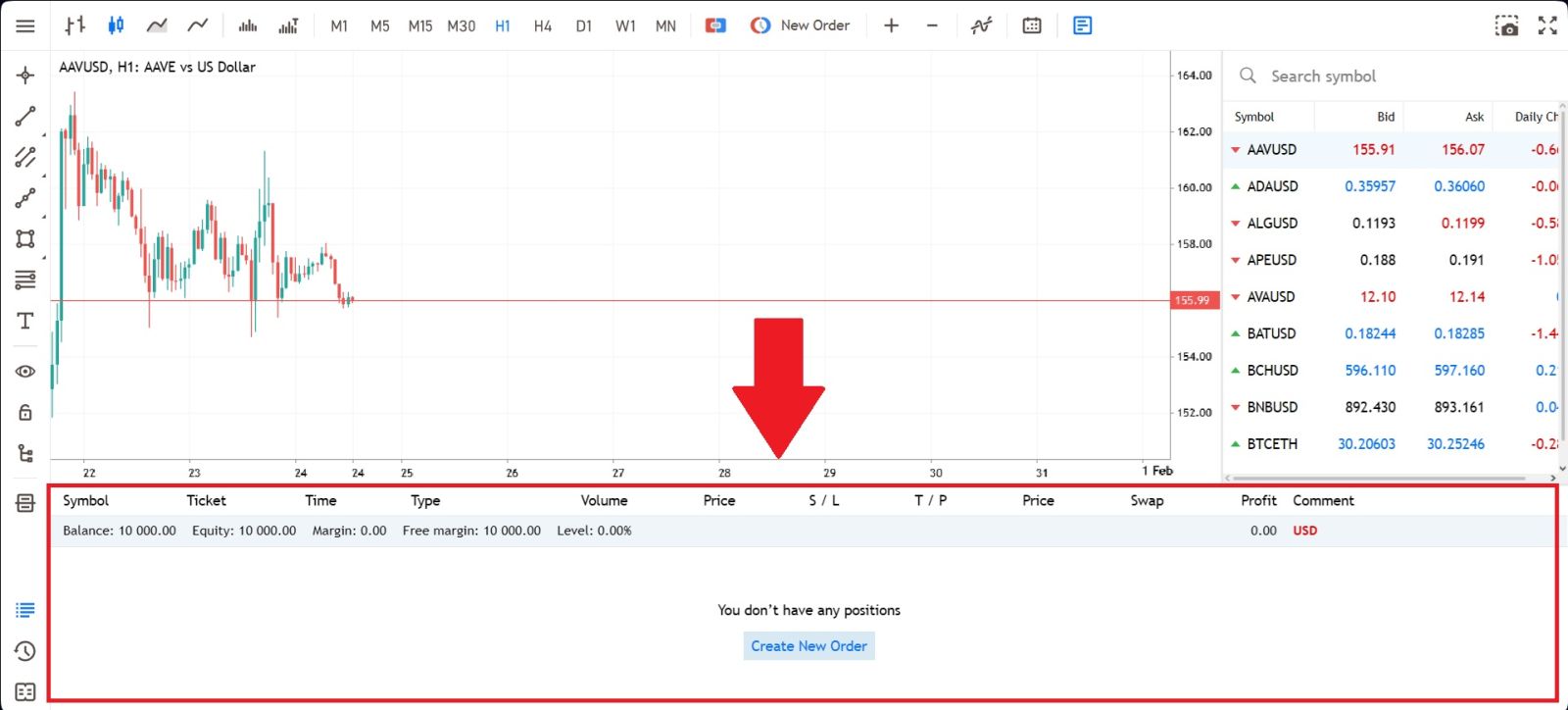
4. Terminal: At the bottom of the screen can be found the Terminal, which has several tabs to help you keep track of the most recent activities, including Trade, Account History, Alerts, Mailbox, Experts, Journal, and so forth.
For instance, you can see your opened orders in the Trade tab, including the symbol, trade entry price, stop loss levels, take profit levels, closing price, and profit or loss. The Account History tab collects data from activities that have happened, including closed orders.
#5 Open Your First Trade
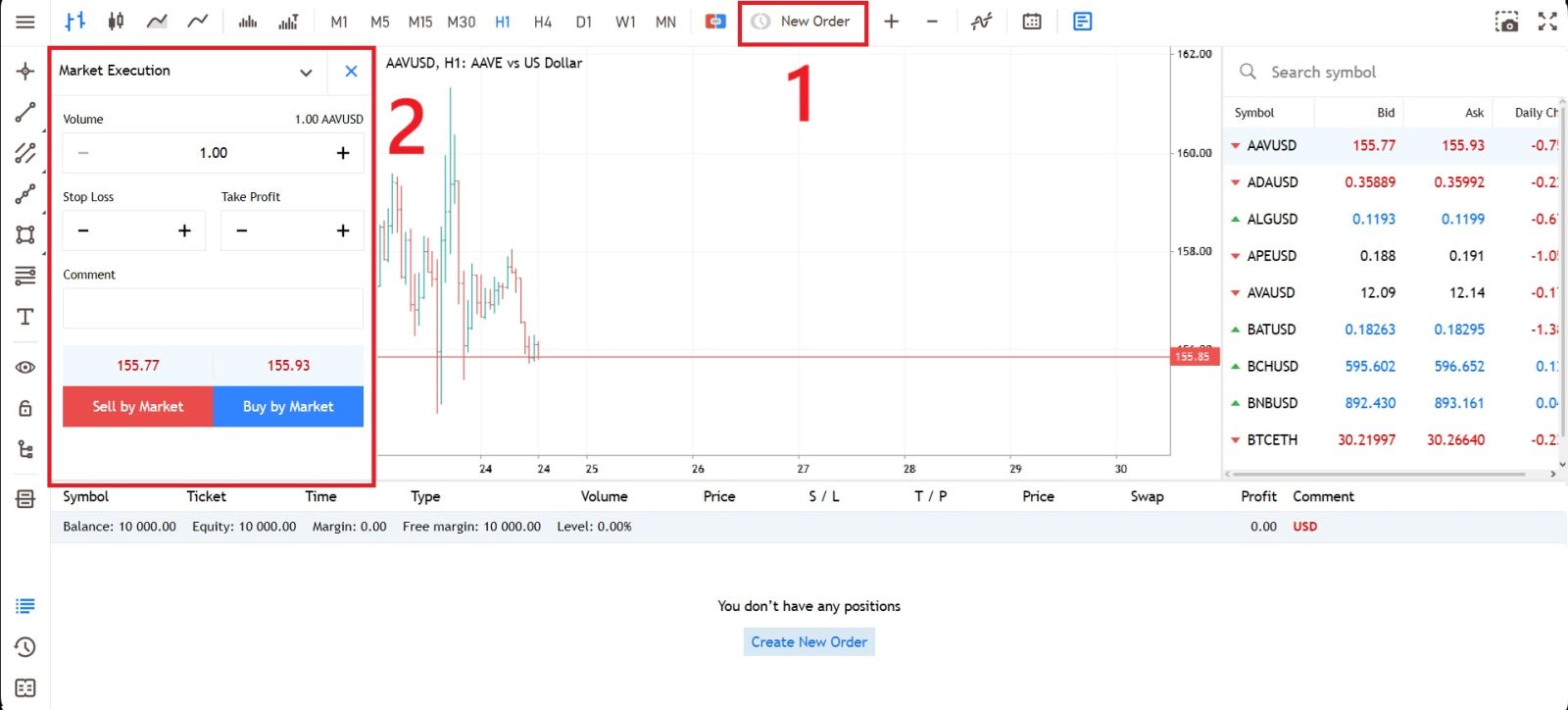
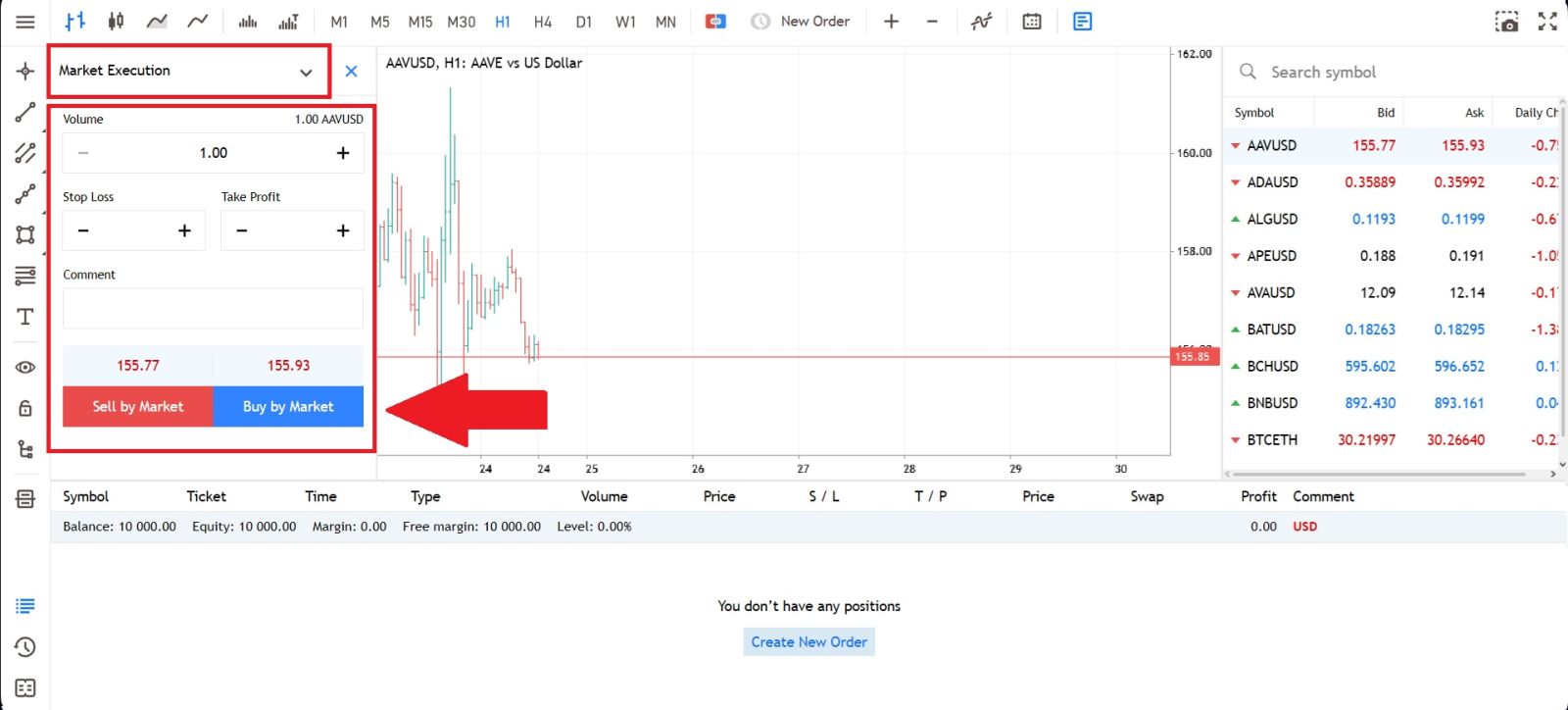
First, create a new order and select the type of order you want to place. Next, enter your trade volume and set your preferred Stop Loss and Take Profit levels to manage risk and potential profit.Notes on risk management:
-
We strongly recommend using risk management settings for every trade you open. These options will let you open a position, decide how much you want to make and how much you are willing to lose on this position, and forget about it. The trade will be closed automatically for you whenever the asset price reaches any of your specified values.
-
For both Stop Loss and Take Profit, the values should not be too close to the current price, or an error will be displayed.
-
When the value is 0.000, the order is not placed.
Click Sell or Buy, depending on your understanding of the market conditions.
Conclusion: Trade Confidently on Deriv with the Right Approach
Deriv offers a versatile and user-friendly trading environment that supports both beginners and experienced traders across multiple platforms and markets. By understanding how to navigate the trading interfaces, applying sound strategies, and practicing effective risk management, you can make informed decisions and adapt to changing market conditions.
With a commitment to responsible trading and continuous learning, you’ll be well-prepared to pursue your trading goals and maximize your experience on Deriv.