Deriv Open Account and Withdraw Money: Steps, Limits, Timing
Writen By

Online Trading Platform Researcher and Guide Writer
Researches broker platforms and trading account Systems.
Getting live access and being able to cash out quickly is a common concern for new traders. Before you request a payout, you must complete account setup steps that affect withdrawal eligibility: identity verification, selecting the right account type, and funding with an accepted payment method. Knowing these requirements up front reduces holds and rejection risks when you need to withdraw funds.
Begin with registering your credentials, confirming contact details, and finishing KYC so your account status shows as verified. After funding and any required trading or holding periods, use Deriv’s Cashier to request withdrawals—payouts are usually returned to the original payment source and subject to processing checks and limits. The sections below outline step-by-step registration, verification documents, supported payment options, expected processing times, and troubleshooting tips to help you withdraw smoothly.
Begin with registering your credentials, confirming contact details, and finishing KYC so your account status shows as verified. After funding and any required trading or holding periods, use Deriv’s Cashier to request withdrawals—payouts are usually returned to the original payment source and subject to processing checks and limits. The sections below outline step-by-step registration, verification documents, supported payment options, expected processing times, and troubleshooting tips to help you withdraw smoothly.

How to Open Account in Deriv
How to Open a Trading Account
The process of opening an account at Deriv is simple.
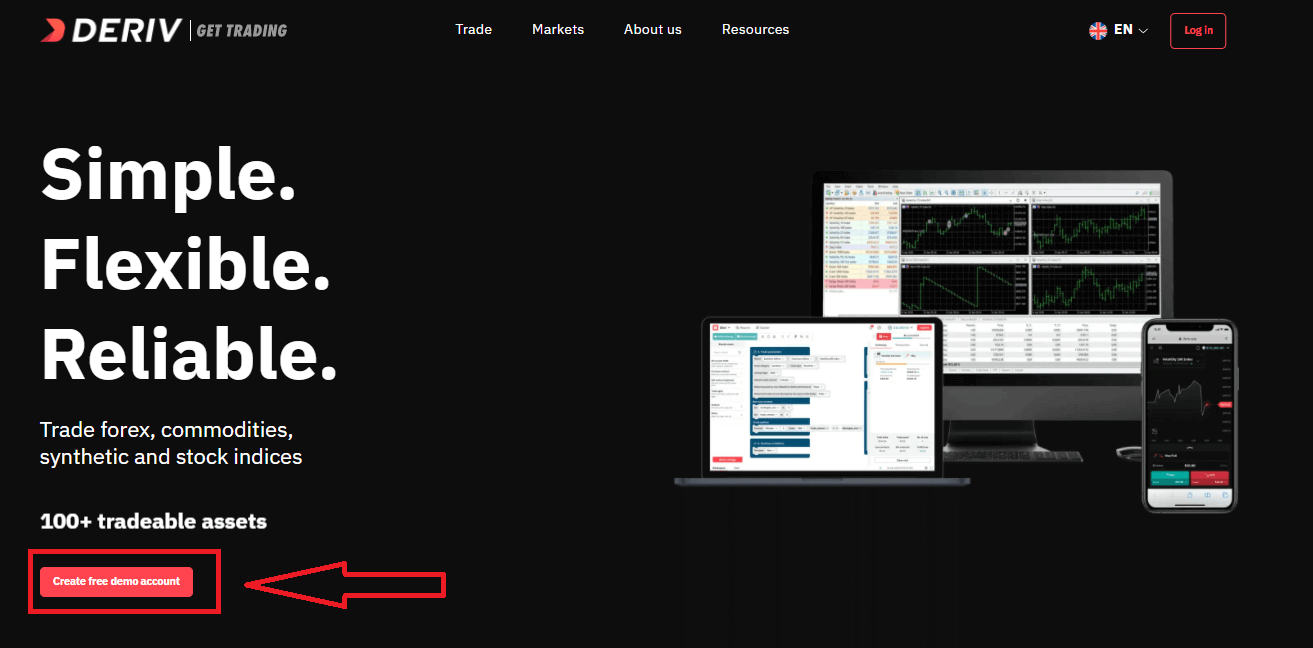
- Visit the website Deriv or click here to create.
- Click the "Create free deno account" button or register via a social network in the registration page.
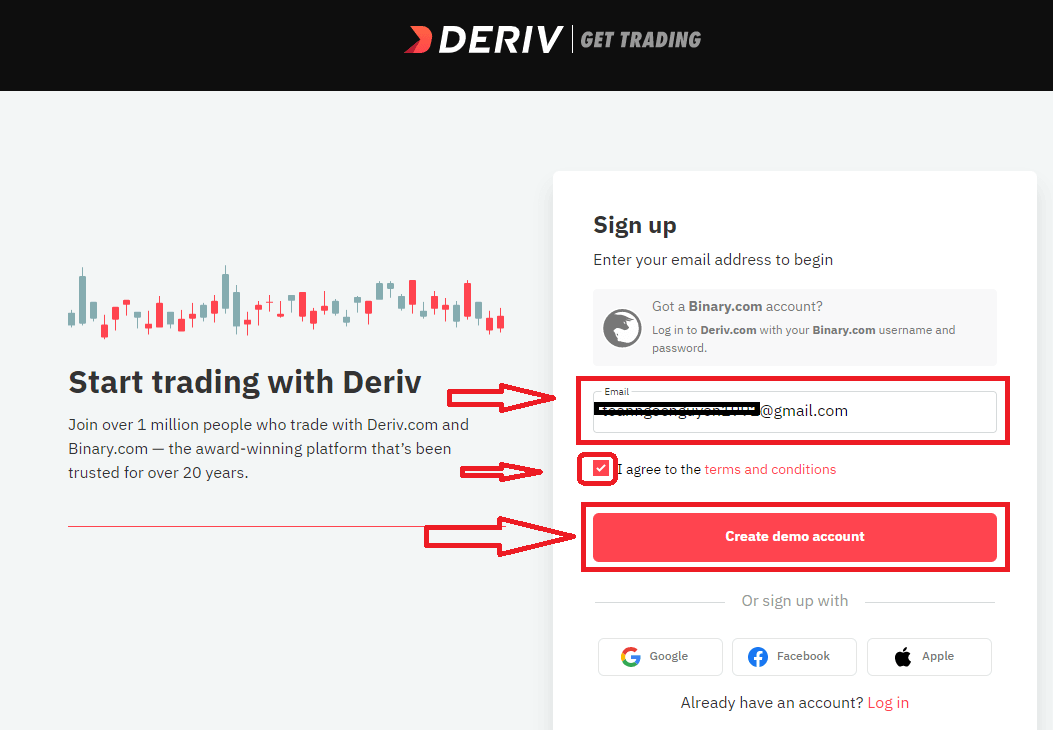
Enter your Email, check the checkbox and click the "Create demo account" button
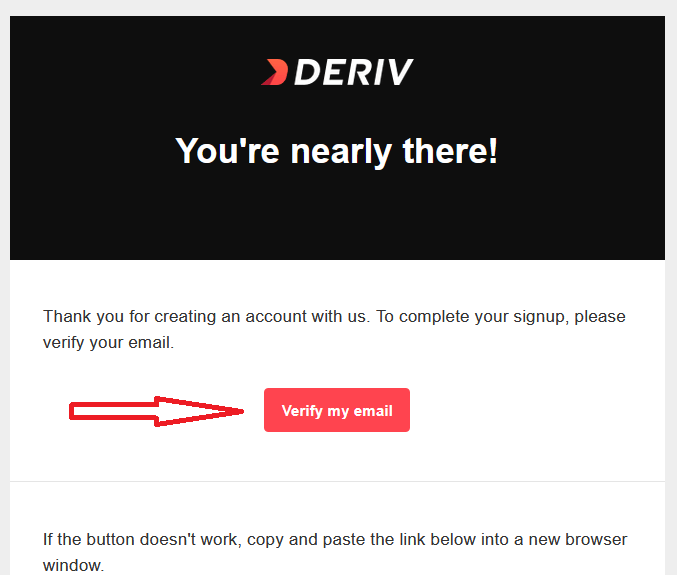
An email confirmation link will be sent to your email address. Click the "Verify my email" button to confirm
You will be shown a new screen to create new demo account, enter your country, password for your account and click "Start trading"
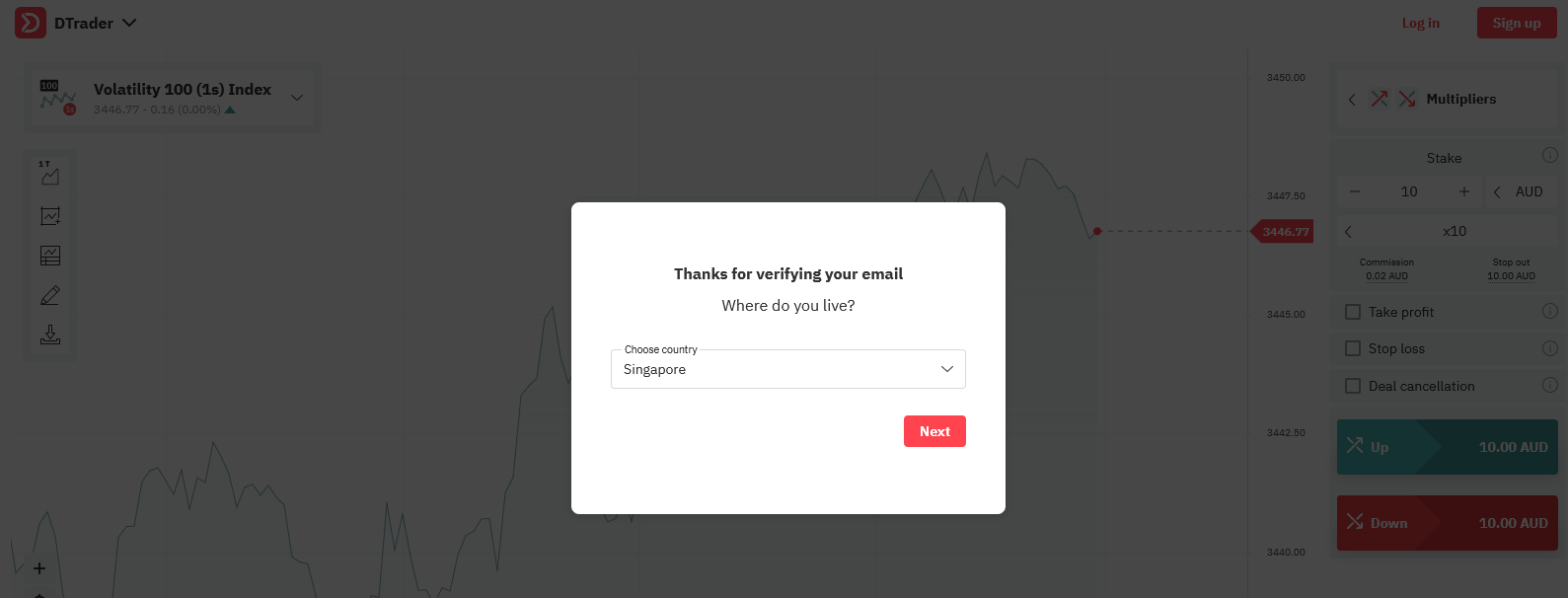
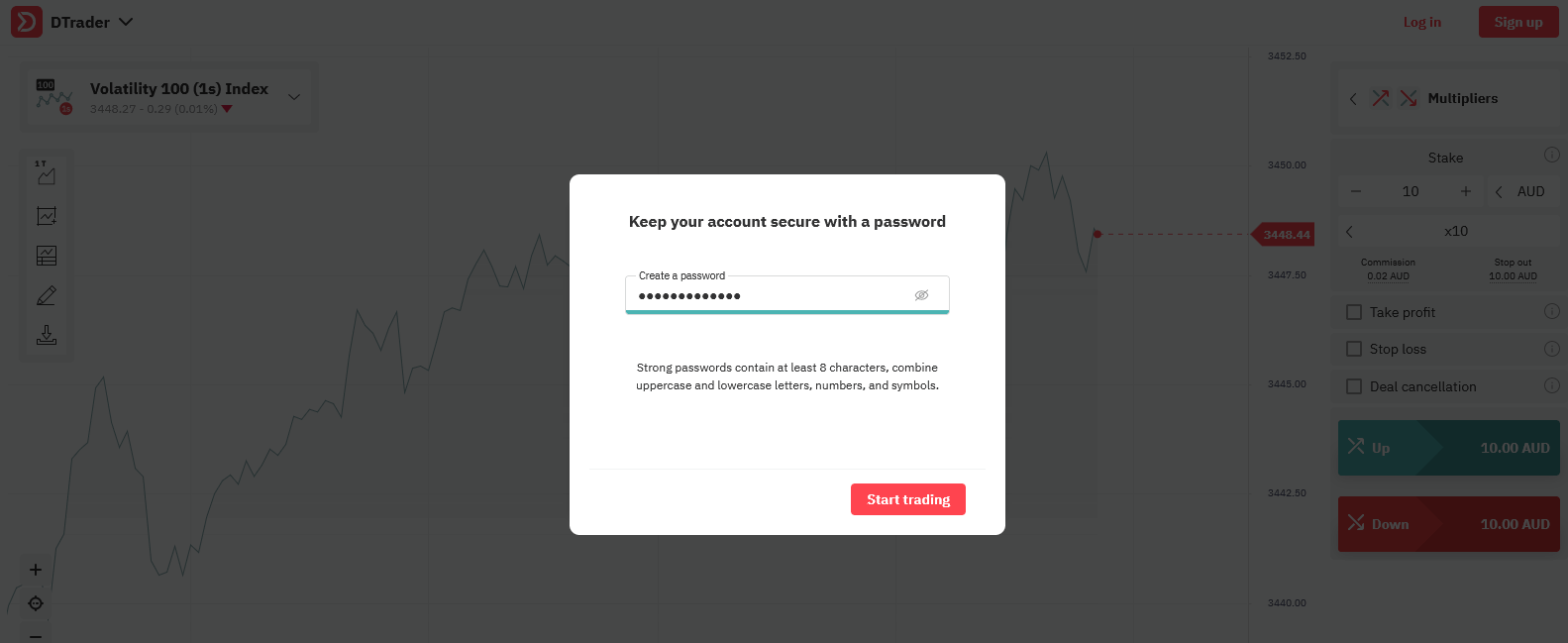
Congratulations! Your registration for Demo Account is finished!
Now you have 10,000 USD for Trading with Demo Account.
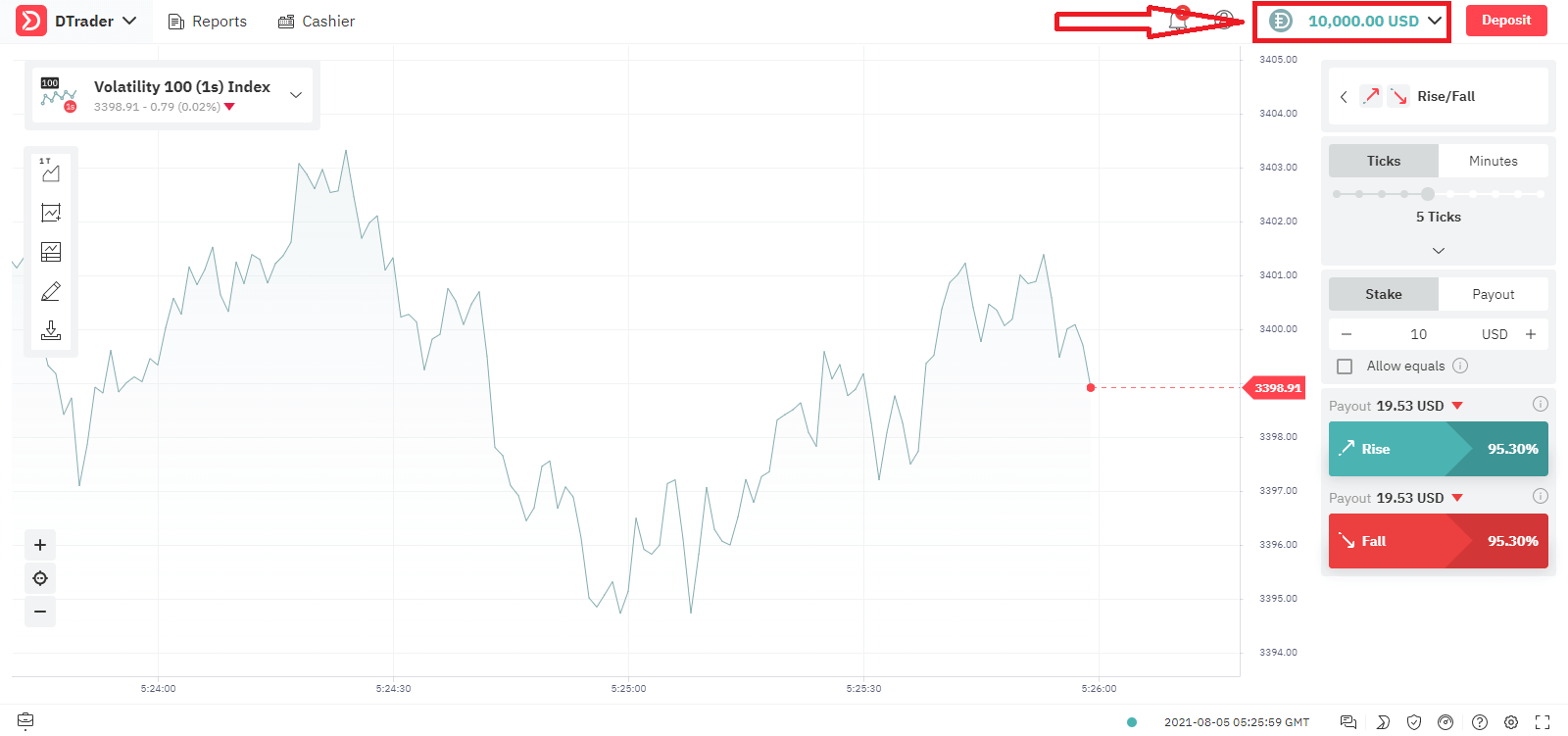
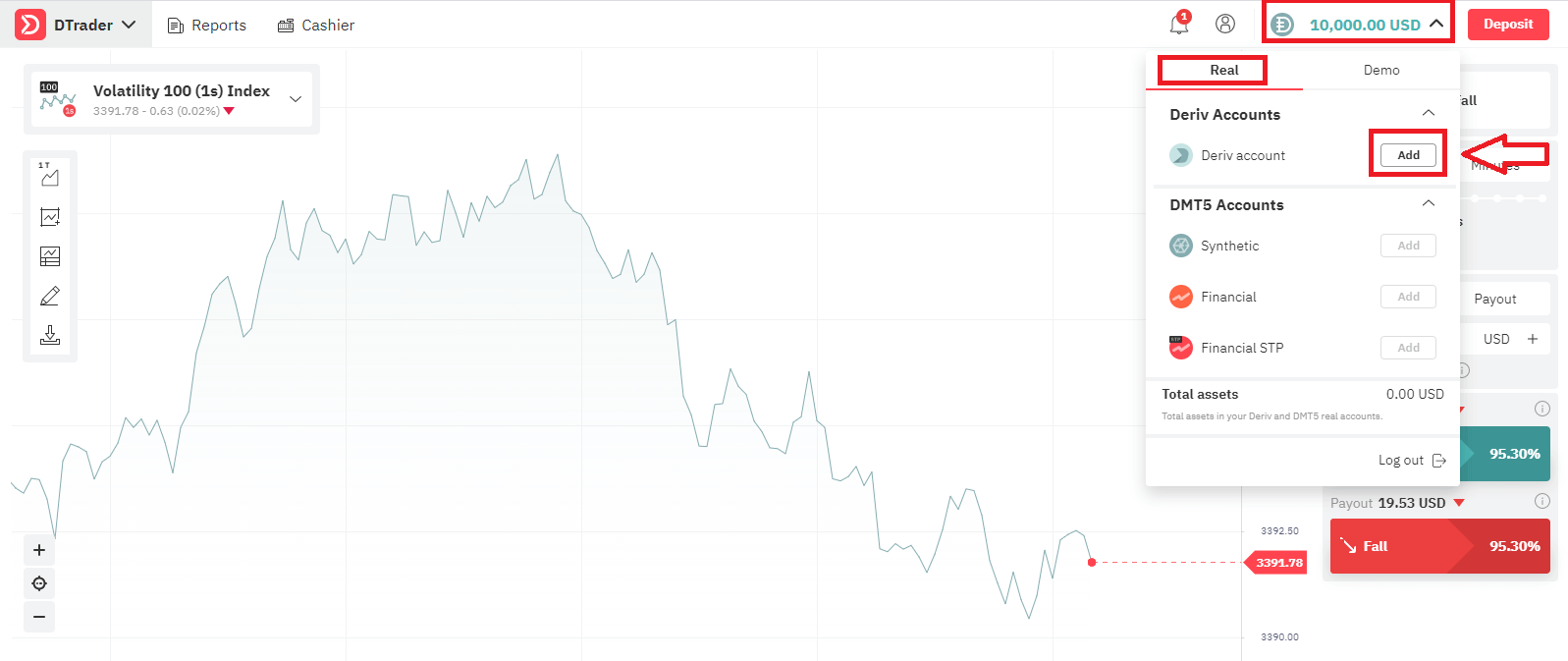
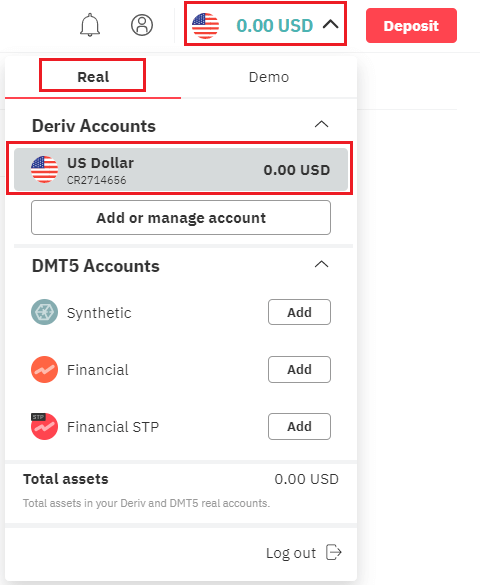
Let’s go through the second option, If you want to trade with Real Account, click "Add" as below
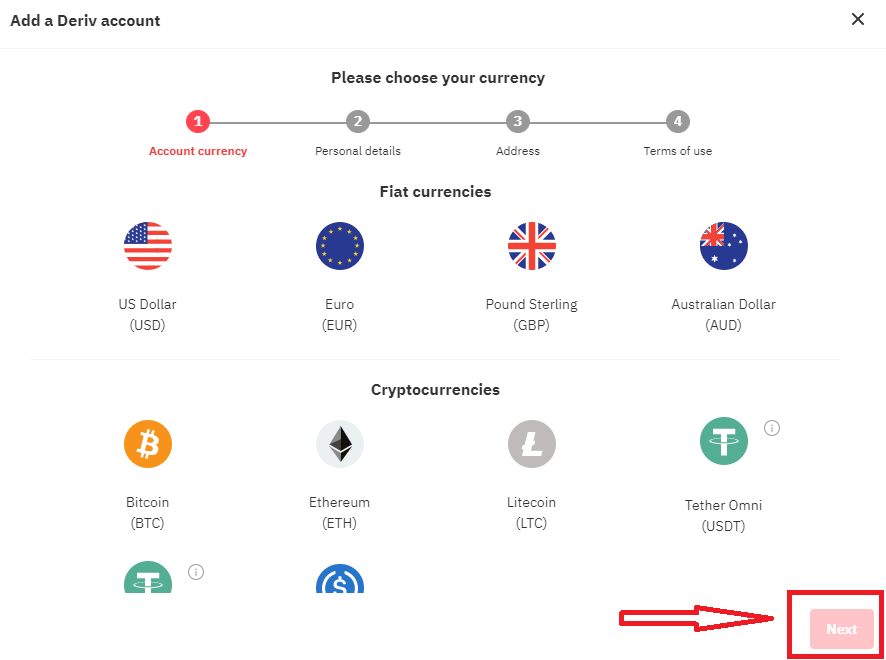
Firstly Choose your Currency, click "Next"
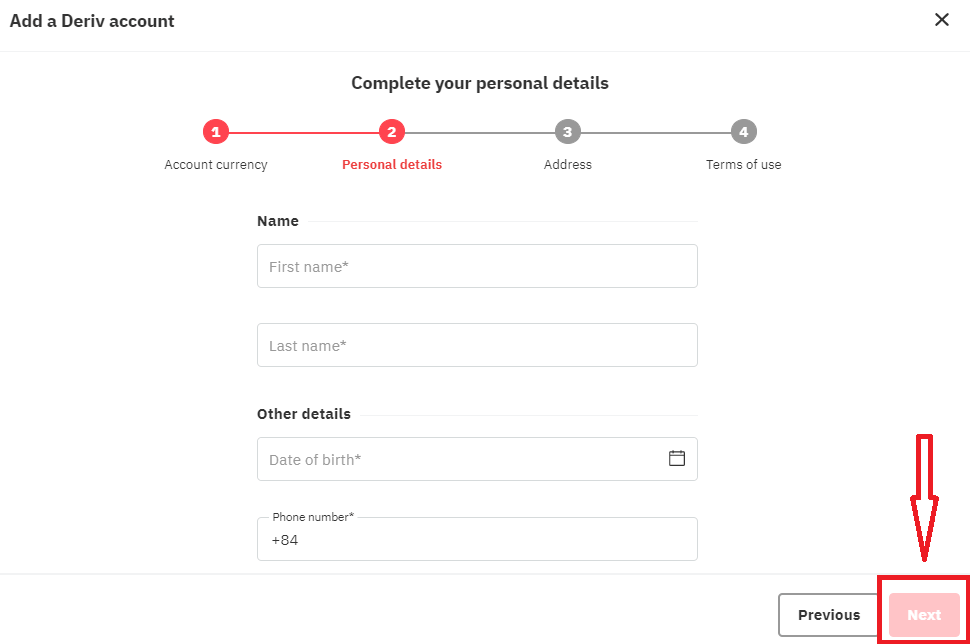
Enter you Personal Details, click "Next"
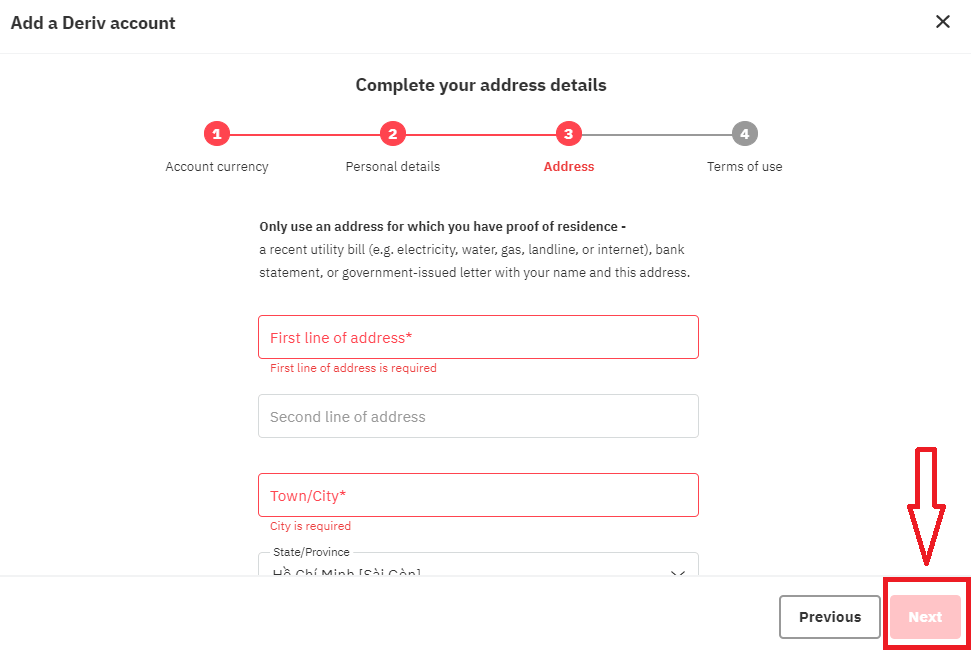
Enter your Address Details and click "Next"
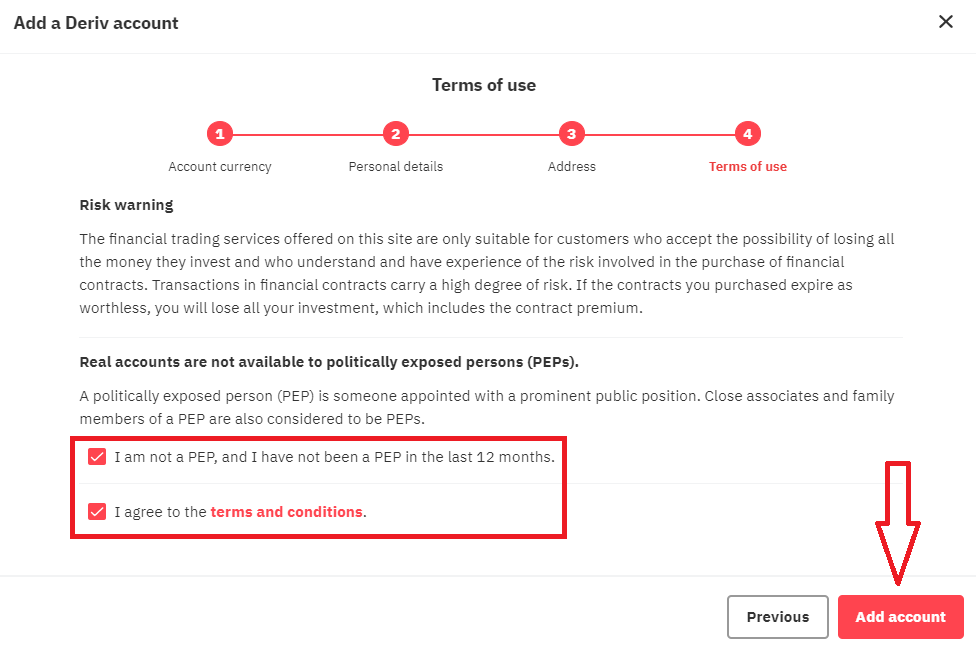
Read the Term of Use of Derv, check the checkbox and click "Add account" button
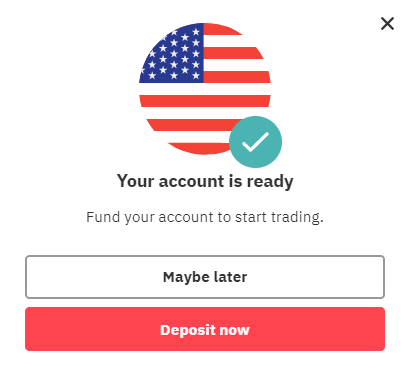
Your Registration for Real Acocunt is finished
How to Deposit Money in Deriv
How to Open with Facebook account
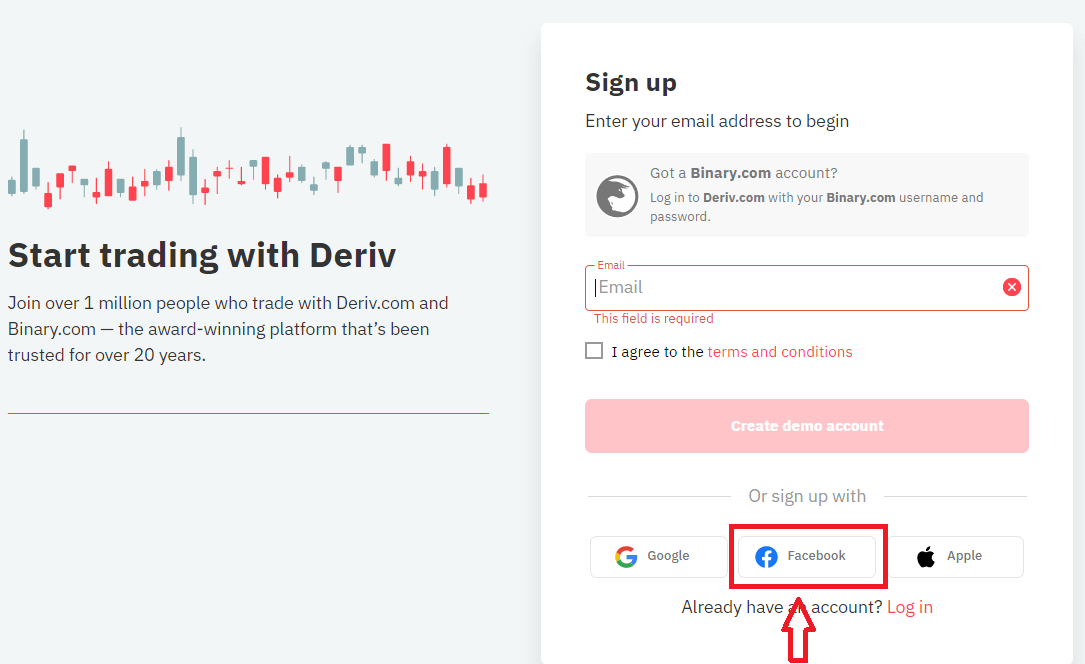
Also, you have an option to open your account through web by Facebook and you can do that in just few simple steps:1. Click on Facebook button at the registration page
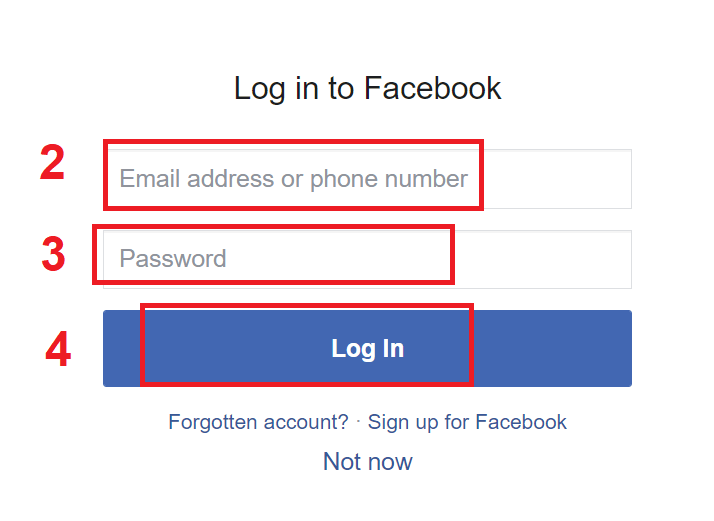
2. Facebook login window will be opened, where you will need to enter your email address or phone number that you used to register in Facebook
3. Enter the password from your Facebook account
4. Click on “Log In”
Once you’ve clicked on the “Log in” button, Deriv is requesting access to: Your name and profile picture and email address. Click Continue...
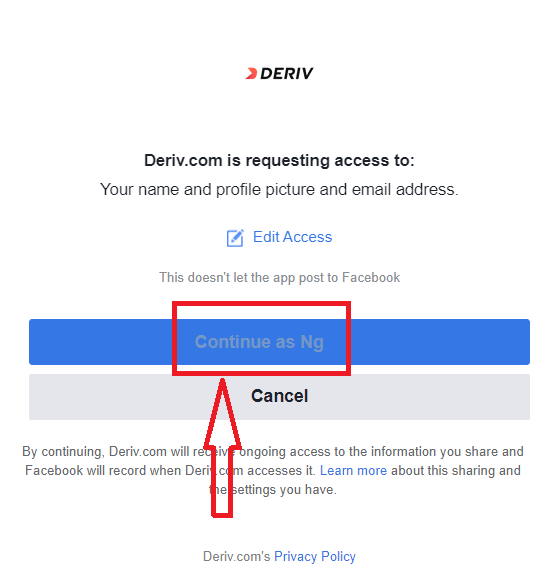
After That You will be automatically redirected to the Deriv platform.
How to Open with Google account
1. To sign up with a Google account, click on the corresponding button in the page.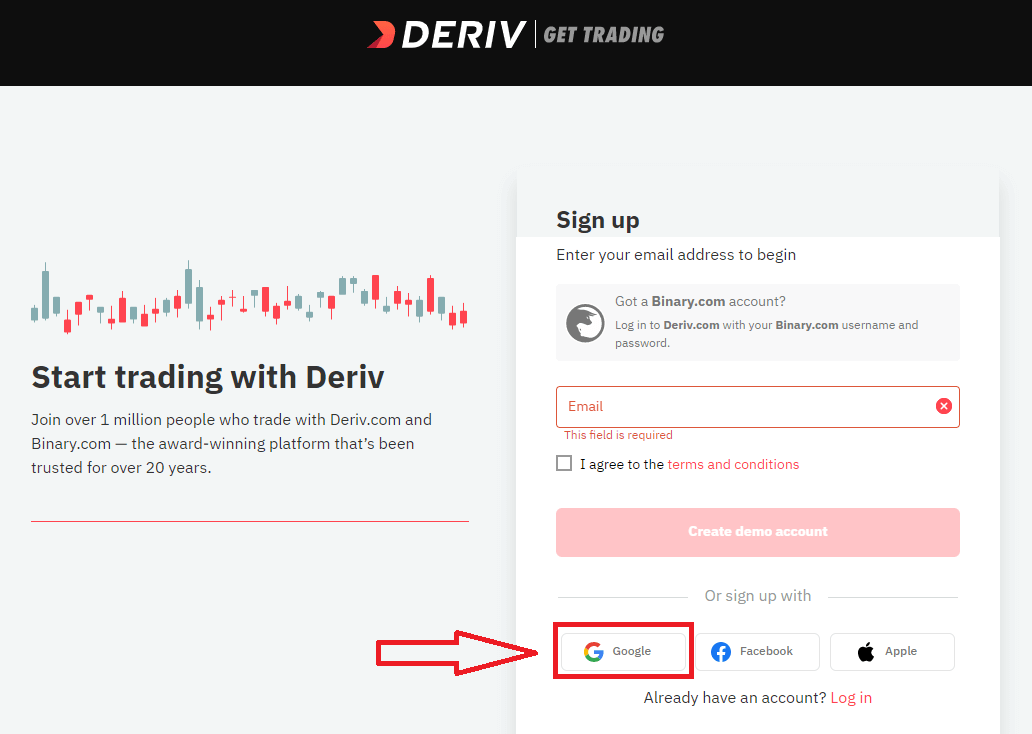
2. In the new window that opens, enter your phone number or email and click “Next”.
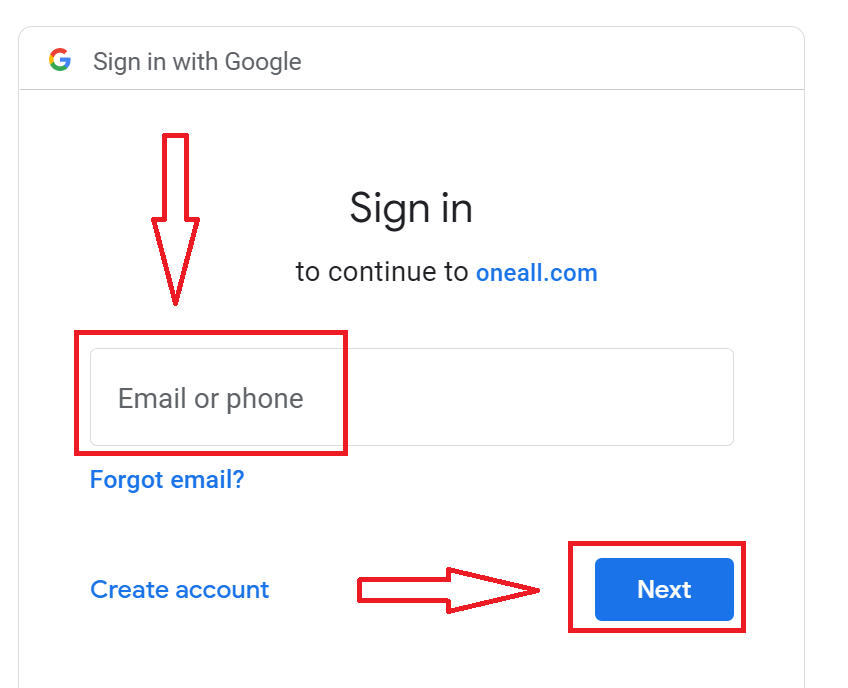
3. Then enter the password for your Google account and click “Next”.
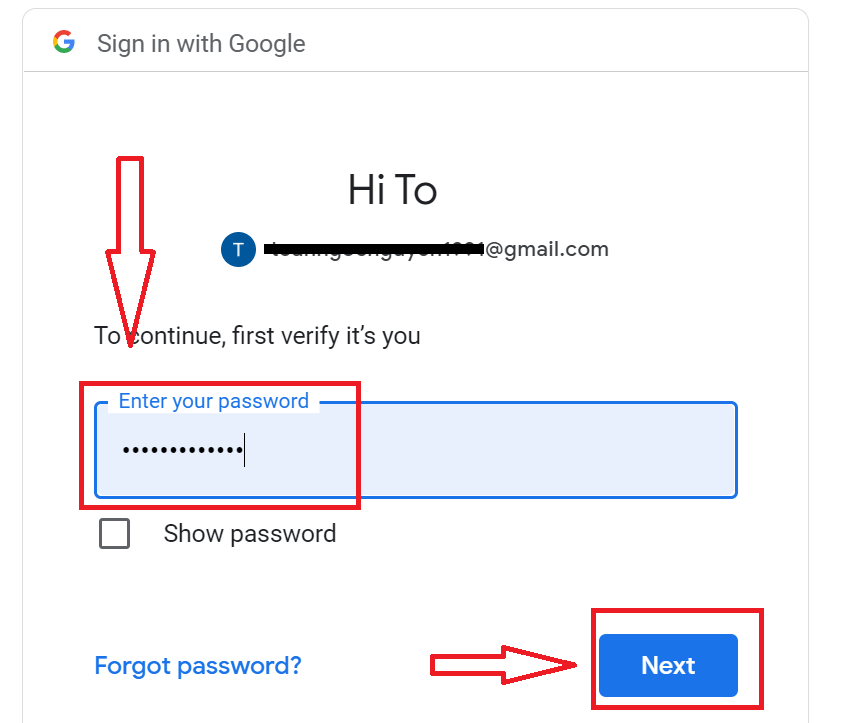
After that, follow the instructions sent from the service to your email address.
How to Open with Apple ID
1. To sign up with a Apple ID, click on the corresponding button in the page.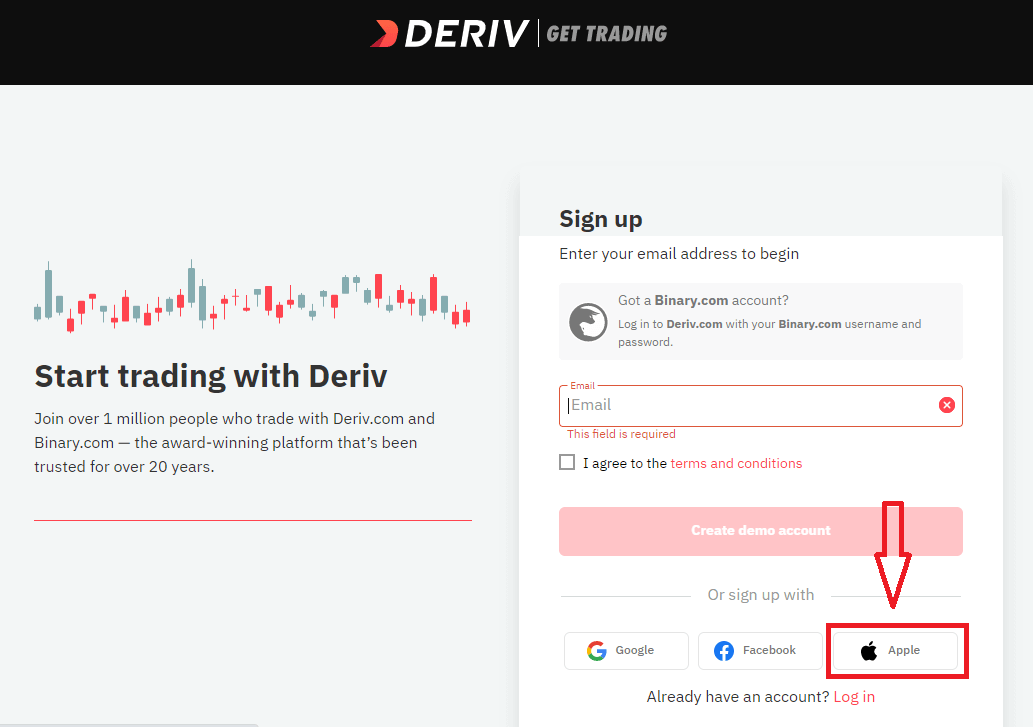
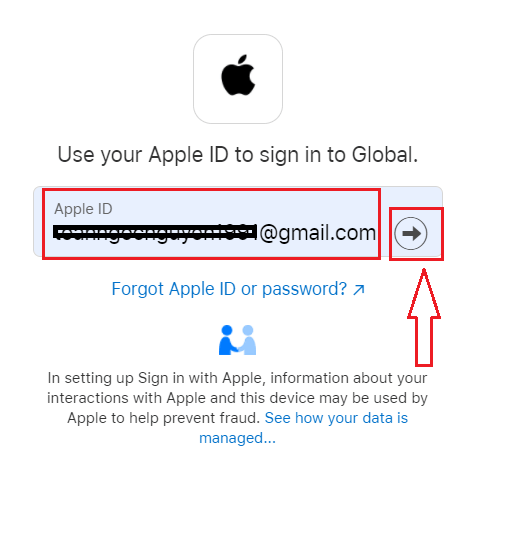
2. In the new window that opens, enter your Apple ID and click “Next”.
3. Then enter the password for your Apple ID and click “Next”.
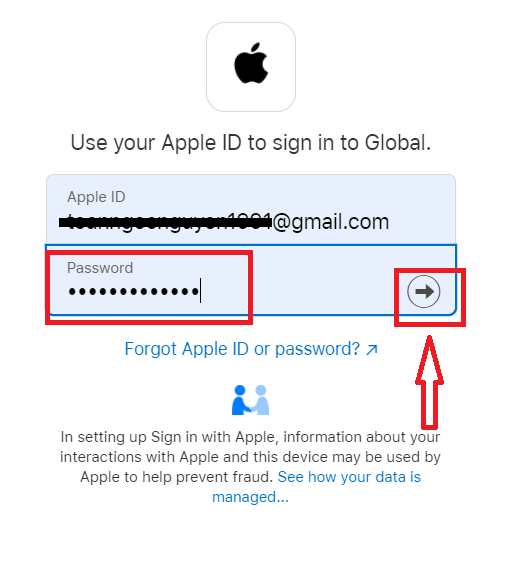
After that, follow the instructions sent from the service to your Apple ID.
FAQ of Account
Why cant I create an account?
In line with our Group practice, we set the following criteria for client sign ups:Clients have to be at least 18 years of age.
Clients cannot be a resident in Canada, Hong Kong, Israel, Jersey, Malaysia, Malta, Paraguay, UAE, USA, or a restricted country which has been identified by the Financial Action Task Force (FATF) as having strategic deficiencies.
How can I change my personal details?
If your account is not authenticated, you can change your name, date of birth, or citizenship by going to Settings Personal details.If the account has been fully authenticated, you can submit a ticket requesting the desired changes. Please attach your proof of identity and address.
How can I change my accounts currency?
Once you have made a deposit or created a DMT5 account, you can only change your currency by contacting Customer Support.How to Withdraw Money from Deriv
Withdrawal Method
Online Banking
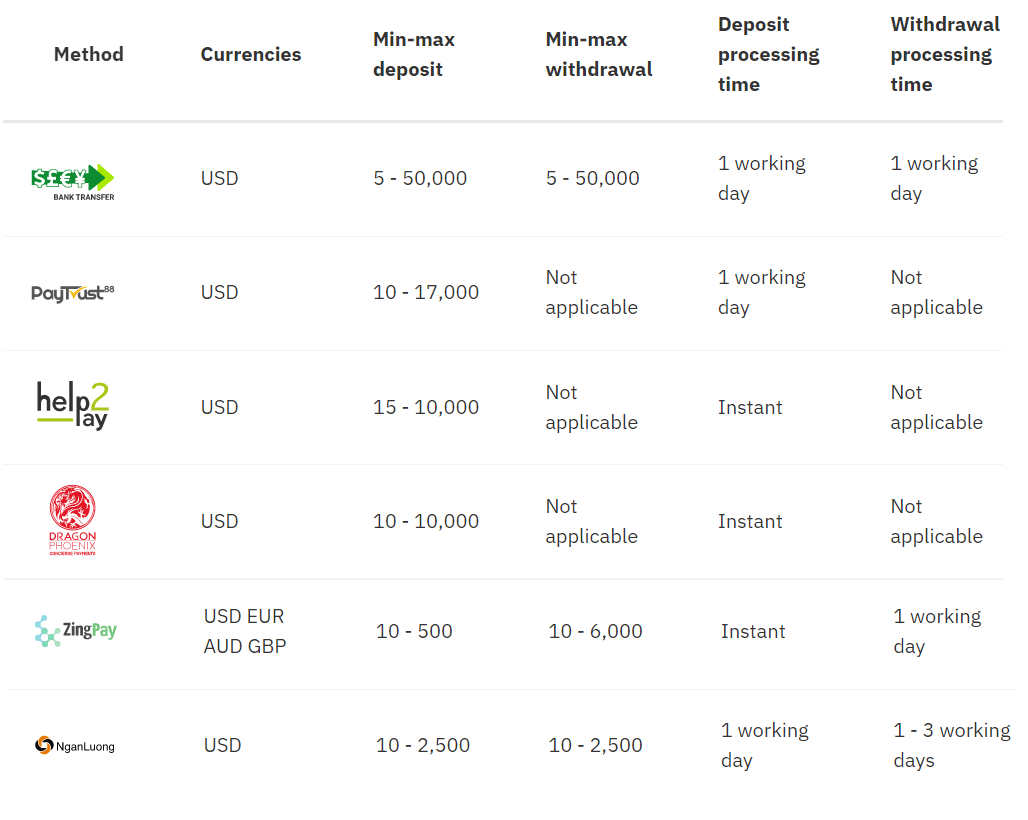
Credit/debit cards
Note: Withdrawals may take up to 15 working days to reflect on your card. Mastercard and Maestro withdrawals are only available for UK clients.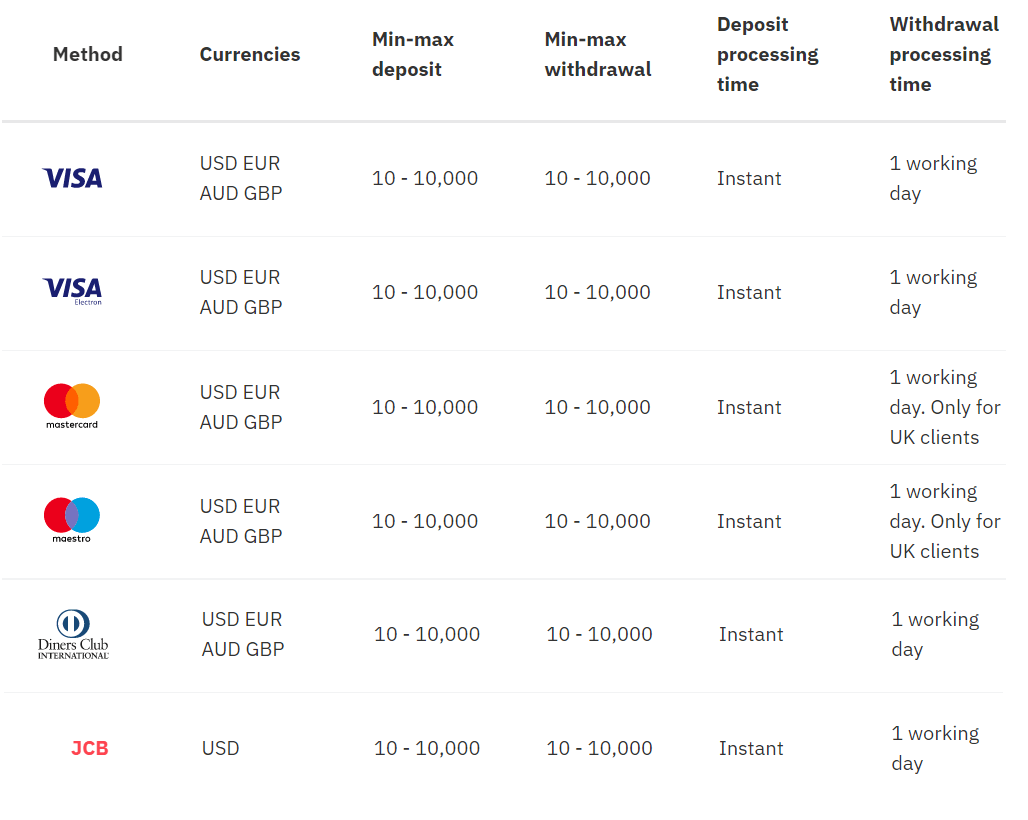
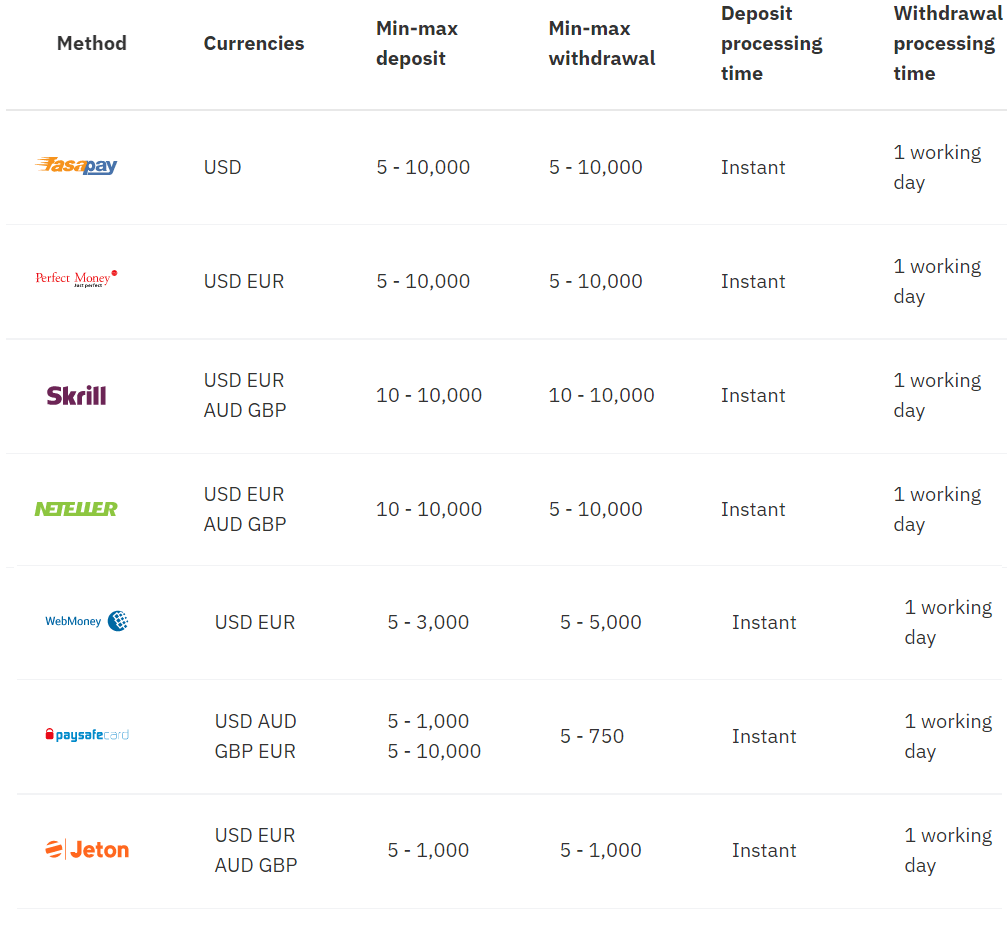
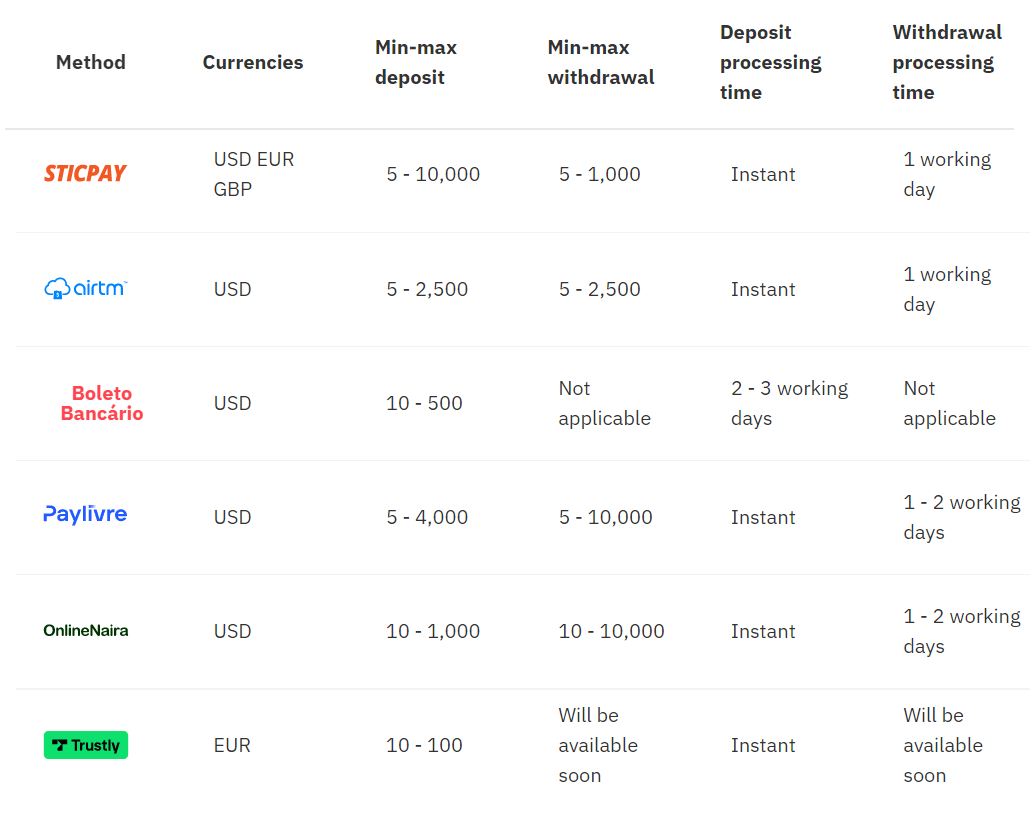
E-wallets
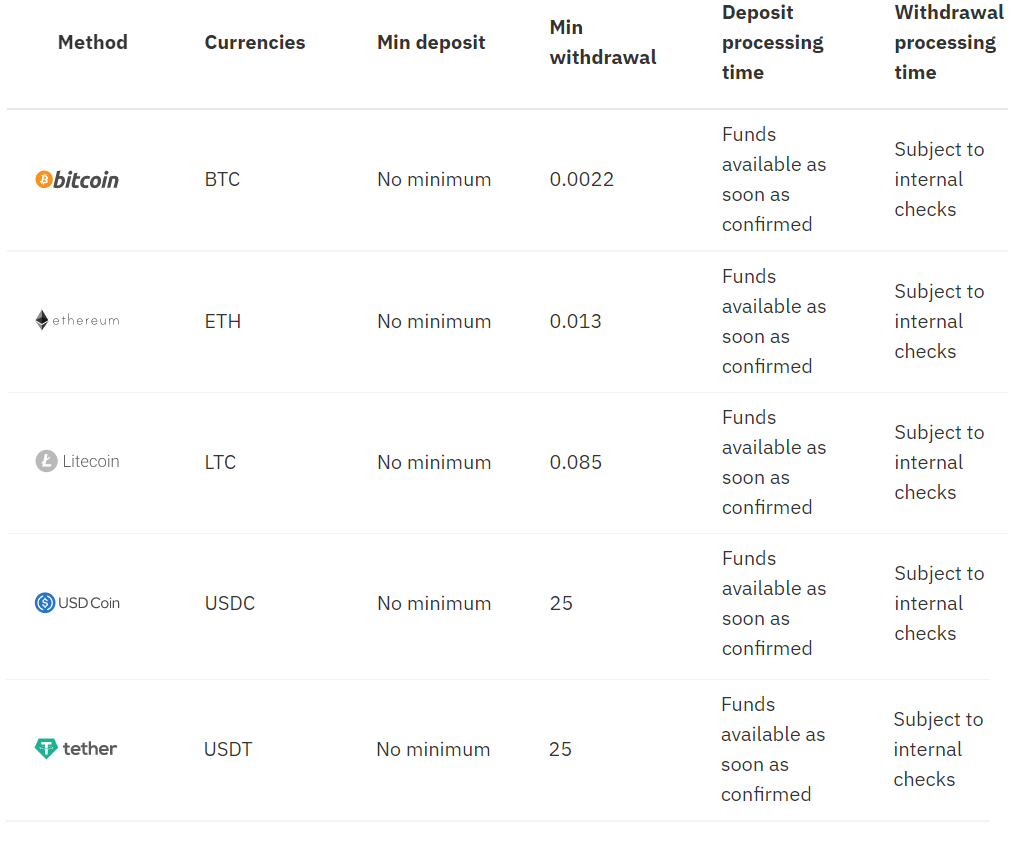
Cryptocurrencies
Note: The minimum amount for withdrawal will vary depending on the latest exchange rates. The figures shown here have been rounded.
Fiat onramp - Buy crypto on popular exchanges.
Note: These payment methods are available exclusively for our clients with crypto trading accounts.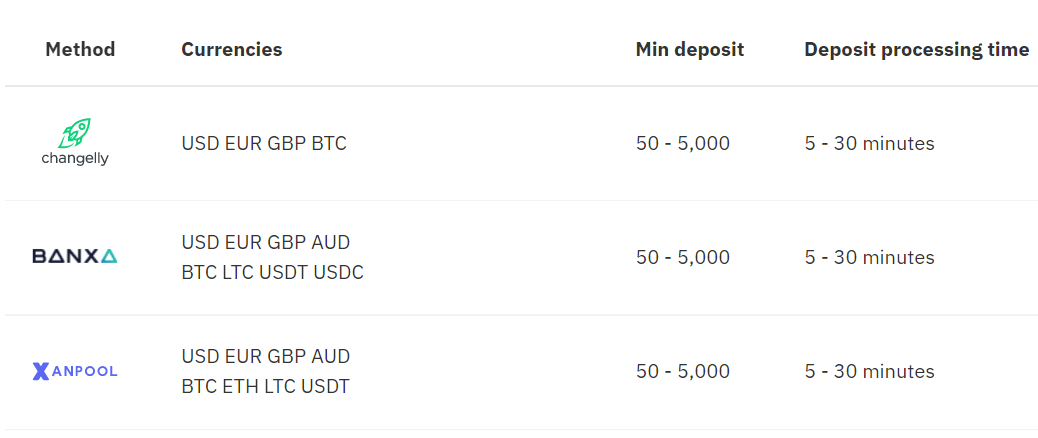
Withdrawal using Visa credit or Debit card
Currencies- USD, GBP, EUR, and AUD
- Withdrawals: 1 working day
- 10-10,000
* Min and max amounts apply to USD, GBP, EUR, and AUD.
1. Log in to your Deriv account and click on Cashier.
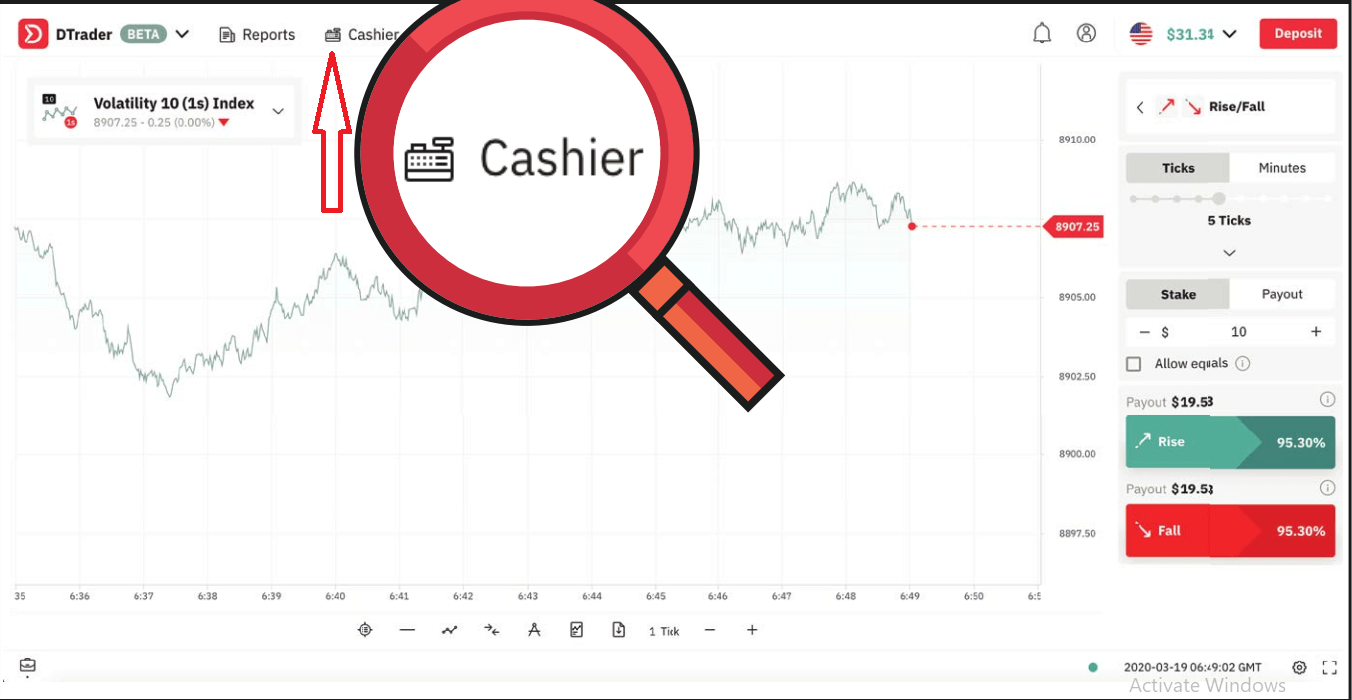
2. Click on Withdrawal. You will receive an email asking you to verify your withdrawal request
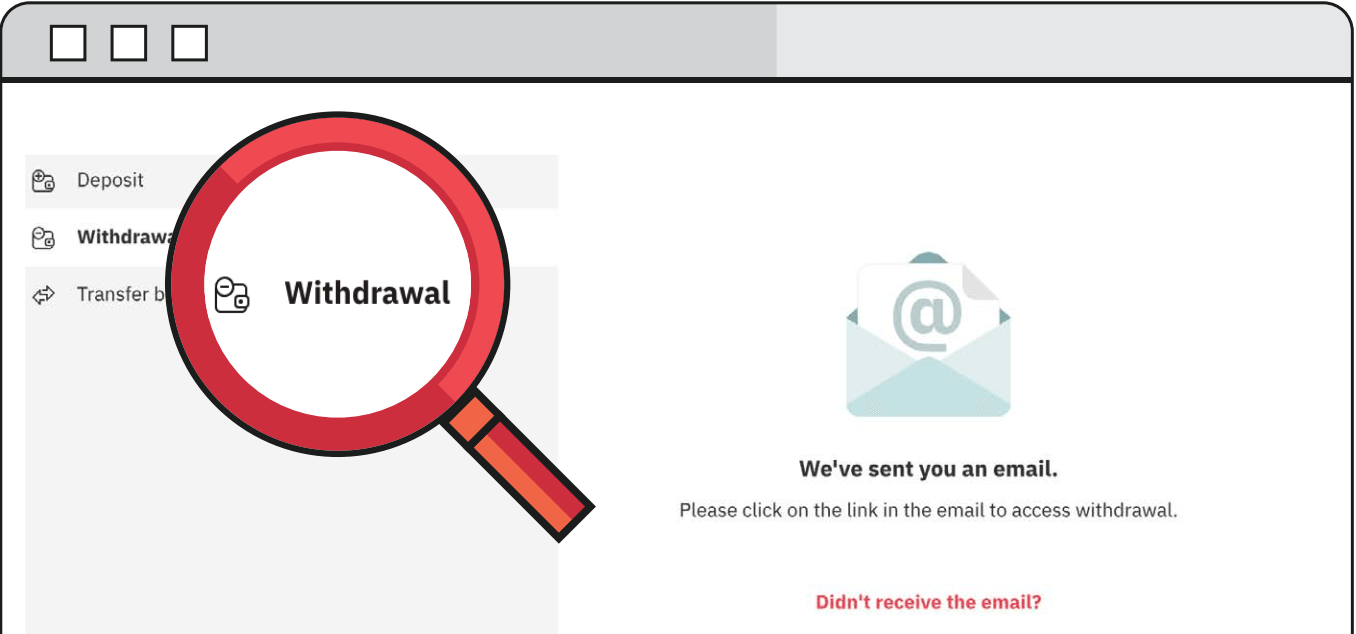
3. Follow the link that is sent to your email and it will redirect you to the Deriv cashier.
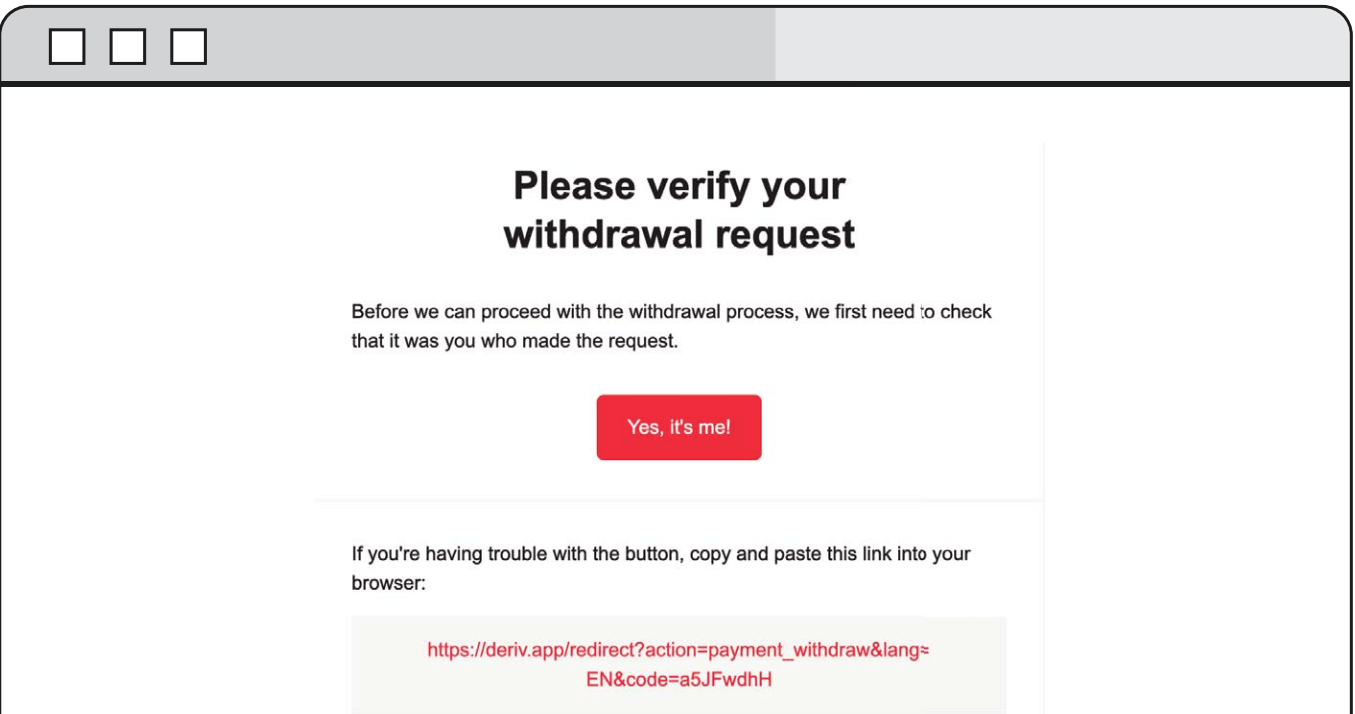
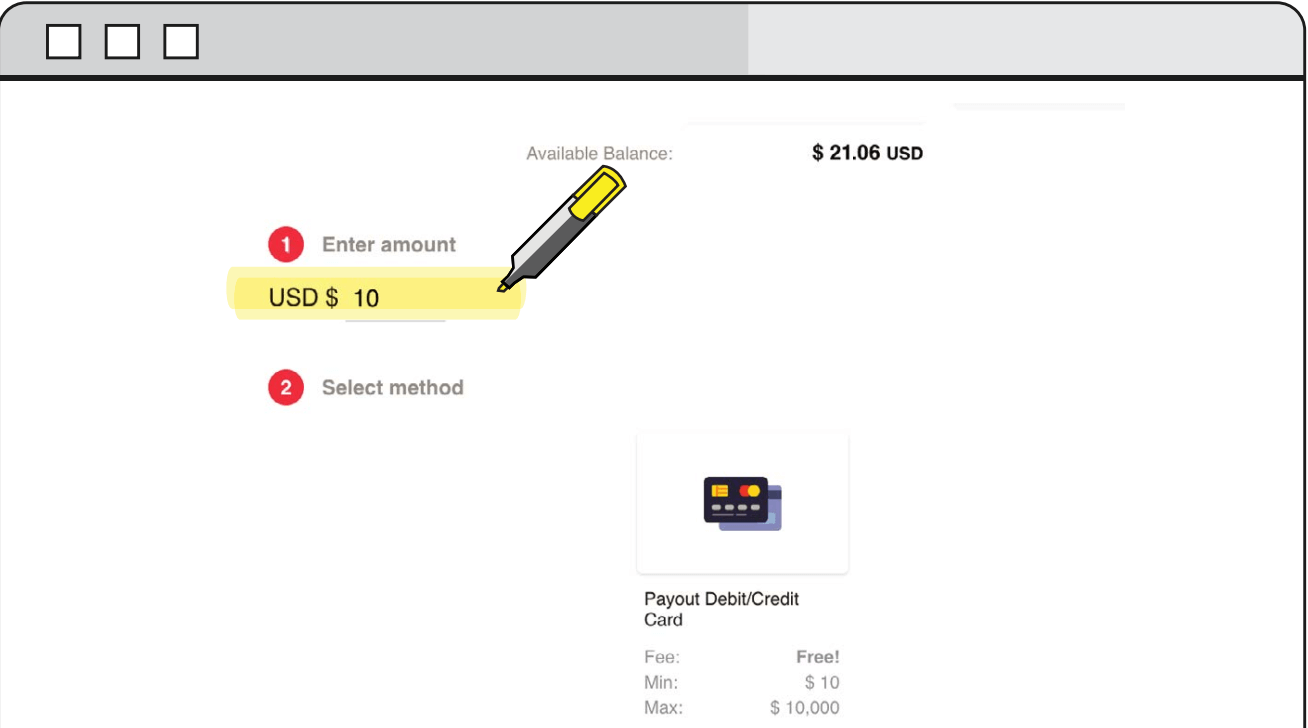
4. Enter the desired amount that you wish to withdraw from your Deriv account and select Debit/Credit card as your method of withdrawal.
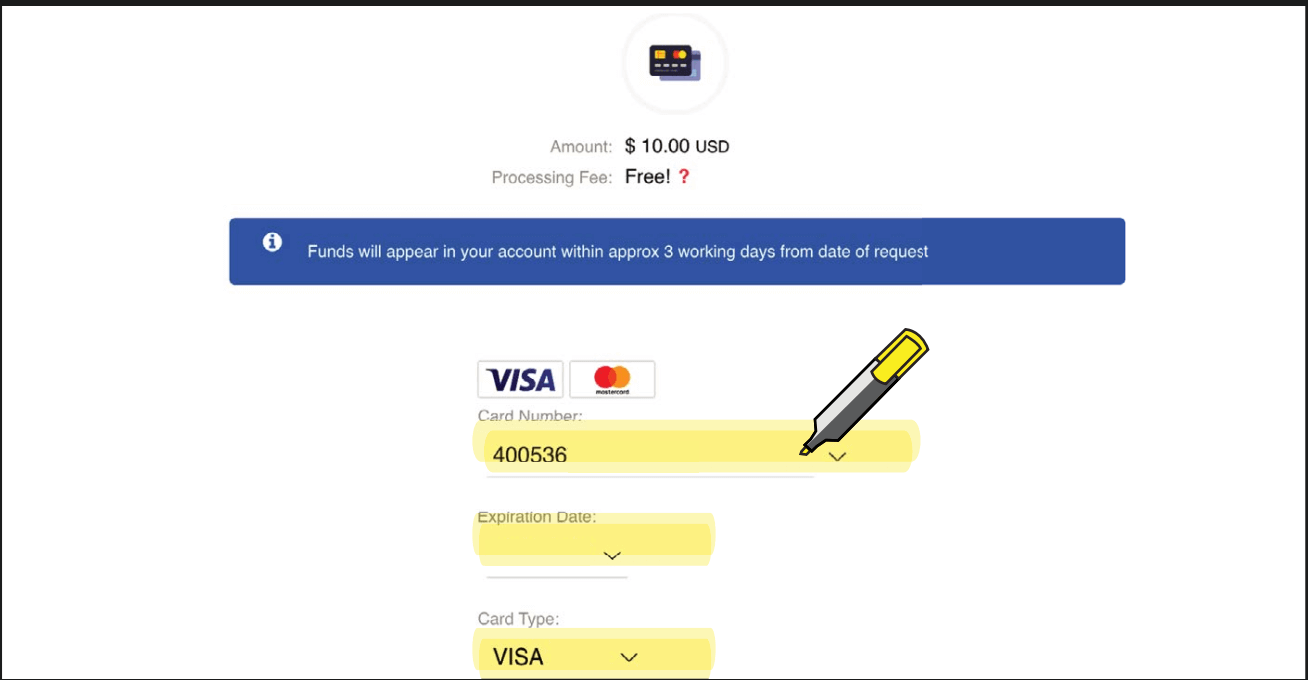
5. Enter the required card credentials.
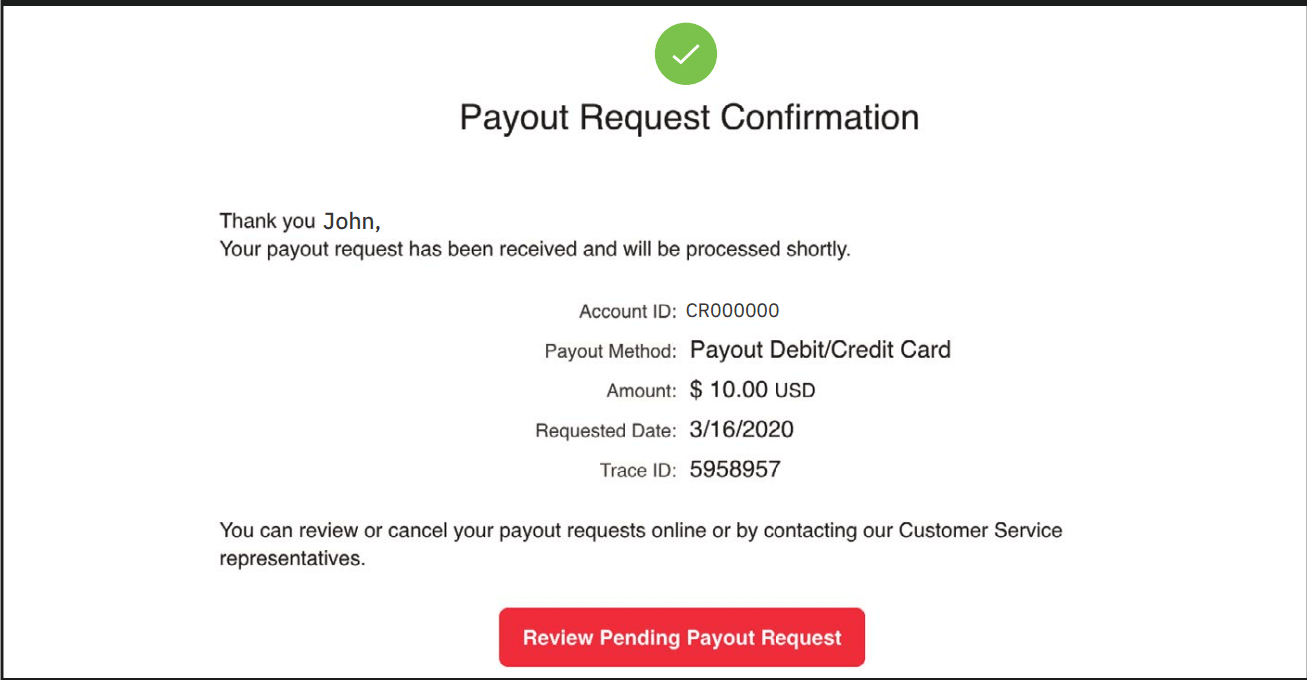
6. You will then receive a confirmation of the withdrawal request.
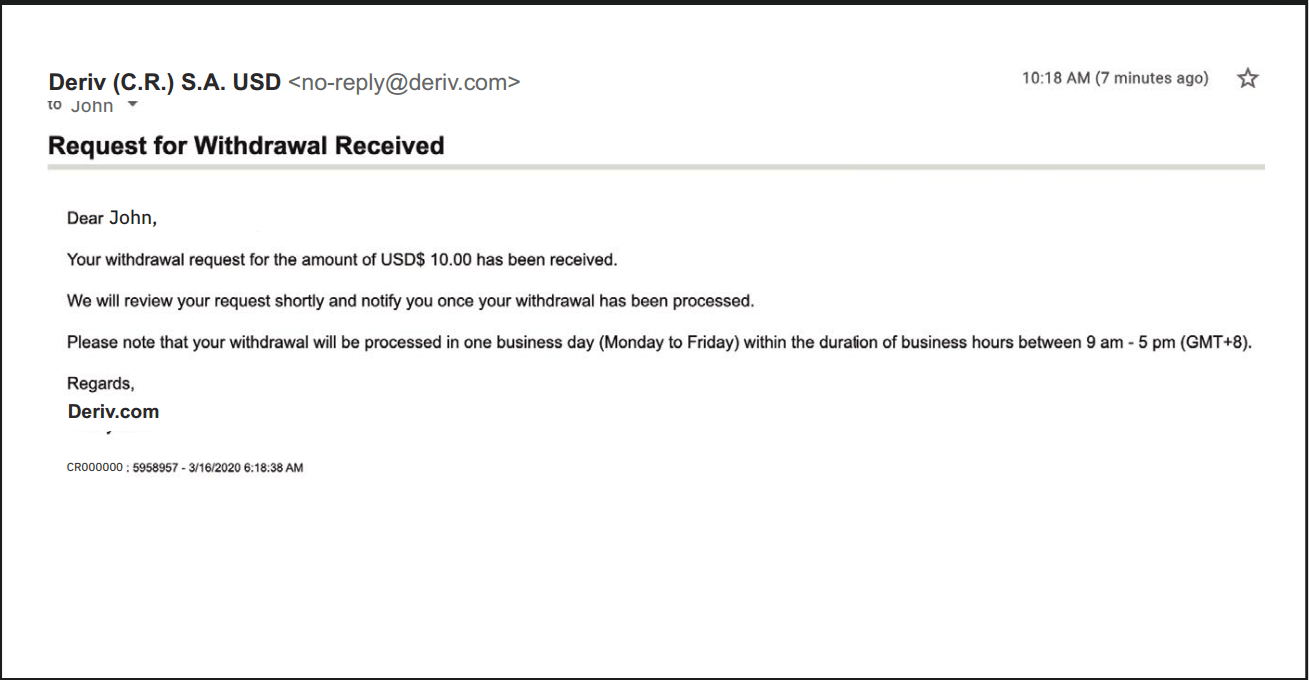
7. You will receive an email confirmation stating that the request for the withdrawal was received along with the processing time.
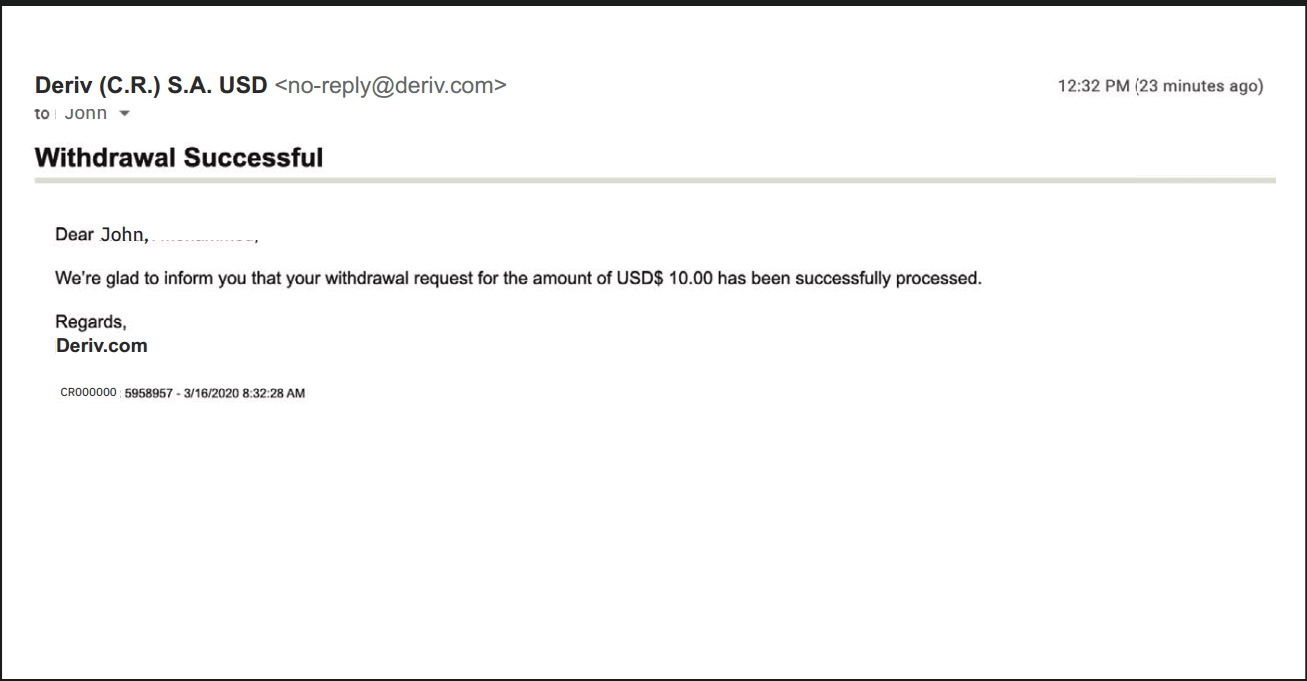
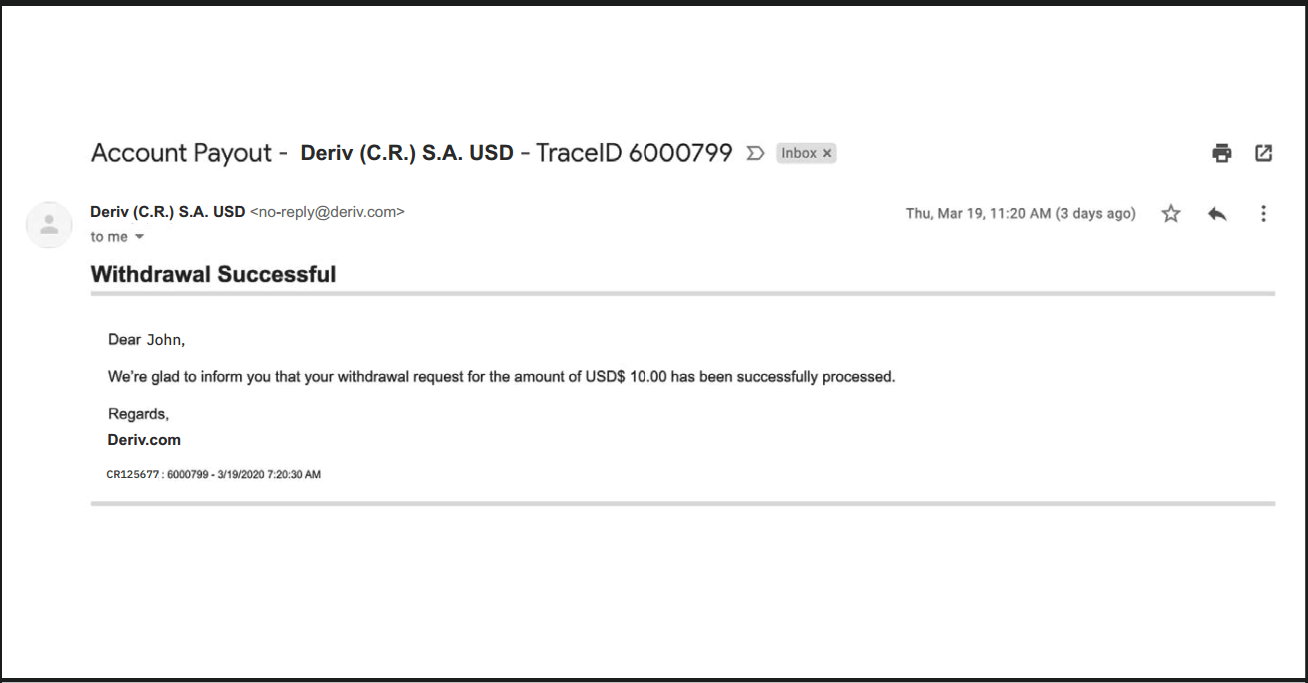
8. Once the withdrawal has been processed, you will receive another email stating that it was successful and the funds will be reflected on your chosen card
Withdrawal using FasaPay
Currencies
- USD
- Withdrawals: 1 working day
- 5-10,000
1. Log in to your Deriv USD account and select Cashier.
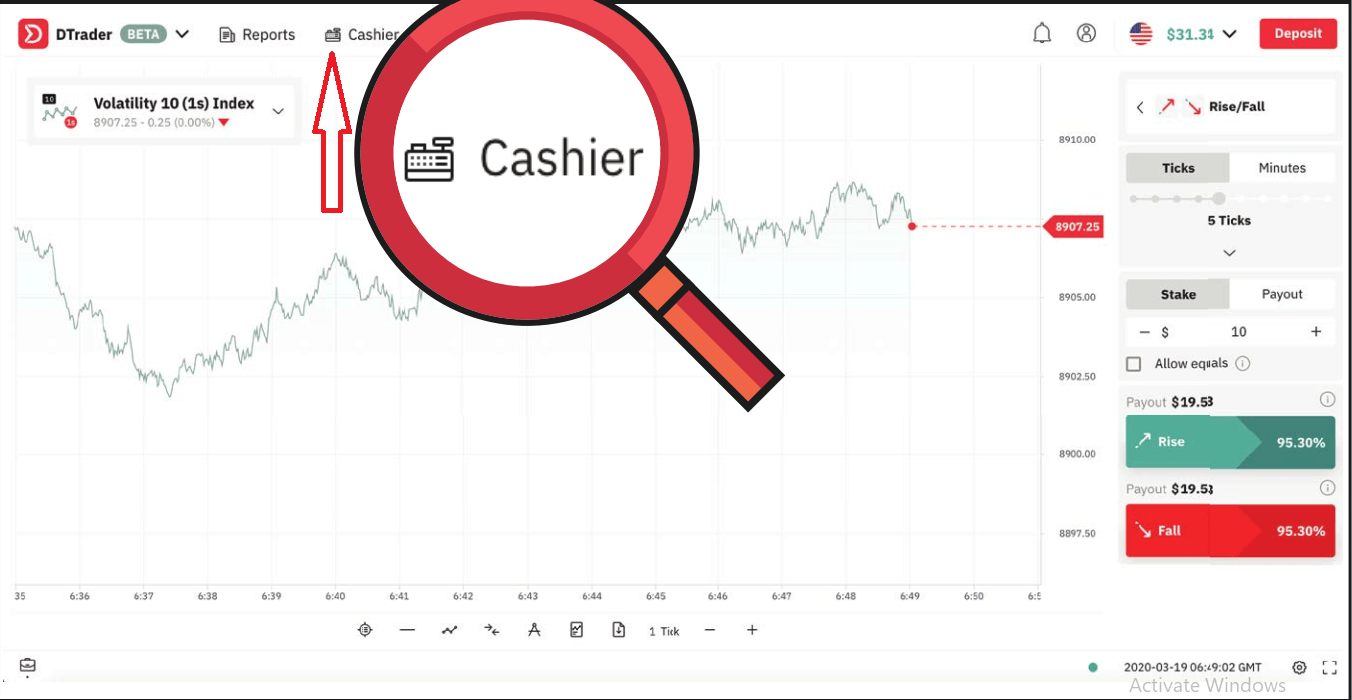
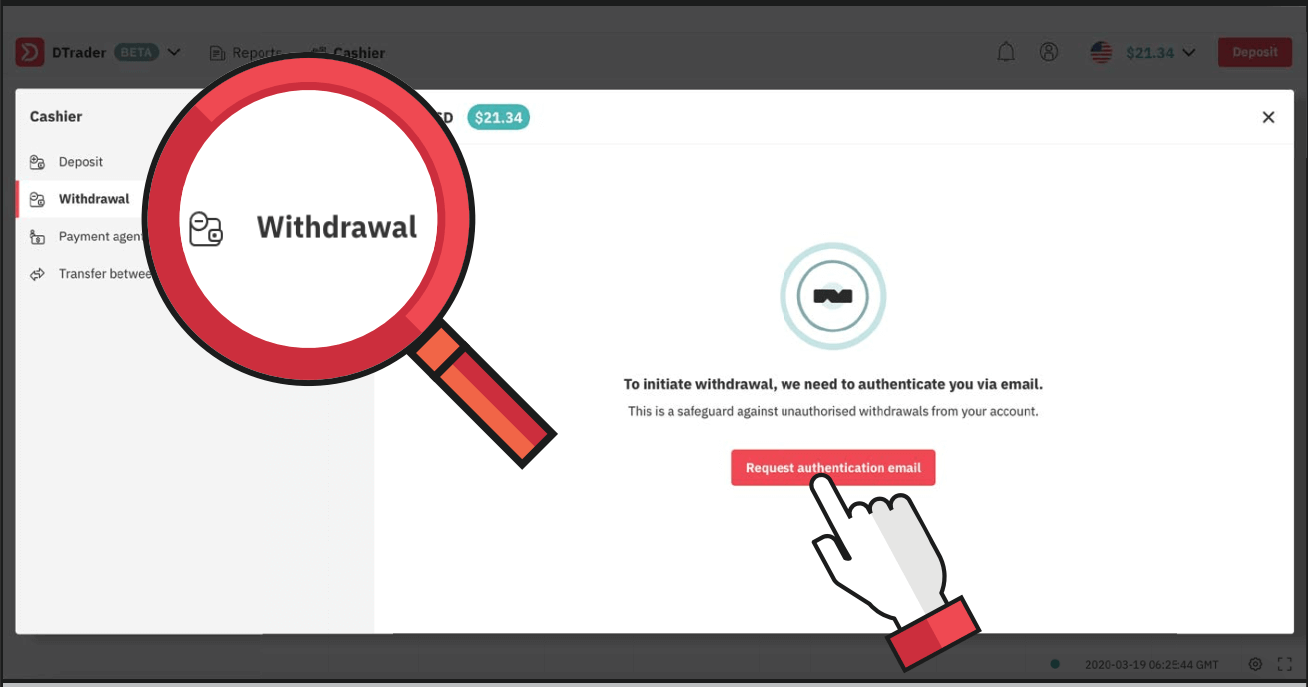
2. Choose Withdrawal and click on Request authentication email.
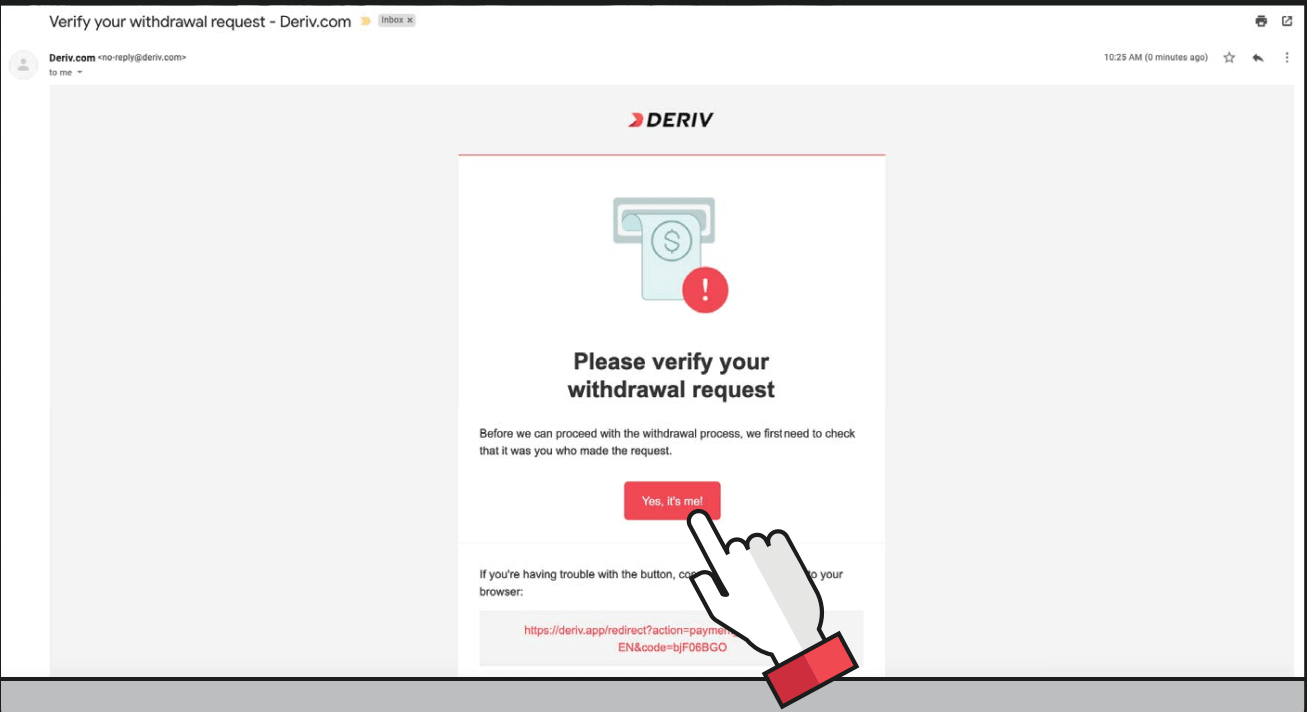
3. You will receive an email to verify your withdrawal request. Click on Yes, its me! or copy and paste the link into your browser.
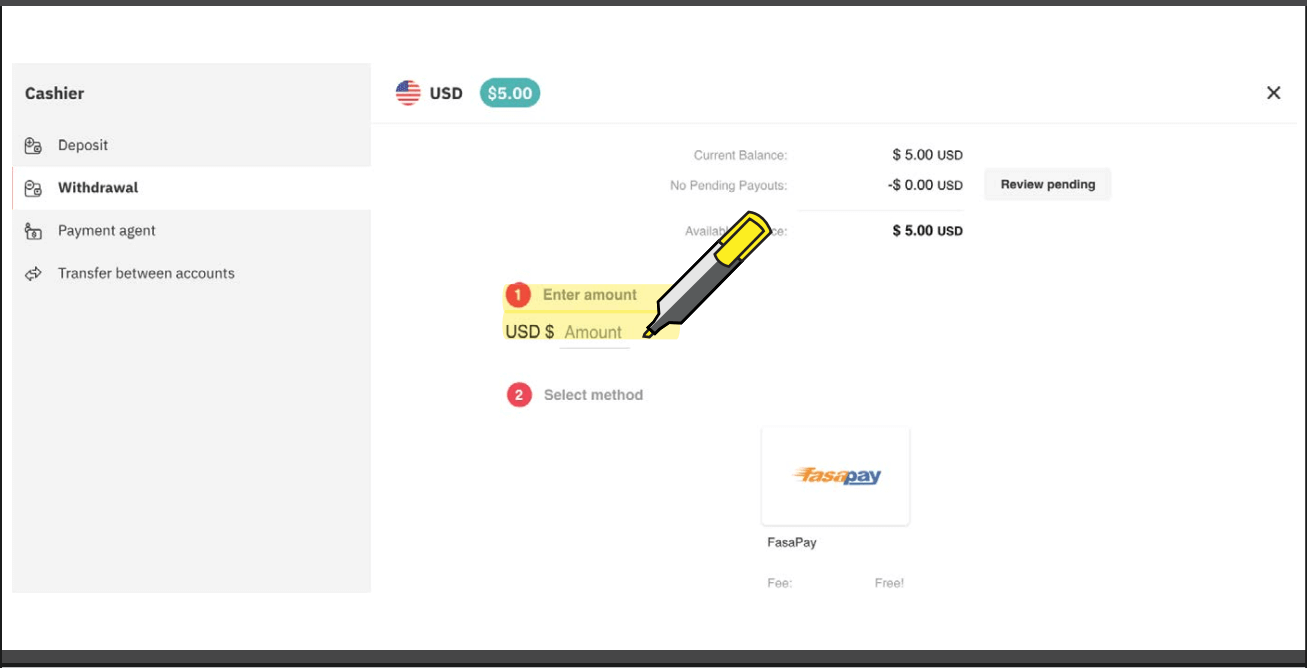
4. Enter the amount you wish to withdraw and select FasaPay.
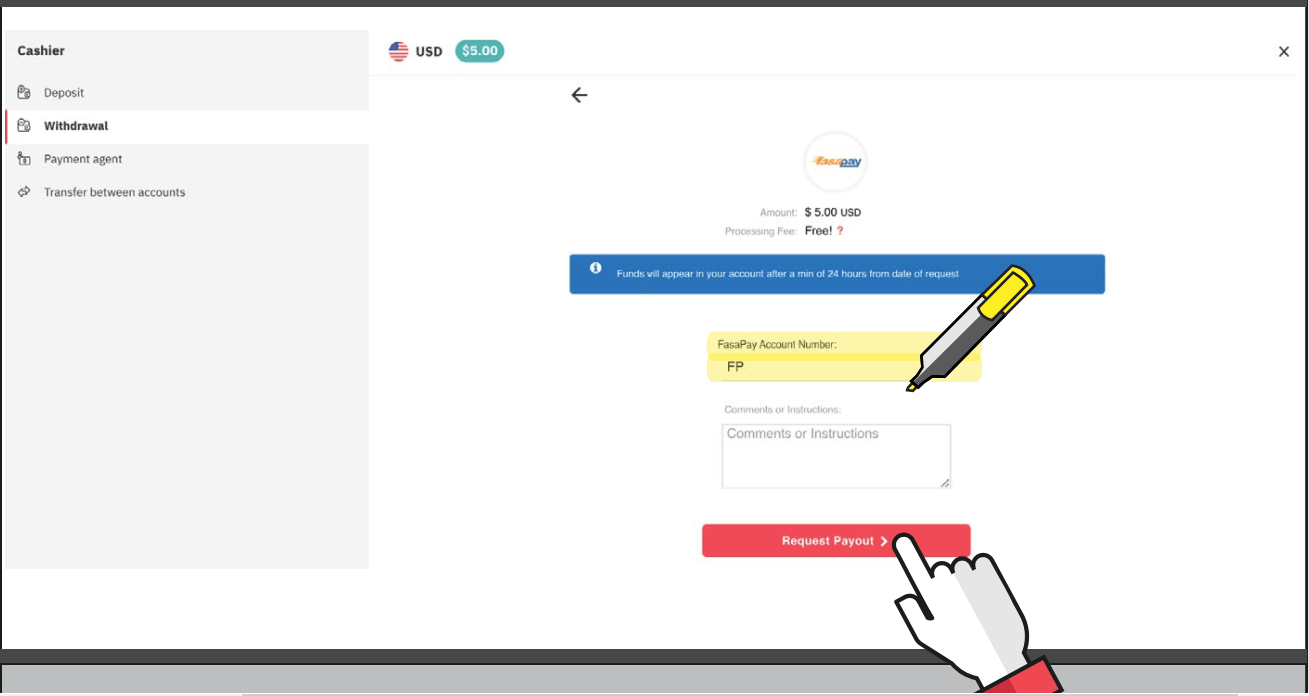
5. Enter your FasaPay account number and click on Request payout.
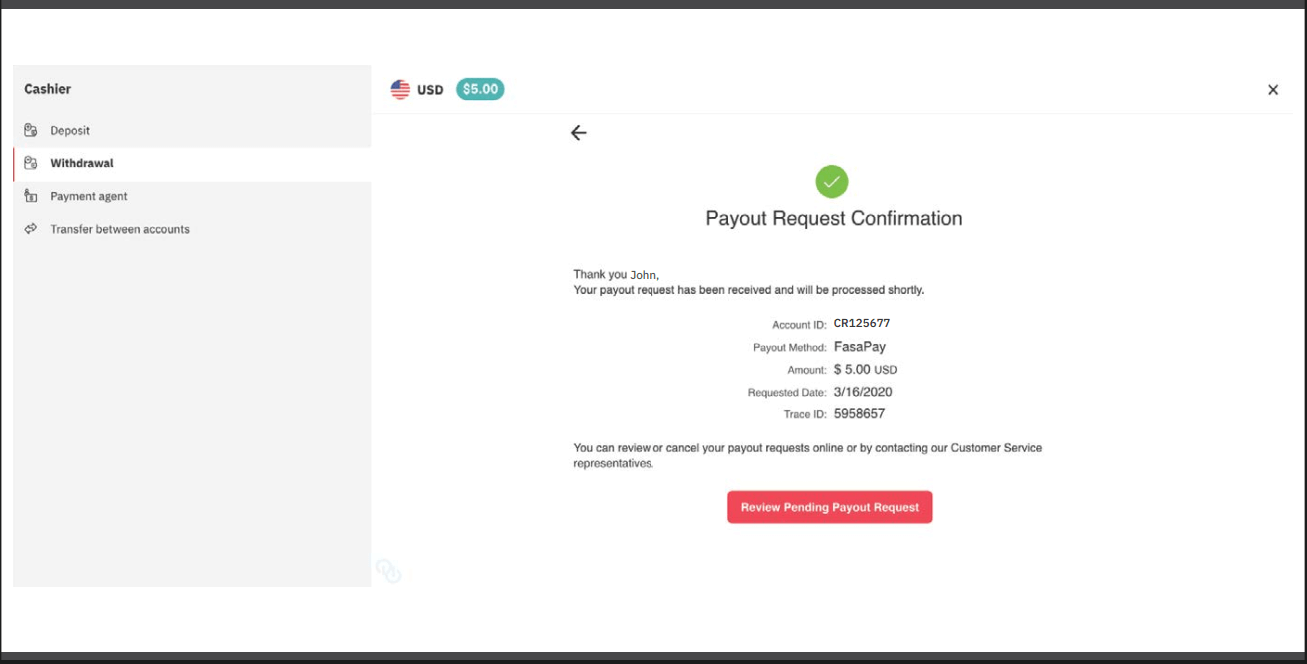
6. You will then receive a payout request confirmation message.
7. You will receive a payout request confirmation email.
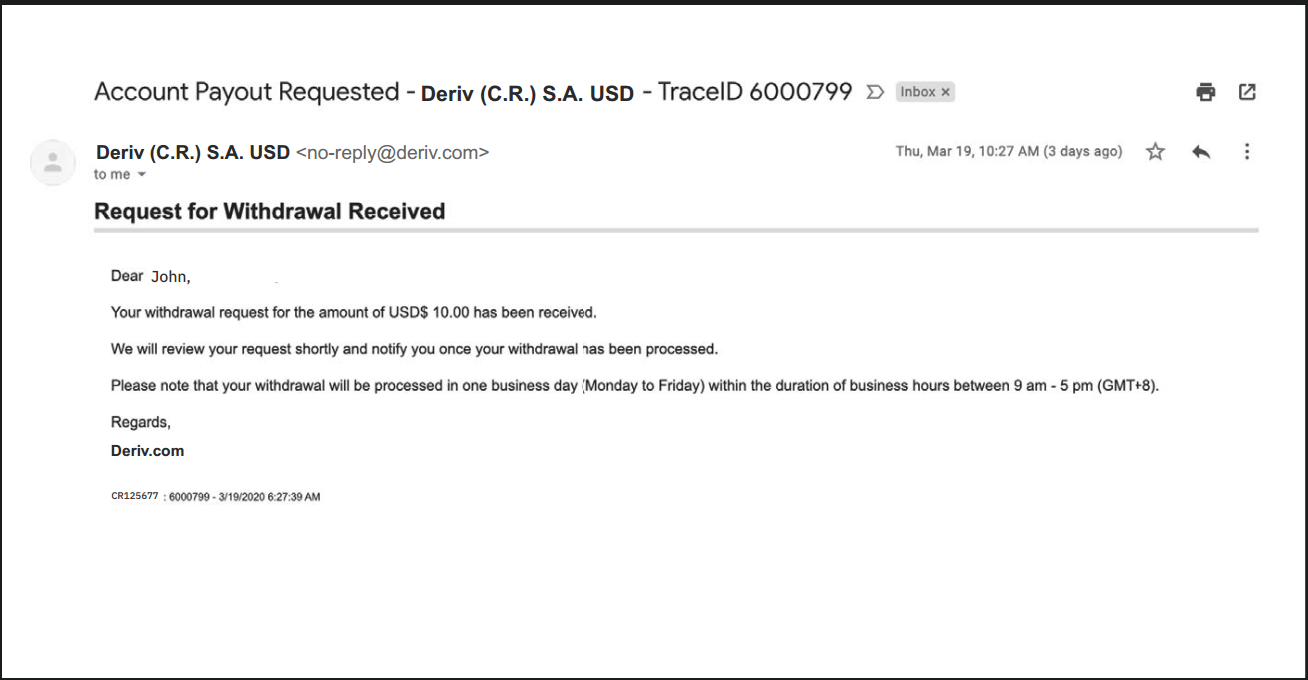
8. You will also receive an email notification for your successful withdrawal
Withdrawal using Bitcoin (BTC)
Processing time- Subject to internal checks
Min withdrawal
- Equivalent to 25 USD
1. Log in to your Deriv BTC account and go to Cashier.
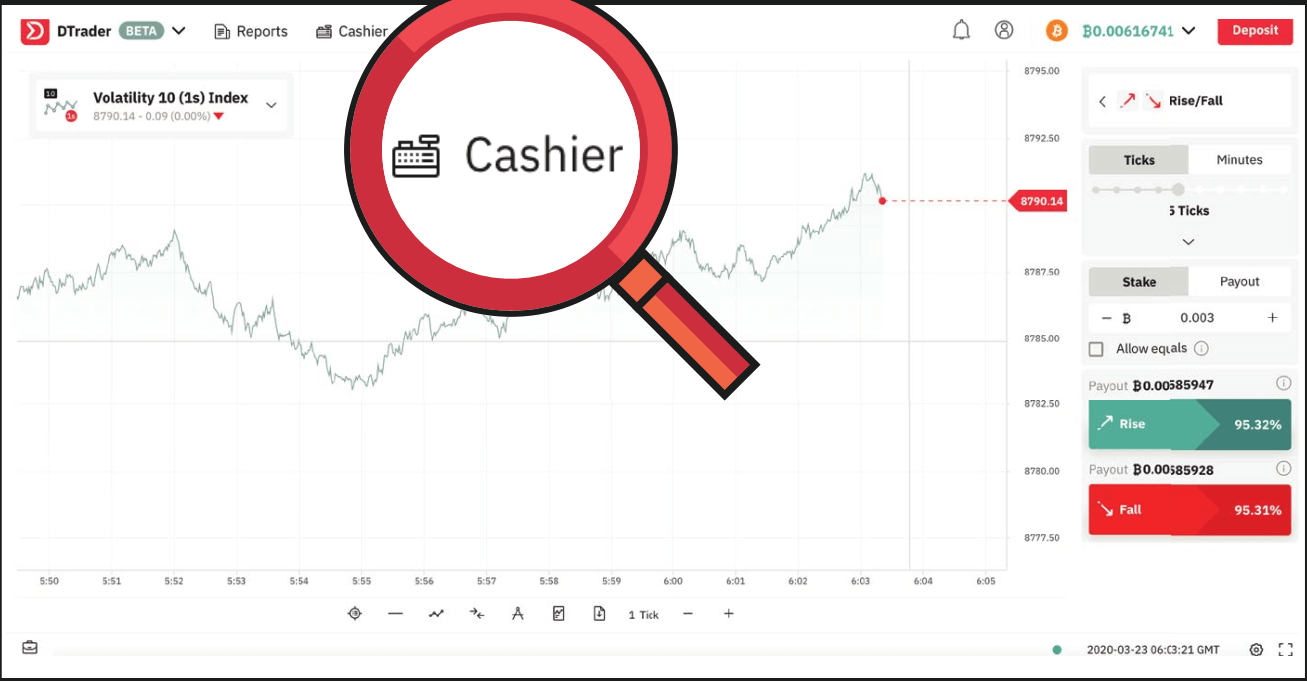
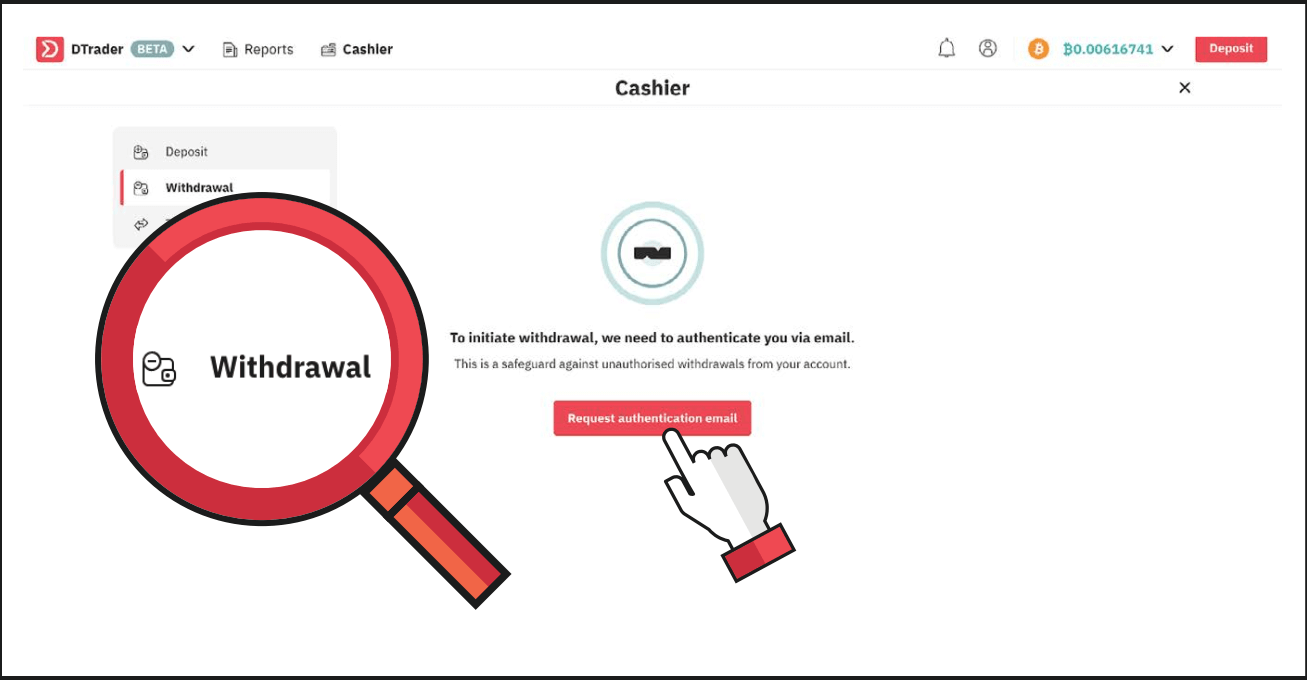
2. Select Withdrawal and click on Request authentication email.
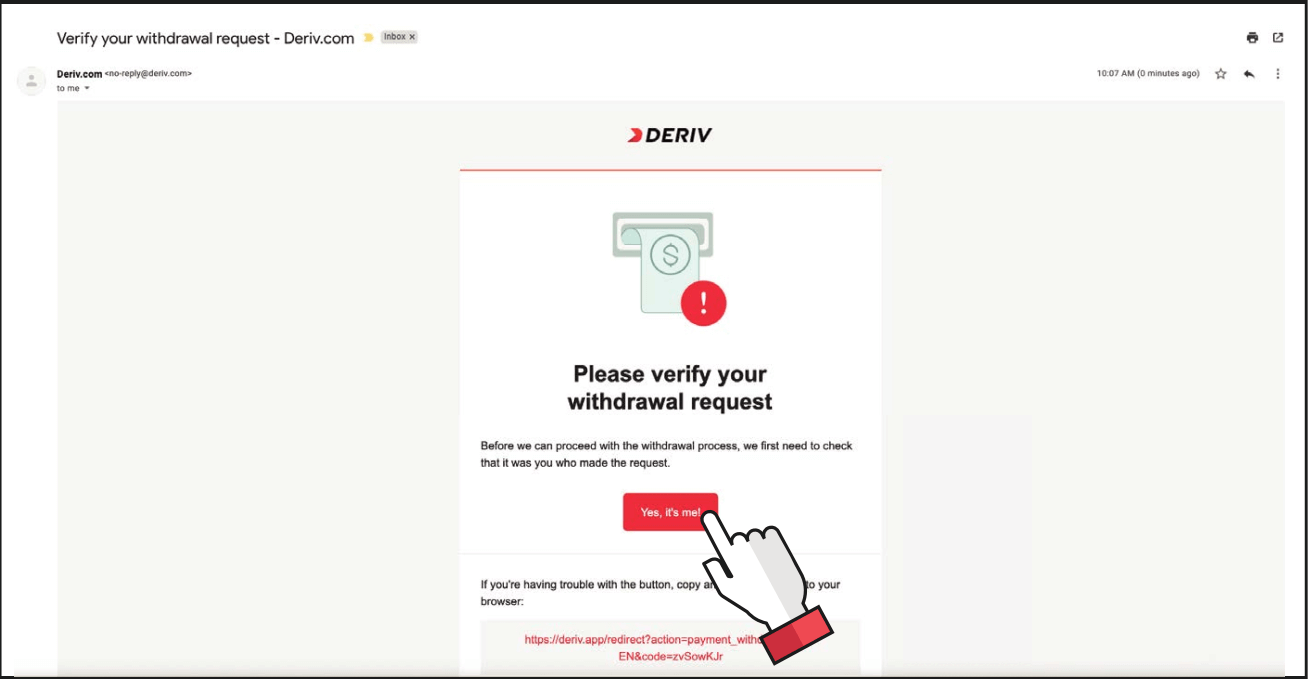
3. You will receive a verification email for the withdrawal request. Click on Yes, its me!
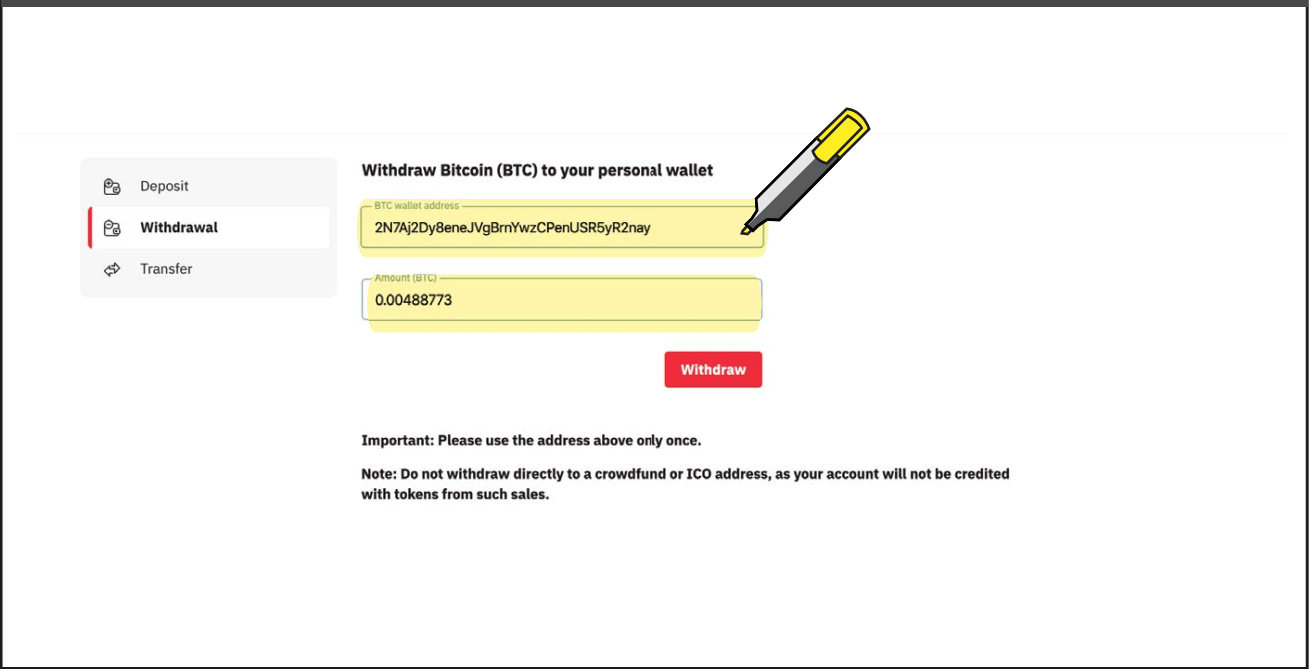
4. You will be redirected to the Deriv cashier. Enter your BTC wallet address and the amount you wish to withdraw, and click on Withdraw.
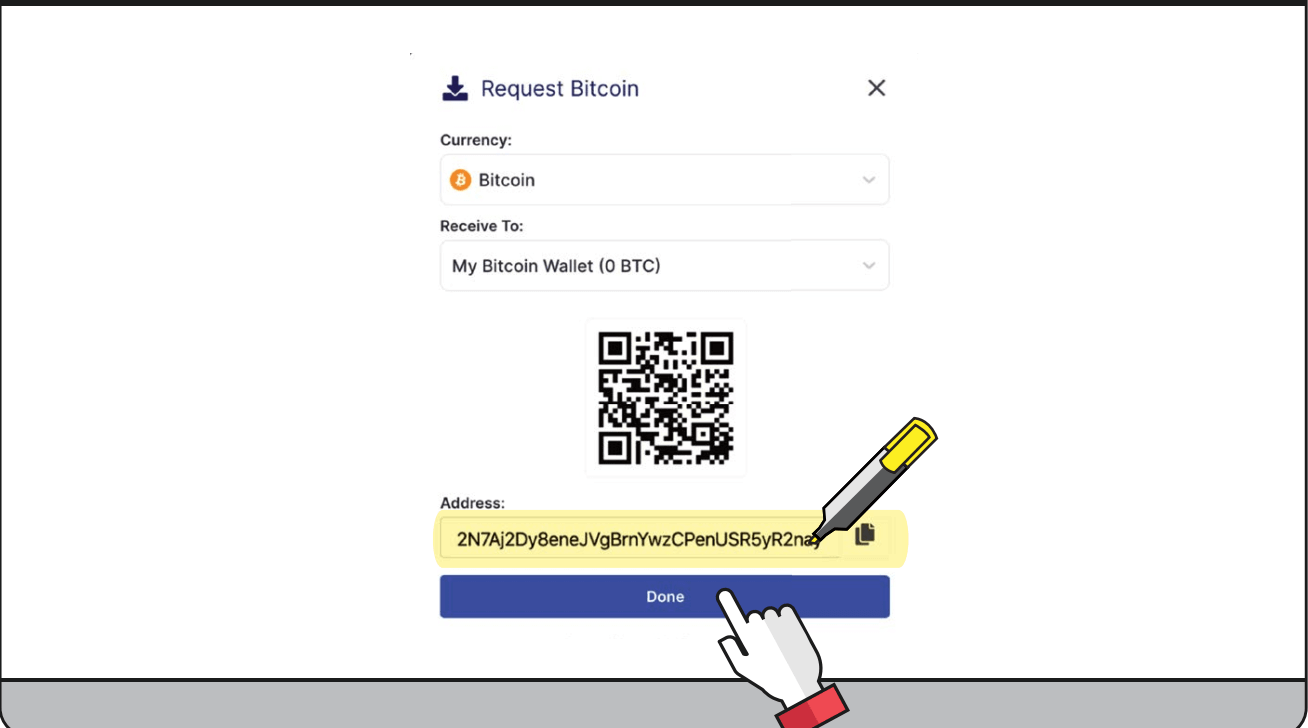
5. Copy your BTC wallet address from your blockchain wallet and click Done.
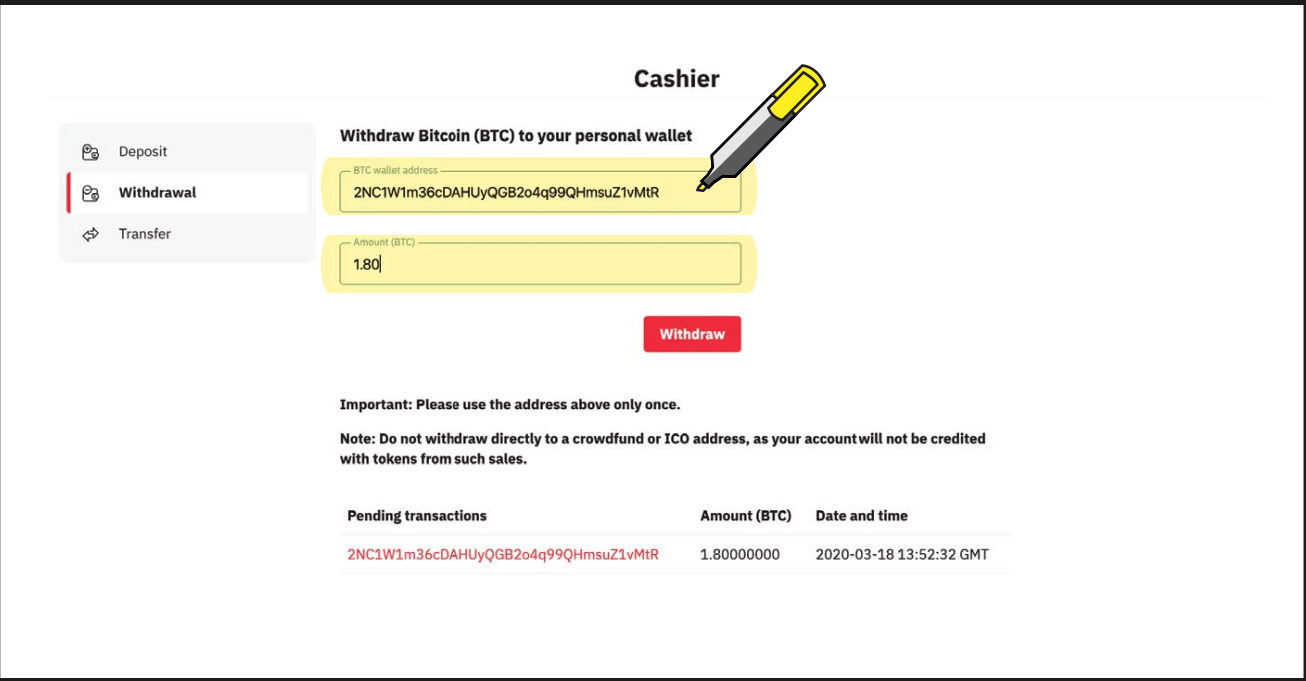
6. You will then see the transaction as pending. Processing is subject to internal checks. Once successful, your funds will be reflected in your blockchain wallet.
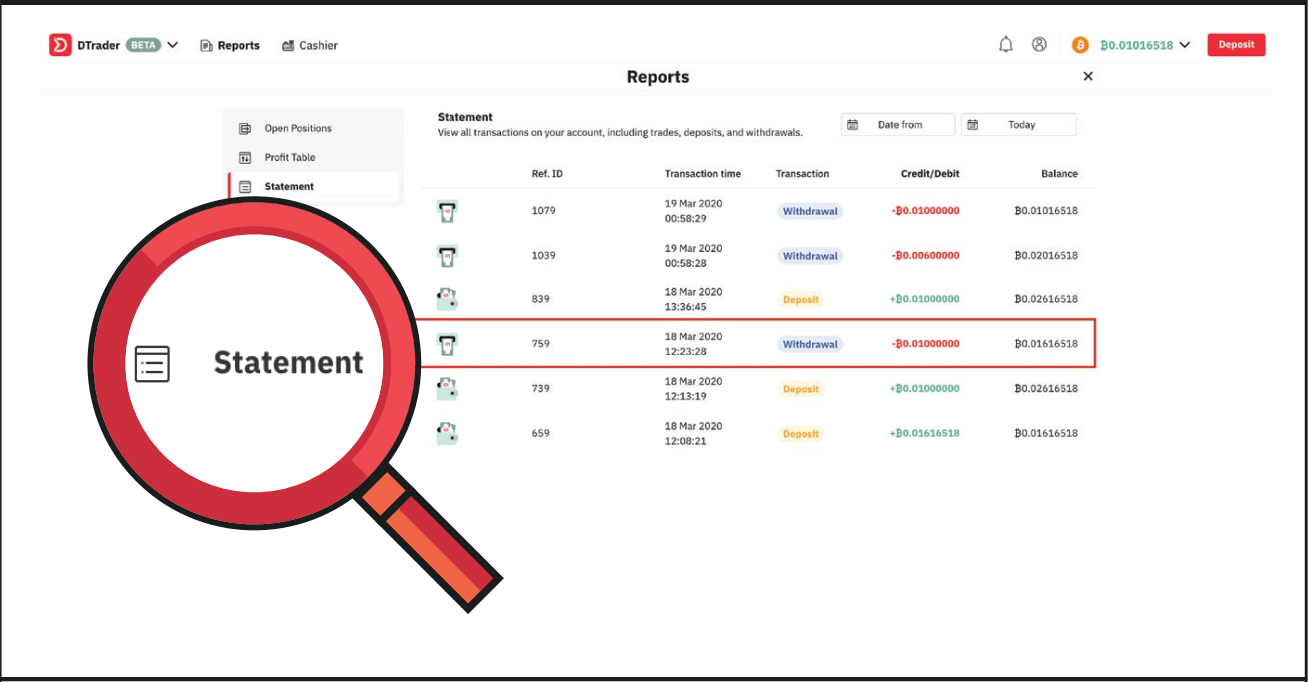
7. You can view the successful withdrawal in your Deriv account statement.
FAQ of Withdrawal
How long does it take to process withdrawals?
Your deposits and withdrawals will be processed within one business day (Monday to Friday, 9:00 am–5:00 pm GMT+8) unless stated otherwise. Please note that your bank or money transfer service may require additional time to process your request.
My withdrawal verification link expired. What should I do?
This problem might be a result of clicking on the ‘Withdraw’ button multiple times. Try to withdraw once again, and then click on the latest verification link sent to your email. Please make sure that you use the link within one hour.
How can I lift my withdrawal limits?
You can lift your withdrawal limits by verifying your identity and address. To see your current withdrawal limits, please go to Settings Security and safety Account limits.
Can I withdraw my deposit bonus?
You may withdraw the free bonus amount once you have exceeded an account turnover of 25 times the bonus amount value.
Why cant I withdraw funds to my Maestro/Mastercard?
Mastercard and Maestro card withdrawals are only available for UK clients. If you are not from the UK, please withdraw using an e-wallet or cryptocurrency instead.
How can I withdraw funds from my DMT5 real money account?
To withdraw funds from your MT5 account on Deriv, you’ll need to transfer the funds to your Deriv account. Go to Cashier Transfer between accounts and follow the instructions on the screen.Transfers are instant. Once you’ve completed all the steps, your DMT5 account balance will be updated immediately.
How do I withdraw funds from my Deriv X real money account?
To withdraw funds from your Deriv X account on Deriv, you’ll first need to transfer the funds to your Deriv account. Go to Cashier Transfer between accounts and follow the instructions on the screen.To withdraw from your Deriv account into your personal account, go to Cashier - Withdrawal and follow the instructions on the screen. You’ll need to verify your identity and confirm your withdrawal amount.
After the required processing time of your selected payment method, your funds will be deposited into your personal account. You can check processing times on our Payment methods page.
FAQs
Minimum deposit amounts vary by account type and payment provider; some methods accept only a few units of major currencies while others require higher minimums. Check the account type you select and the chosen payment method inside Deriv’s Cashier before funding because third-party providers can impose their own minimums and currency restrictions.
Register with a valid email and create your login, complete basic profile fields, then submit required KYC documents. Once verified, fund your live account via a supported payment method. To withdraw, open Cashier, choose Withdraw, select the payment destination (usually the original deposit source), enter the amount and confirm. Allow for identity and AML checks; some withdrawals may require additional documentation or processing time depending on the method.
Commonly required documents include a government-issued ID (passport, national ID, or driver’s licence) and a recent proof of address (utility bill or bank statement not older than a few months). Images must be clear and full-page; in some cases Deriv may request proof of payment or source-of-funds documentation for larger transfers or suspicious activity.
Pending or rejected withdrawals usually stem from incomplete verification, name mismatches between accounts, using an unsupported payment route, insufficient balance, or AML checks. Start by checking account notifications and the Cashier status, then upload any requested documents, confirm that withdrawal and deposit names match, and contact support with transaction IDs if the hold persists. Allow 24–72 hours for normal processing and longer for bank transfers.
Withdrawal limits and fees depend on your verification level, account currency, and chosen payment method; some methods impose minimums, maximums, or third-party fees. Deriv generally requires funds to be returned to the original deposit source where possible and may block or request proof for exceptions. Review the Cashier’s limit and fee details before requesting a payout and ensure your account and payment details match to avoid delays.